
Sphere Icons/Textures Rendering Improperly or Displaying as Black/Empty Spheres

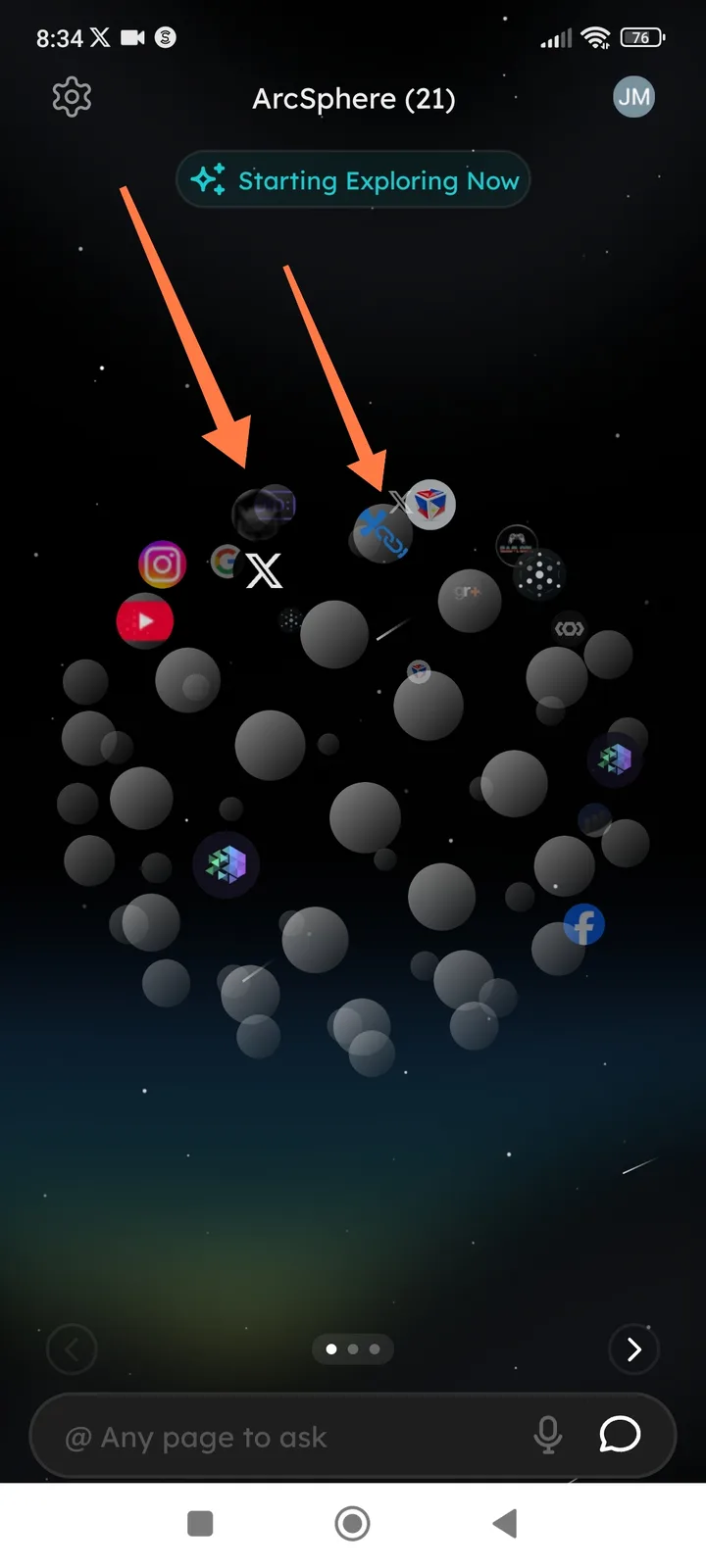
Description: In the ArcSphere 3D visualization interface, certain sphere icons are failing to render their associated project logos or images correctly. Instead of displaying the intended dApp or project icons, some spheres appear as dark/black empty objects or show corrupted/partial textures, making it impossible to identify the associated application visually.
Steps to Reproduce:
- Open the ArcSphere.
- Wait for the 3D sphere constellation to fully load.
- Observe the floating spheres in the immersive view.
- Look for spheres that appear dark, black, or with broken icon overlays (as indicated by arrows in the screenshot).
Expected Behavior: All 21 spheres should display clear, recognizable icons or logos representing their respective dApps, DeFi protocols, or websites (e.g., X/Twitter, Instagram, YouTube, IoTeX, etc.), with proper lighting and texture mapping.
Actual Behavior:
- Dark/Black Spheres: Some spheres render as completely dark or black voids without visible icons.
- Texture Overlap/Corruption: Icons appear to overlap or render with visual artifacts (as seen with the blue logo sphere).
- Missing Branding: Unable to identify which project a sphere represents due to missing or failed icon loading.
Suggested Fixes:
- Asset Preloading: Ensure all icon textures are fully loaded before rendering the 3D scene.
- Fallback Icons: Implement default placeholder icons when specific project logos fail to load.
- Lighting Adjustment: Increase ambient lighting on sphere surfaces to prevent icons from appearing too dark in the space-themed background.
- Texture Validation: Add error handling for broken image URLs to prevent empty/black texture mapping.