
Unable to Access Support Site + Login Issues with 4 Passports + New Passport Creation Fails

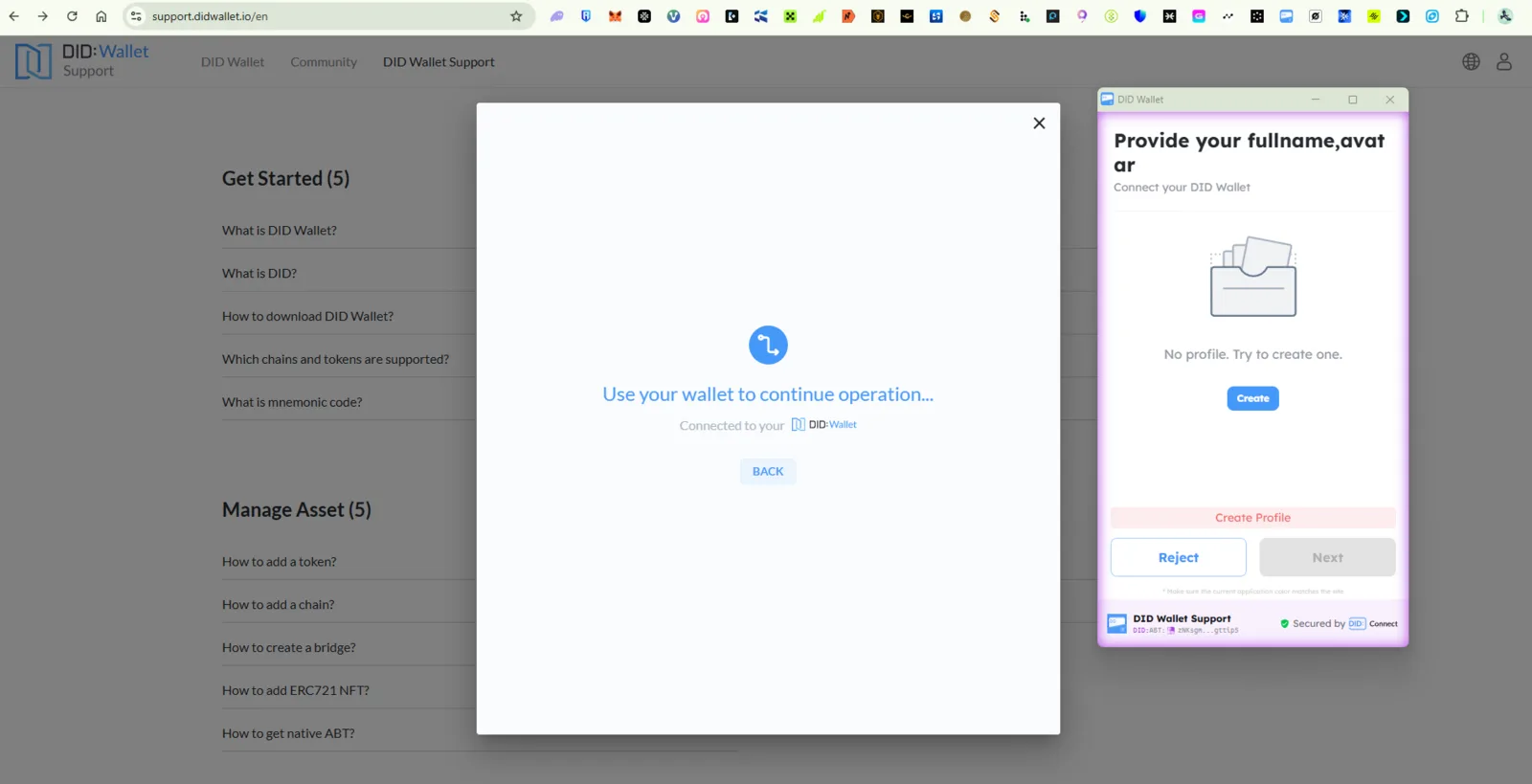

🐛 Summary
- Support Site Access Issue: The user cannot access
https://support.didwallet.io/en - Login Failure: The user has 4 passports but cannot log in to their account.
- Passport Creation Fails: The user created a new passport, but it also fails to grant access.
- Forced Passport Creation: The system prompts the user to create a new passport despite having existing ones.
🔁 Steps to Reproduce
1. Support Site Access Issue
- Navigate to:
https://support.didwallet.io/en
2. Login Failure with 4 Passports
- Attempt to log in using any of the 4 existing passports.
- Observe that login fails
3. New Passport Creation Fails
- Create a new passport via the login flow.
- Attempt to log in using the new passport.
- Observe that login still fails (e.g., "Passport not recognized", "Authentication error").
4. Forced Passport Creation
- After login failure, the system prompts the user to create a new passport despite having existing ones.
📉 Severity
Critical – Blocks access to support resources and account management.
🛠️ Expected Behavior
- The support site should load without errors.
- Users should be able to log in using any of their valid passports.
- The system should not force passport creation if existing passports are valid.
- New passport creation should grant access to the support portal.
🧪 Actual Behavior
- The support site is inaccessible or shows errors.
- Login fails for all 4 passports and the newly created passport.
- The system forces passport creation despite existing valid passports.
2 条回复
The error screen prompts that you do not have profiles in your DID Wallet, not related to the passport.
For most websites, you do not need a passport to log in.
I have profile passport but still can't access. I already transfer to other devices same scenario