
Missing “Officially Certified” Filter in Blocklet Store Search

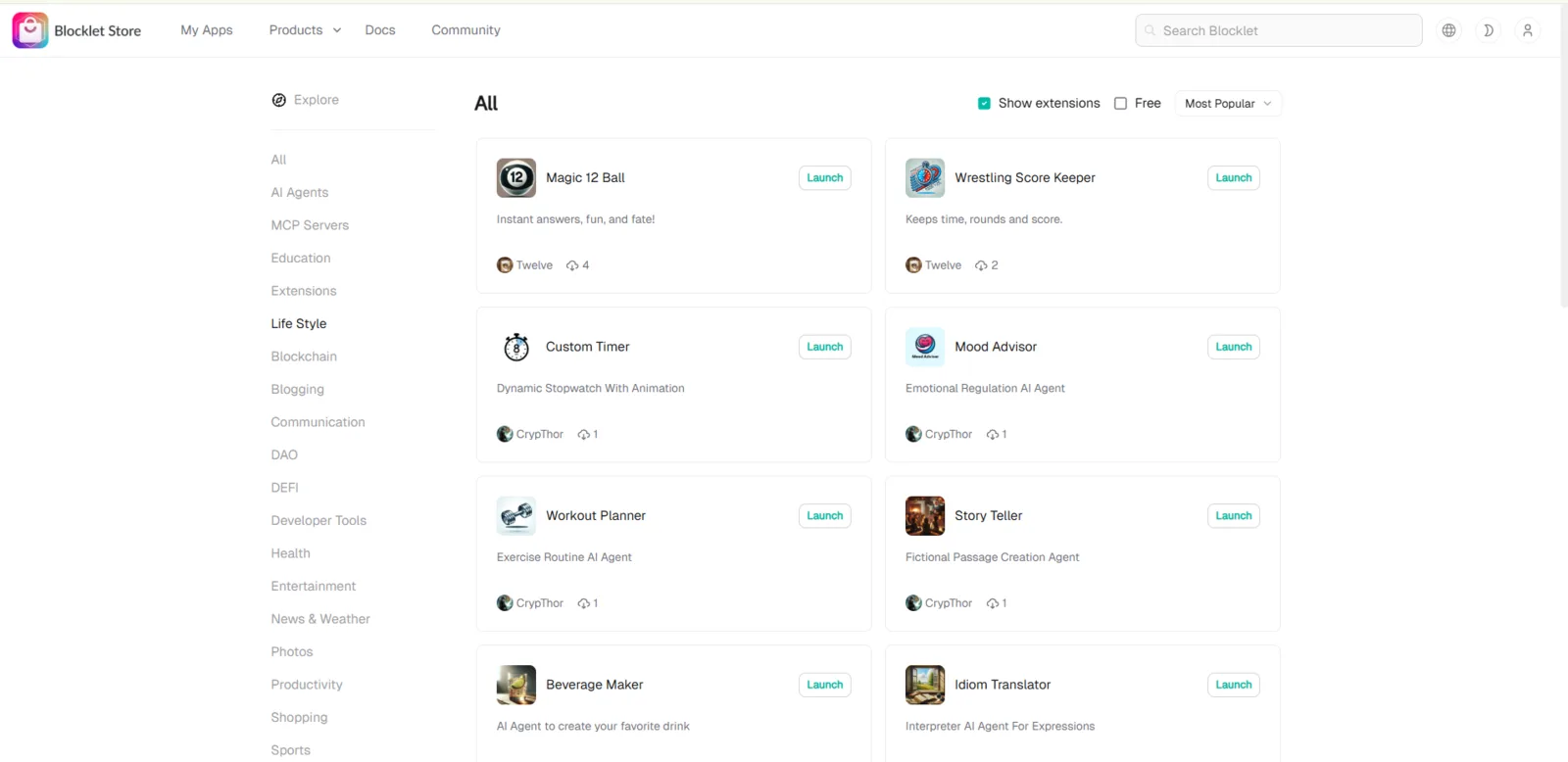
On the Blocklet Store search page (https://store.blocklet.dev/search), there is no available filter to refine results by “Officially Certified” status. This makes it difficult for users to distinguish between officially certified apps and community/personal submissions.
Steps to Reproduce:
- Visit https://store.blocklet.dev/search.
- Perform a search for any term (e.g., “NFT”).
- Review available filters in the sidebar or search options.
- Observe that “Officially Certified” is not available as a filter option.
Expected Result: Users should have a filter to narrow down results to Officially Certified apps, ensuring they can quickly find verified, trustworthy projects.
Actual Result: No filter for “Officially Certified” is available. Users must manually check app details, which reduces search efficiency and may cause confusion.
Bug Description: The absence of a dedicated filter for “Officially Certified” apps hinders user trust and usability in the Blocklet Store. Users looking for trusted, certified apps cannot easily separate them from community submissions, making the platform harder to navigate.
Suggested Fix:
- Add “Officially Certified” as a filter in the search sidebar.
- Highlight certified apps with a badge or separate category.
- Ensure filter works in combination with other search parameters.
1 条回复
We've added an "official" Blocklet filtering feature; feel free to try it.