
Missing or Incomplete Functionality in "Third Party Login" Tab in User Profile Settings

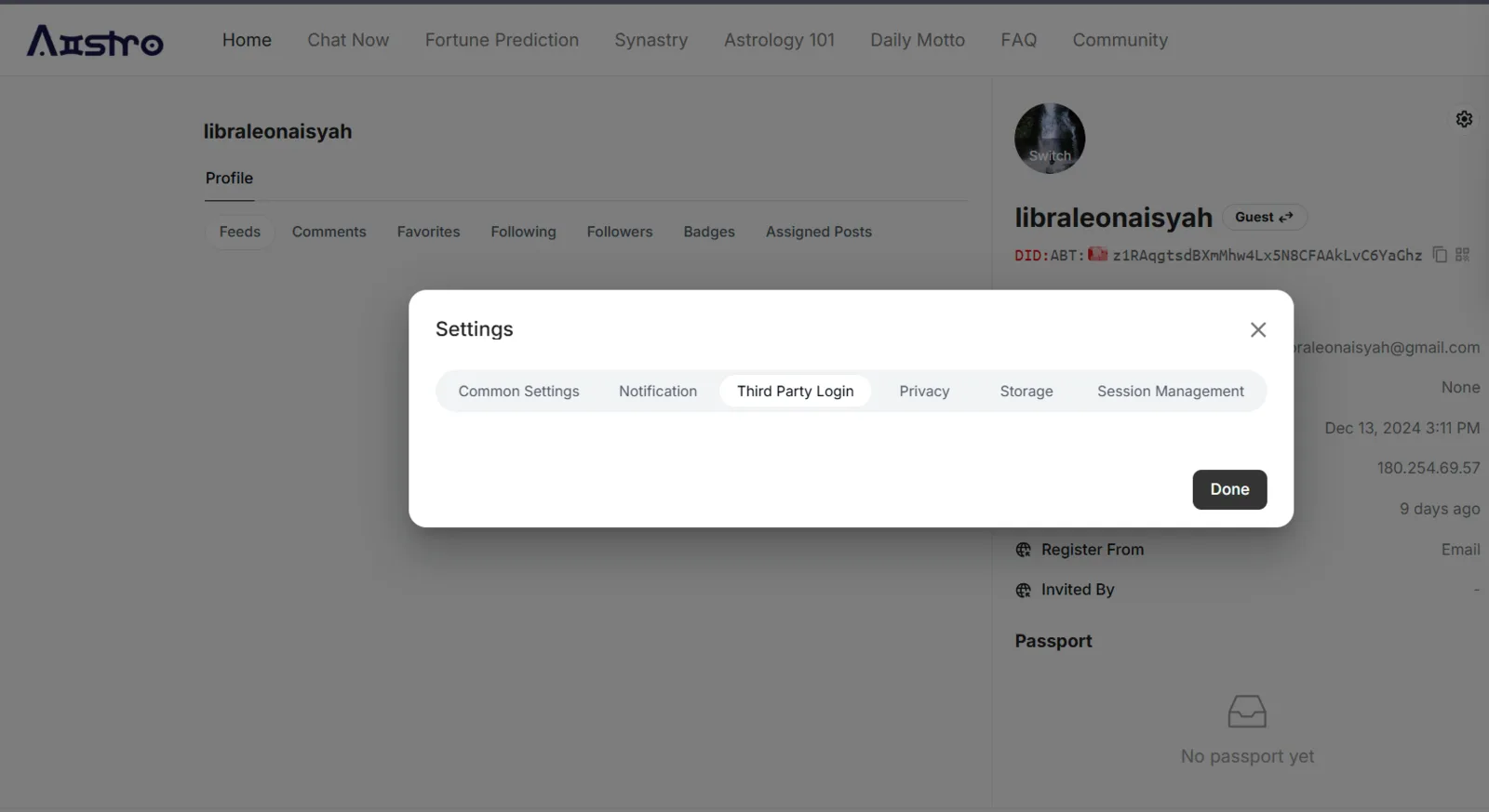
Description of the Issue: The "Third Party Login" tab in the user profile settings is either incomplete or not functioning as expected. When the user selects this tab, no actionable options, settings, or relevant information is displayed. This creates confusion, as users might anticipate options for linking, managing, or viewing third-party login integrations (e.g., Google, Facebook, or other external authentication methods).
Additionally, the lack of content within this tab makes it unclear whether this is a placeholder for future features, a bug, or an incomplete implementation. Users might perceive this as a broken feature, potentially reducing trust in the platform's functionality and user experience.
Steps to Reproduce:
- Navigate to the user profile page.
- Click on the settings (gear icon).
- Select the "Third Party Login" tab from the settings modal.
1 条回复
Duplicate with Third Party Login Options Not Displayed on Aistro