
Persistent Authentication Request

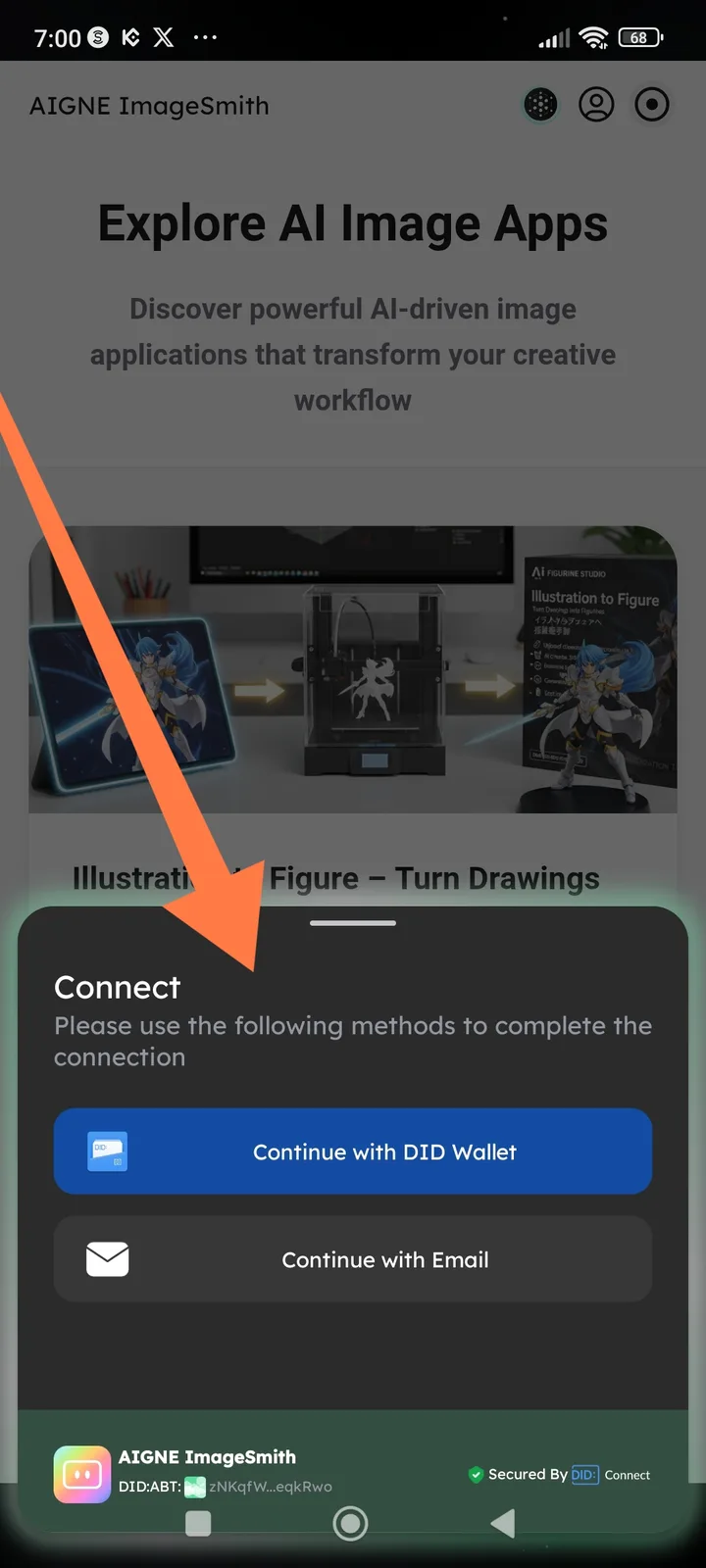
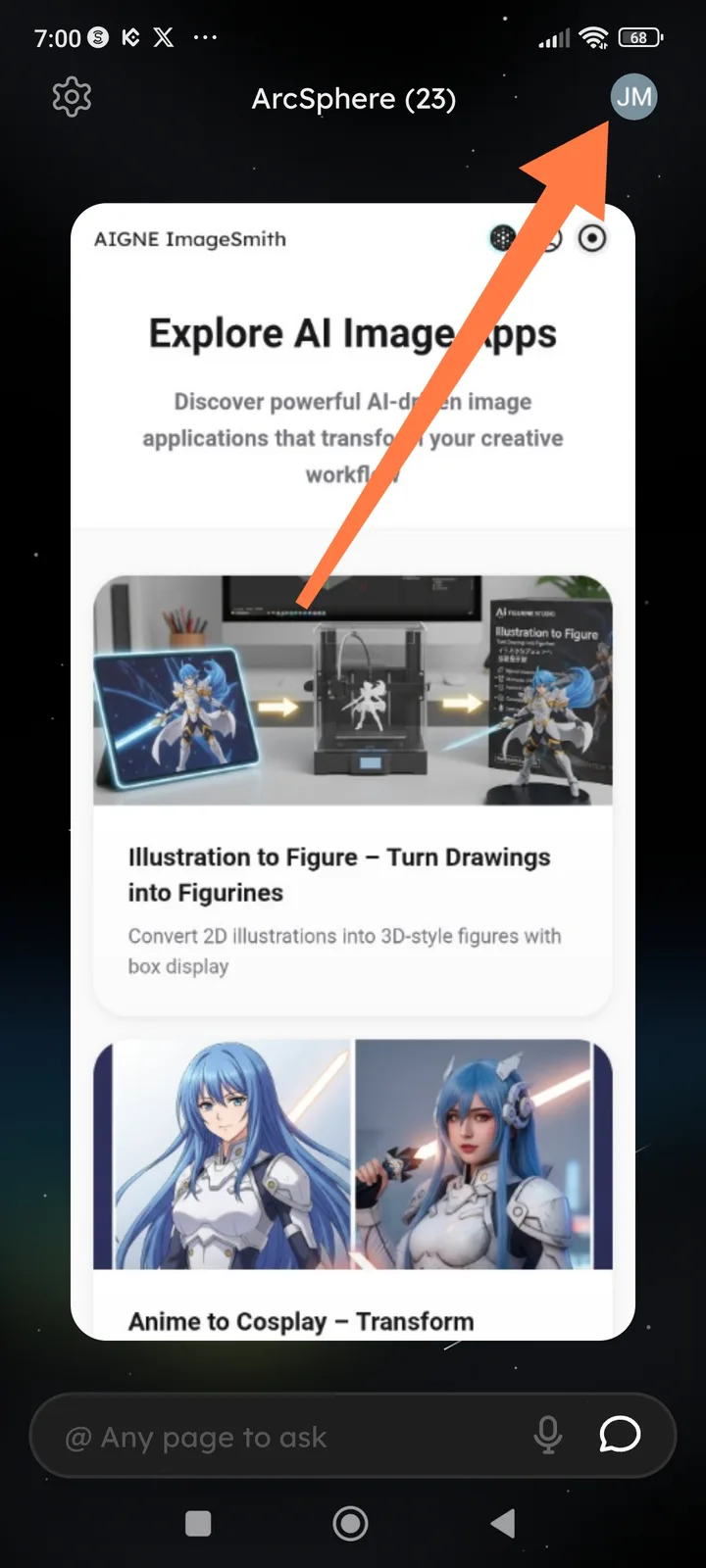

Status: High Priority
Summary: Unable to access or use ArcSphere features due to persistent "Please Sign In" prompts, despite the account status showing as "Logged In" in the profile section.
1. Environment Details
- Application: ArcSphere (AI Browser)
- Platform: Android 13
- Account Type: Arcsphere / ArcBlock Account
- Version: v1.10.14
2. Problem Description
- Actual Result: The browser interface or specific "Spheres" (AI agents/apps) request authentication or display a "Not Logged In" state. However, when navigating to the user profile or DID Wallet settings, the account is clearly authenticated and active.
- Expected Result: Once logged into the primary ArcSphere account, all integrated services and AI capabilities should recognize the active session without further prompts.
3. Steps to Reproduce
- Open the ArcSphere app.
- Log in using the DID Wallet.
- Verify that the profile icon shows the user is successfully logged in.
- Attempt to use an AI prompt, open a saved "Sphere," or access a Blocklet service.
- Observation: The system triggers a login modal.