
ArcBlock Community Allows Access to Pornographic Sites via Social Media Settings

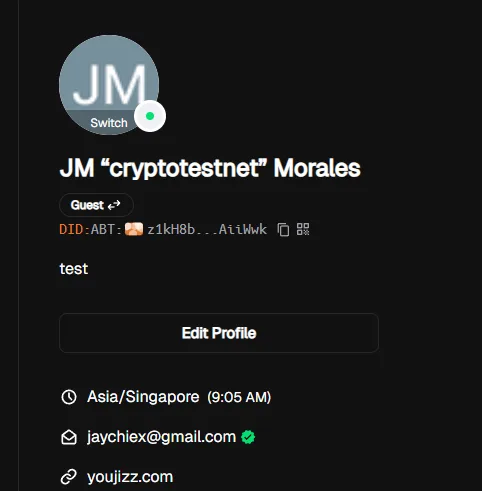
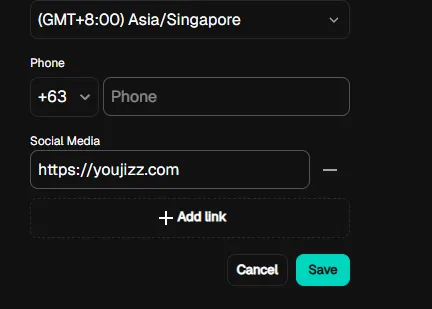
The ArcBlock Community platform allows users to enter and save links to pornographic websites in the Social Media settings section. These links are publicly displayed, creating potential reputational, compliance, and security risks.
Steps to Reproduce:
- Log in to ArcBlock Community.
- Navigate to User Settings → Social Media.
- In the social media link field, input a pornographic website URL.
- Save the changes.
- The link is accepted and displayed on the user profile.
Expected Result: The system should validate and restrict URLs in the social media field to only allow trusted domains (Twitter, Facebook, GitHub, LinkedIn, etc.).
Actual Result: Any URL, including links to pornographic websites, is accepted and displayed without validation.
Bug Description: The lack of input validation in the social media link field allows users to promote NSFW or malicious sites on ArcBlock Community profiles. This exposes the platform to compliance issues, reputational harm, and potential exploitation (e.g., phishing, scams, malware).
Severity Classification:
- Severity Level: 🔴 High
- Regulatory non-compliance
- Reputational damage
- Potential for abuse in phishing or explicit content distribution
Environment
- Device: A520MHP
- OS: Windows 11
- Browser/App Version: Chrome v140.0.7339.81