
Help, tokens stuck in swap service in DID apl

Can someone help please
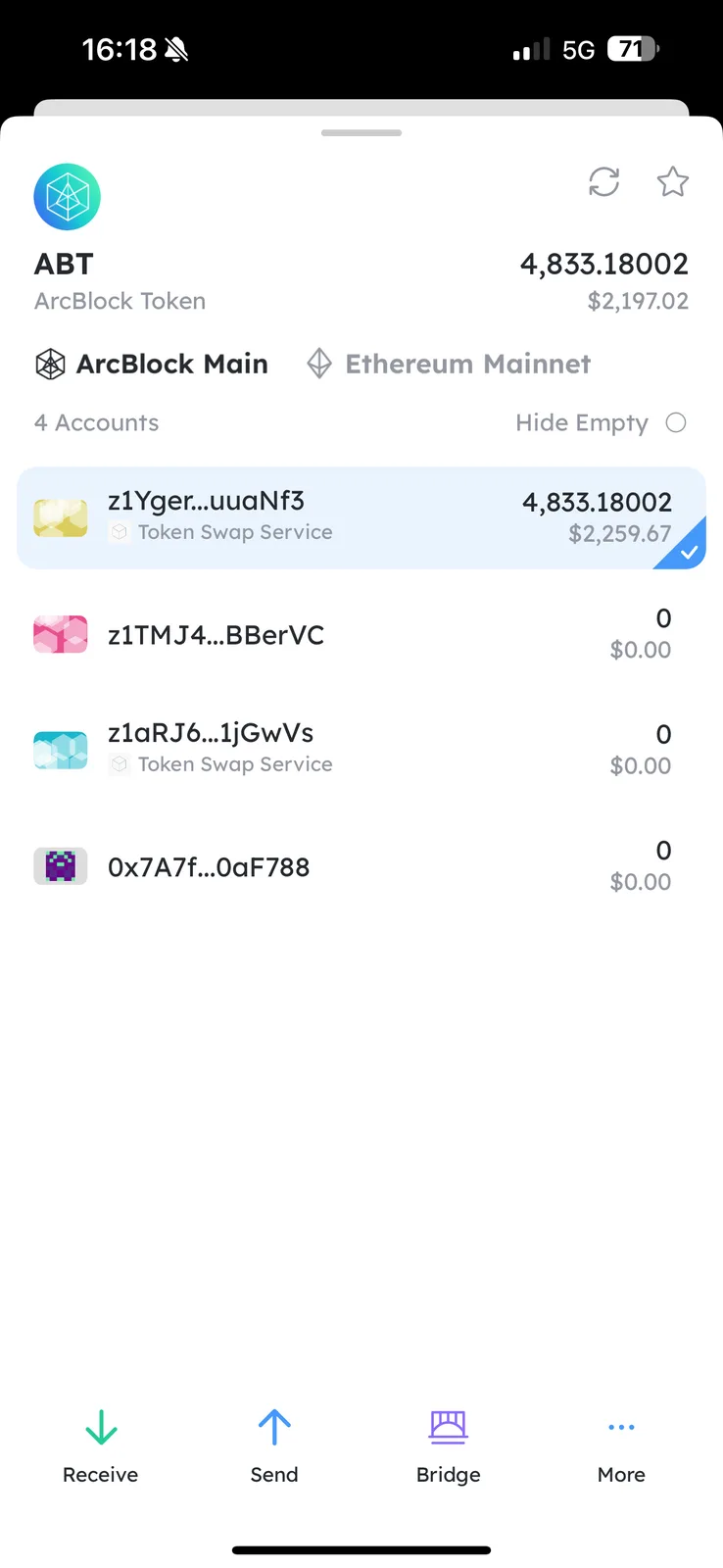
long time ago when did wallet launched i moved my tokens there from eth chain but they are stuck in swap service and i cant move them to native abt chain.
any ideas what to do please?
12 条回复
The 4833.18002 ABT of z1Yger...uuaNf3 is not stuck, these are ABT tokens that your wallet can control.
Can you please tell me how?
When i try to move them to native abt chain i get error all the time.
Whst exactly do i need to do please?
Are you able to copy and provide me with the complete address of z1Yger...uuaNf3 here: https://community.arcblock.io/chat/z1hYKLrvTU8YzvCFJCJVJEWUuqkF6NyuwQi-z1ig22HjKBxaTgCnDerwR1ycGc9DZkAMBrQ?
I see that you've already moved your ABT to the ETH Main chain, you now need to claim manually.
thanks yeah I figured out how to move it (for some reason I kept getting errors when using iPhone DID wallet but it worked on desktop browser with chrome extension for DID wallet).
Issue is now, where do I claim them? I cant not see anywhere in the DID wallet (on phone, web based or chrome extension) to go and claim. Can you please help ? And tell me where exactly do I go to claim them? thanks
For the first question. Could you please tell me which account in your wallet you tried to send the token?
For the claim, if you are using DID Wallet extension or web based, you need to go to your wallet and select ABT Token -> Bridge -> History. Then click to the detail, and you will see how to claim.
If you have any questions, feel free to ask me again!
unfortunately that does not work, when I click on bridge in that section , I get this
and I tried to send it from ABT Main to ABT ETH using the bridge, it went through ok as you can see from the TX Hash
https://explorer.abtnetwork.io/explorer/txs/A0AF92784803A513190B1261DD95461BC154E7A4E3A06EDF6F1461CA33EE9D9B
issue is I cant see where I can claim in the web wallet.
here is a video I recorded that shows what happens
Sorry for the disturbance, your assets are safe, we will find the problem as soon as possible, please be patient.
thanks all for help, this has now been resolved.