
Duplicate Images in Creator Studio Documentation Sections

Bug Description
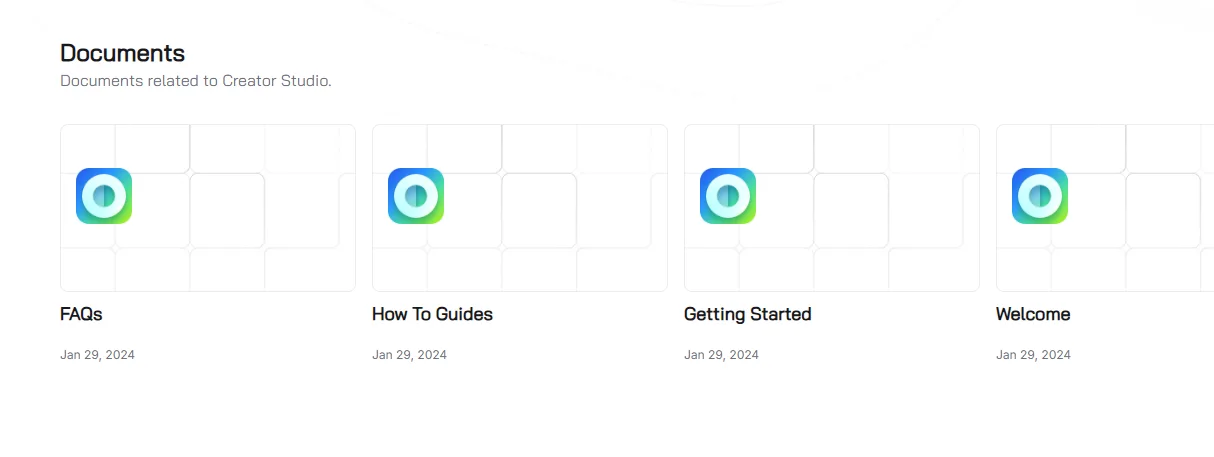
The Creator Studio documentation sections (e.g., FAQs, How To Guides, Getting Started, Welcome) on https://www.arcblock.io display duplicate images in the "Documents" section. This breaks user experience and visual clarity.
Steps to Reproduce
- Navigate to https://www.arcblock.io/content/collections/en/creator-studio.
- Scroll to the Documents section.
- Observe that duplicate images are displayed for FAQs, How To Guides, Getting Started, and Welcome sections.
Expected Behavior
- Each section should display unique images for each category (FAQs, Guides, etc.).
Actual Behavior
- The same image is reused across all sections (e.g., FAQs, Getting Started).
Severity Classification
Severity: Medium
- Impacts user experience and visual clarity.
- May indicate a frontend rendering or CMS configuration issue.
Suggested Fix
Frontend Fix
- Assign Unique Images:
- Replace duplicate images with section-specific visuals.
- Example: html
javascript <!-- Unique Images --> <img src="/images/faqs.png" alt="FAQs"> <img src="/images/guides.png" alt="How To Guides"> <img src="/images/getting-started.png" alt="Getting Started">
- CMS Fix:
- Update the CMS to allow section-specific image uploads.
1 条回复
duplicate with: Duplicate Image Used Across Multiple Sections on ArcBlock Docs