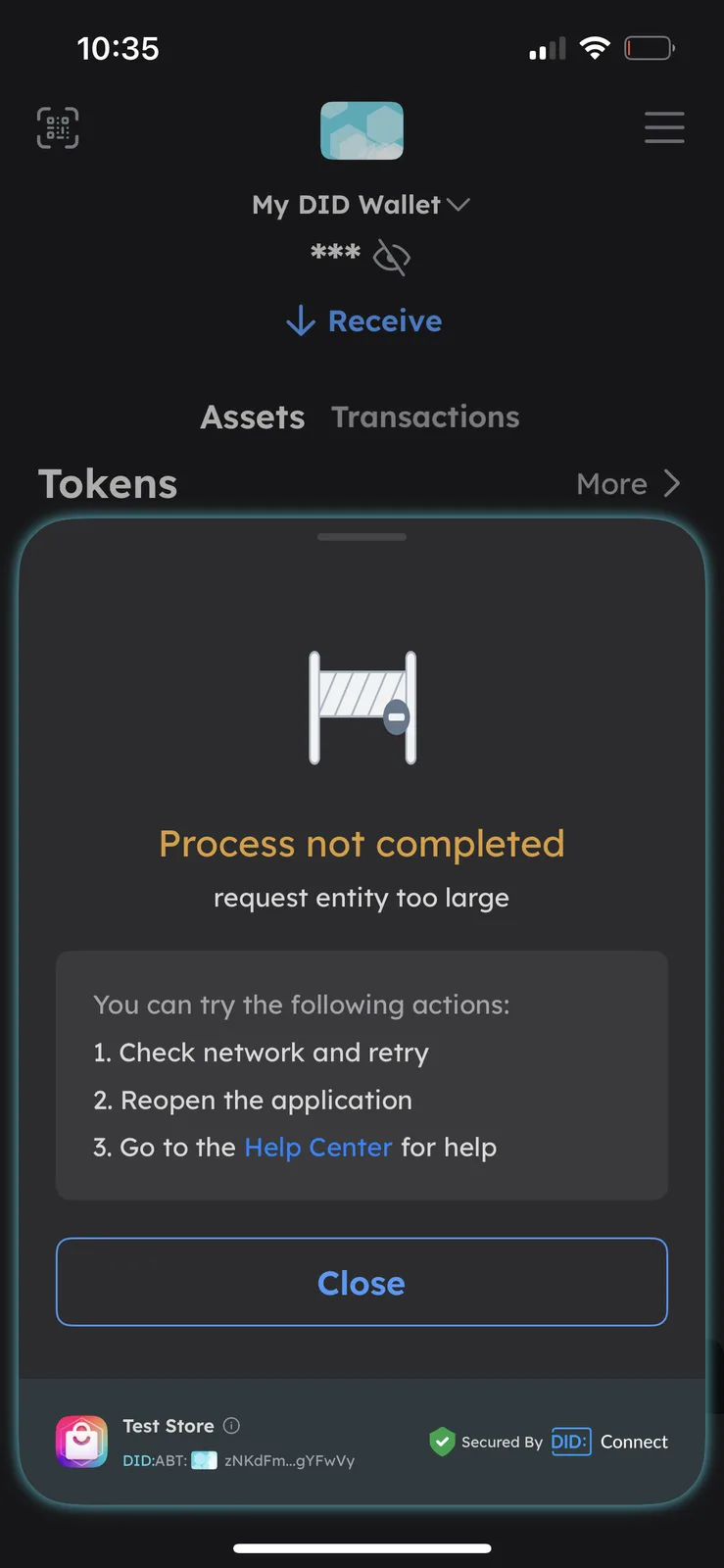
OK, this is connect store process (generate store auth), not login
I'm going to try and see if this path reproduces the problem.
Thank you for suggesting more detailed reproduction steps
TWTwelve8个月前
Thank you.
ZHzhanghan8个月前
Hi, Twelve
I tried connecting Blocklet Studio to both the Test Store and the local Blocklet Store, but I couldn't reproduce this issue. I tested it on both Android and iOS clients, and I also asked other colleagues to try it, but everything worked normally.
My current suspicion is: There might be an issue with the DID Wallet account. Could you switch to another wallet account and try again?
TWTwelve8个月前
Sure but when i try another wallet it says im not a user of the store, or that i do not have a developer passport.
ZHzhanghan8个月前
Send you a private message
TWTwelve8个月前
Since I was able to get in without any problems using the secondary wallet do you think my first wallet is broken?
ZHzhanghan8个月前
Yes, I think there may be some abnormal data in this wallet that caused the above error.
Maybe you can try taking the first wallet out of a backup and re-import it again.
Make sure you remember your wallet's unlock code, as you'll need it when importing backups.
TWTwelve8个月前
thank you so much fo your now I’m running into a consistent issue uploading debos@0.1.5 to the test store via CLI, becaue i mistakingly did it through studio early, but that this is not a static pag.
I’m hoping you can help verify whether this is a validation or caching issue on the store side.
What I’m seeing
Upload fails with: “The logo(logo.png) file not found.”


13 条回复
Hi, Twelve
I have try to login https://test.store.blocklet.dev/ width iphone & andriod, all succeed.
Can you leave your wallet version
Thank you . My wallet is up to date version 5.10.2. I can actually log in through the link you sent, however the link that i get when im trying to upload from my blocklet studio is the one giving me the problem. https://test.store.blocklet.dev/connect-cli?connect_url=aHR0cHM6Ly9hYnR3YWxsZXQuaW8vaS8_YWN0aW9uPXJlcXVlc3RBdXRoJnVybD1odHRwcyUyNTNBJTI1MkYlMjUyRnRlc3Qtc3RvcmUuYmxvY2tsZXQuZGV2JTI1MkZhcGklMjUyRmRpZCUyNTJGY29ubmVjdC1jbGklMjUyRmF1dGglMjUzRl90XyUyNTNENGE3ZDhkNWE&source=Blocklet+Studio+(12+Inch+Apps)&closeOnSuccess=true
This is the link that i try to connect to my personal store with. I get the same error https://12inchapps.com/blocklet-store/connect-cli?connect_url=aHR0cHM6Ly9hYnR3YWxsZXQuaW8vaS8_YWN0aW9uPXJlcXVlc3RBdXRoJnVybD1odHRwcyUyNTNBJTI1MkYlMjUyRjEyaW5jaGFwcHMuY29tJTI1MkZibG9ja2xldC1zdG9yZSUyNTJGYXBpJTI1MkZkaWQlMjUyRmNvbm5lY3QtY2xpJTI1MkZhdXRoJTI1M0ZfdF8lMjUzRDY4YjU1NTQy&source=Blocklet+Studio+(12+Inch+Apps)&closeOnSuccess=true
OK, this is connect store process (generate store auth), not login
I'm going to try and see if this path reproduces the problem.
Thank you for suggesting more detailed reproduction steps
Thank you.
Hi, Twelve
I tried connecting Blocklet Studio to both the Test Store and the local Blocklet Store, but I couldn't reproduce this issue. I tested it on both Android and iOS clients, and I also asked other colleagues to try it, but everything worked normally.
My current suspicion is: There might be an issue with the DID Wallet account. Could you switch to another wallet account and try again?
Sure but when i try another wallet it says im not a user of the store, or that i do not have a developer passport.
Send you a private message
Since I was able to get in without any problems using the secondary wallet do you think my first wallet is broken?
Yes, I think there may be some abnormal data in this wallet that caused the above error.
Maybe you can try taking the first wallet out of a backup and re-import it again.
Make sure you remember your wallet's unlock code, as you'll need it when importing backups.
thank you so much fo your now I’m running into a consistent issue uploading debos@0.1.5 to the test store via CLI, becaue i mistakingly did it through studio early, but that this is not a static pag.
I’m hoping you can help verify whether this is a validation or caching issue on the store side.
What I’m seeing
What I’ve verified locally
logo.pngexists at the root of the bundle archiveblocklet.ymlexplicitly declares:javascript logo: logo.pnglogo.png,blocklet.yml,blocklet.json,public/, andapi/dist/at the archive rootjavascript tar -tf debos-0.1.5.tgz | grep logo.pngArchive details (in case it helps confirm what’s being validated):
a52cf2c9f7ad9760a4bb1760ca8d9e0c25a35883ab07a61f1e4cfdf6d3f48cf327,388,200sha512-5iscY6GIcLgaBkww9A0b7E9TKcDoRpmFcxAxR/AVwt/EggWGNNv8e9GNYnaQ0Pqi4PhG0L2RAwi3/V34lbm0uQ==Could you check whether:
Happy to provide the archive directly or run any additional diagnostics if needed.
Thanks for your help, Mario
You can send me this bundle file. (via private message) I need to know what the structure of this file looks like.
problem solved, use
blocklet upload .blocklet/release/blocklet.jsoncommand upload to Blocklet Store