
How to turn your NFT's into exclusive passports (Unlock the power of your Arcblock NFT's)

How to turn your NFT's into exclusive passports
Open the dashboard to the application that you want to make accessible via an NFT passport.
- Navigate to the "Members" area
- Open the "Trusted Passport Issues"
- Select "Config Trusted NFT Collections"
- Select "Add New"
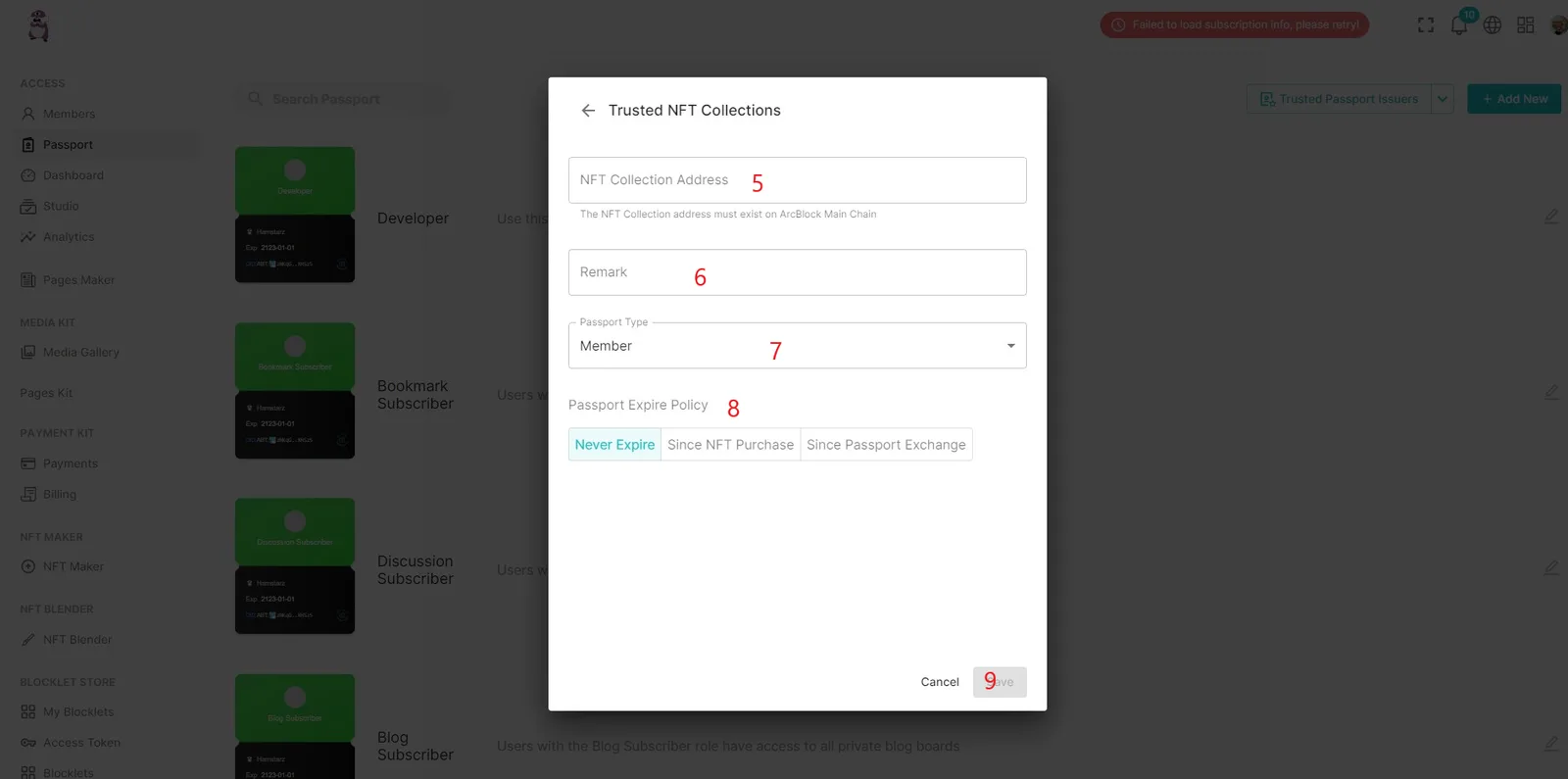
- Enter the NFT Factory address for the collection that you want to use as a passport.
- Enter Remark if necessary
- Select type of passport
- Select the expiration policy of the passport
- Save your work.
Congratulations. You just unlocked the power of your Arcblock NFT and turned it into an exclusive passport into your application.


Big thanks to @wasil for helping with the video. Always fun and I learn so much from you bro. Keep going!