
Tasks Tab Lacks Multi-Select and "Delete All" Functionality

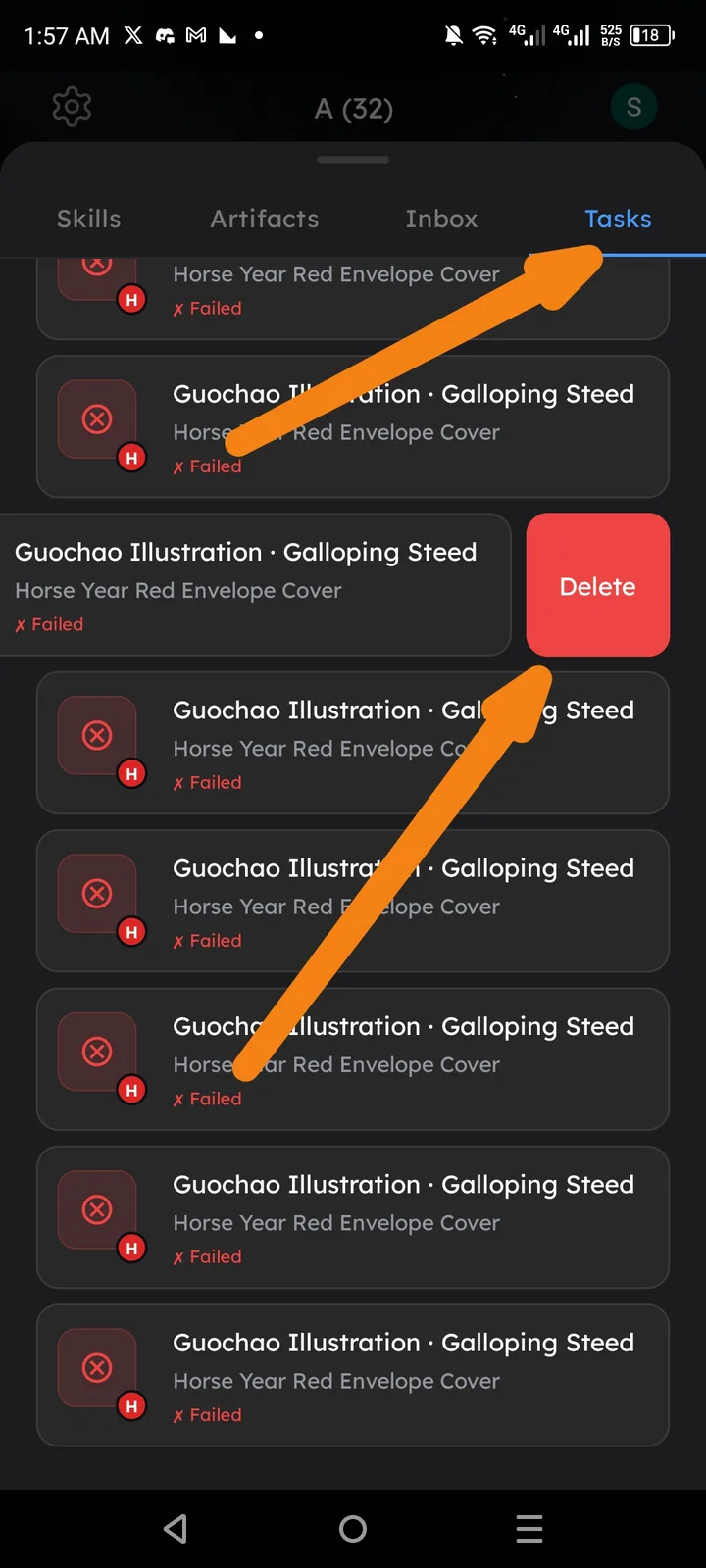
Summary: In the Arcsphere Tasks section, users cannot select multiple tasks at once for bulk actions or delete all failed tasks efficiently. Only individual deletion is possible.
Component: Arcsphere -> Tasks Tab
Steps to Reproduce:
- Open the Arcsphere menu.
- Navigate to the Tasks tab.
- Observe a list of tasks, many marked as Failed (e.g., "Horse Red Envelope Cover Galoping Steed").
- Attempt to select multiple tasks or find a "Delete All" or "Clear All Failed" option.
Expected Result:
- A multi-select mode (e.g., long-press or "Select" button) to choose multiple tasks for bulk delete.
- A "Delete All" or "Clear Failed Tasks" button at the top/bottom of the list for quick cleanup.
Actual Result: Only individual Delete buttons per task are available. No bulk actions or global clear option exists, making it tedious to manage multiple failed tasks.