
“Not allowed by CORS” Error When Logging In to ArcBlock Community Discussions

🧩 Description:
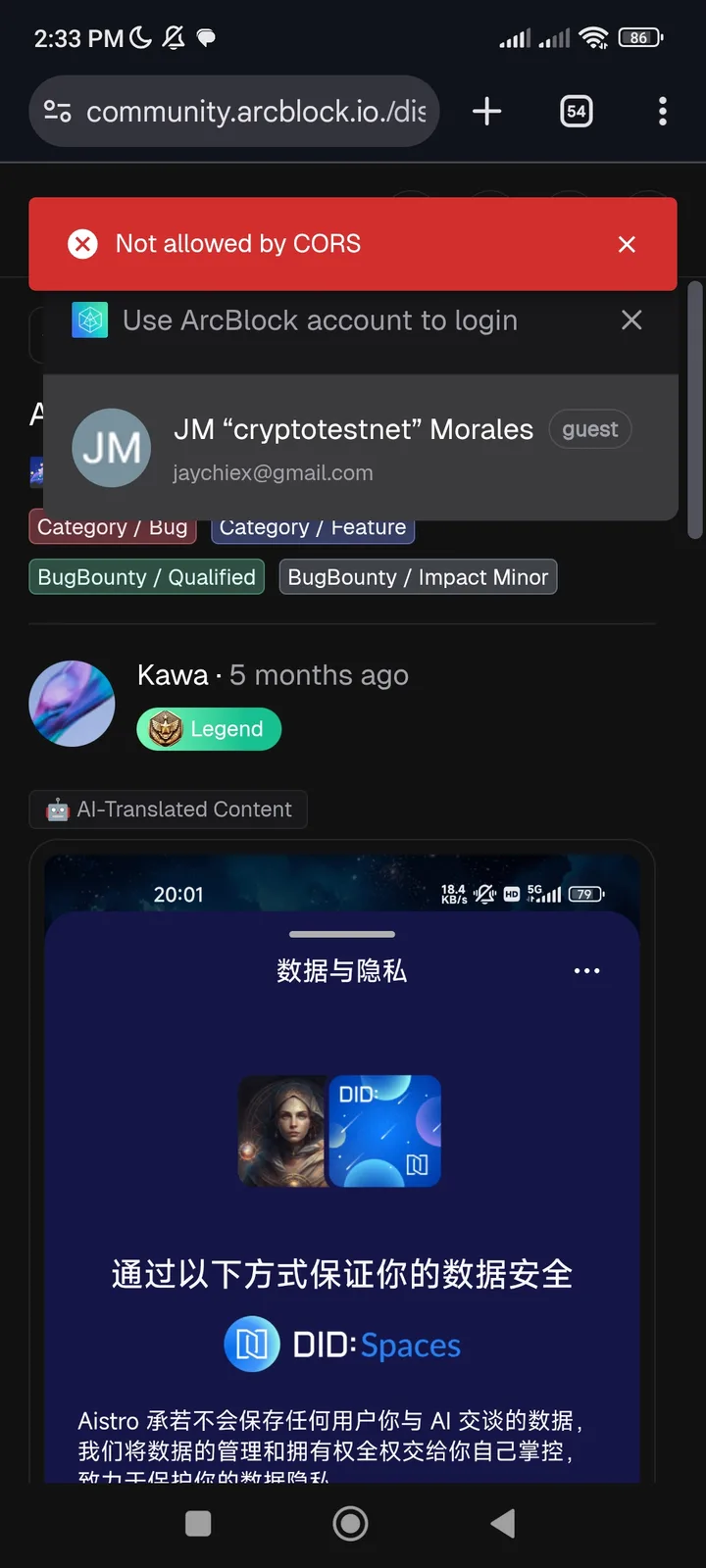
When accessing a specific discussion on the ArcBlock Community website, the user is prompted to log in. However, upon clicking the Login button, the application fails to authenticate and displays the following error message:
❗ “Not allowed by CORS”
This prevents users from signing in or continuing to the discussion page.
🪜 Steps to Reproduce:
Open the discussion link: 👉 https://community.arcblock.io/discussions/b928eb52-fe8c-482f-aa5a-5a32834b7245
Click Login when prompted.
Observe that the authentication flow does not proceed.
Check the browser console — it shows the error:
❌ “Not allowed by CORS”
✅ Expected Result:
User should be redirected to a valid login page (DID Connect or ArcBlock account authentication).
After successful login, the user should return to the discussion page.
❌ Actual Result:
Login request fails due to a CORS (Cross-Origin Resource Sharing) restriction.
Error message:
❗ “Not allowed by CORS”
User remains on the same page and cannot authenticate.
⚠️ Impact:
Prevents all unauthenticated users from logging in through certain discussion URLs.
Blocks access to posts or comments that require authentication.
Affects community engagement and user flow.
🔍 Possible Cause (Hypothesis):
The login request originates from a subdomain or parameterized URL (e.g., utm_source, utm_medium) that is not whitelisted in the CORS configuration.
The backend API handling authentication may not include the proper Access-Control-Allow-Origin header for this specific source.
🧰 Suggested Fix:
Add all relevant domains and subdomains (e.g., community.arcblock.io, launcher.arcblock.io) to the CORS allowlist.
Verify backend configuration for login endpoints (/api/auth, /login, etc.).
Remove or sanitize URL tracking parameters (utm_*) before initiating login to prevent CORS mismatch.
Test both desktop and mobile browsers.
1 条回复
Duplicate with 点击登录提示 Not allowed by CORS