
"Open App" Button Non-Functional

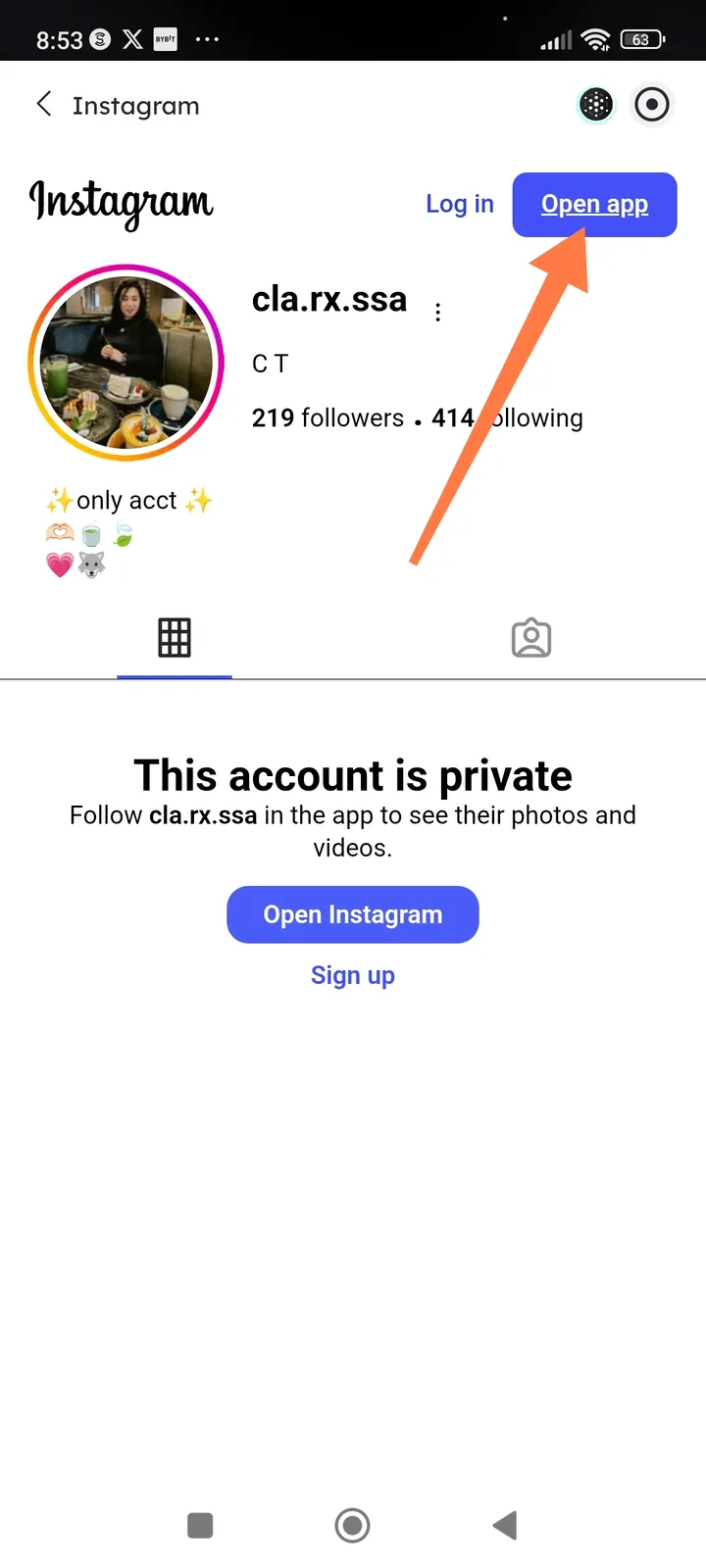
Summary: The "Open app" button on Instagram web profiles fails to launch the Instagram app when tapped within Arcsphere browser.
Description: When viewing an Instagram profile through in-app browser, tapping the "Open app" button (located in the top-right of the Instagram web interface) does not redirect to or launch the native Instagram app as expected. The button appears clickable but produces no response.
Steps to Reproduce:
- Open a link to an Instagram profile (e.g.,
instagram.com/cla.rx.ssa) within Arcsphere - Wait for the Instagram web page to fully load
- Tap the blue "Open app" button in the top-right corner of the page
- Observe that nothing happens
Expected Behavior: Tapping "Open app" should either:
- Launch the Instagram native app if installed, or
- Redirect to the App Store/Play Store if not installed, or
- Display a prompt to open the external app
Actual Behavior: The button is unresponsive — no action occurs when tapped.
Environment:
- Device: Android
- Time of occurrence: February 9, 2026
- URL:
https://www.instagram.com/cla.rx.ssa/ - Account type viewed: Private account
Screenshot: Attached screenshot shows the "Open app" button highlighted with an orange arrow
Additional Context:
- The "Open Instagram" button in the middle of the page (below "This account is private") may exhibit the same behavior
- This appears to be related to deep-linking or URL scheme handling (
instagram://) within Arcsphere WebView
Severity: Medium (broken navigation flow, but workaround exists by manually opening the app)