
Broken/Inaccessible Footer Links on Blocklet Developer Page

Product/Feature: Blocklet Developer Website Footer
URL: https://developer.blocklet.io/
Severity: High (Broken functionality, bad user experience, and potential loss of traffic to key services)
Status: Open
1. Description
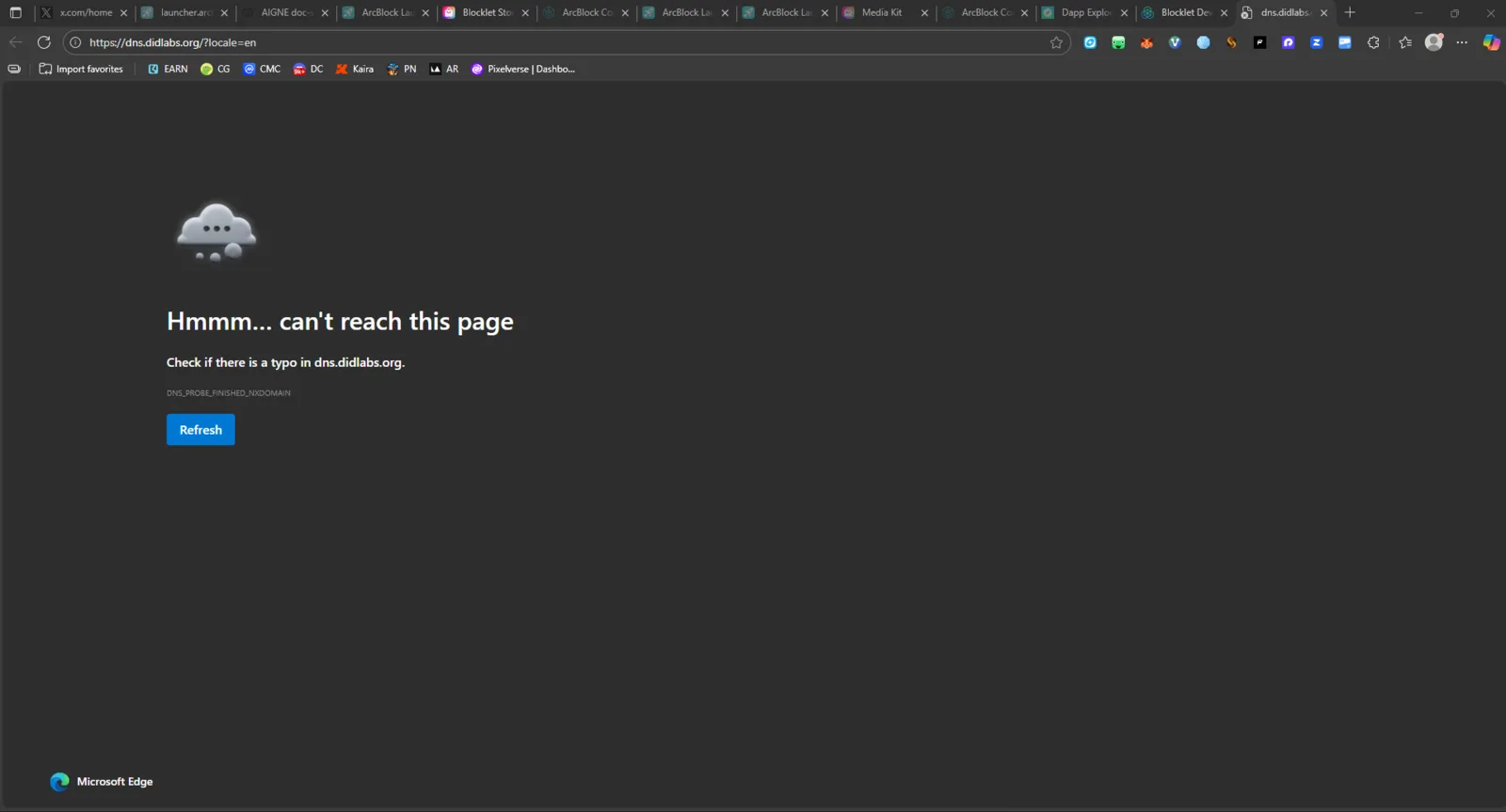
Several links in the "DID" section of the website footer lead to pages that cannot be reached, resulting in a browser error message (e.g., "Hmmm… can't reach this page" or a 404/DNS error page).
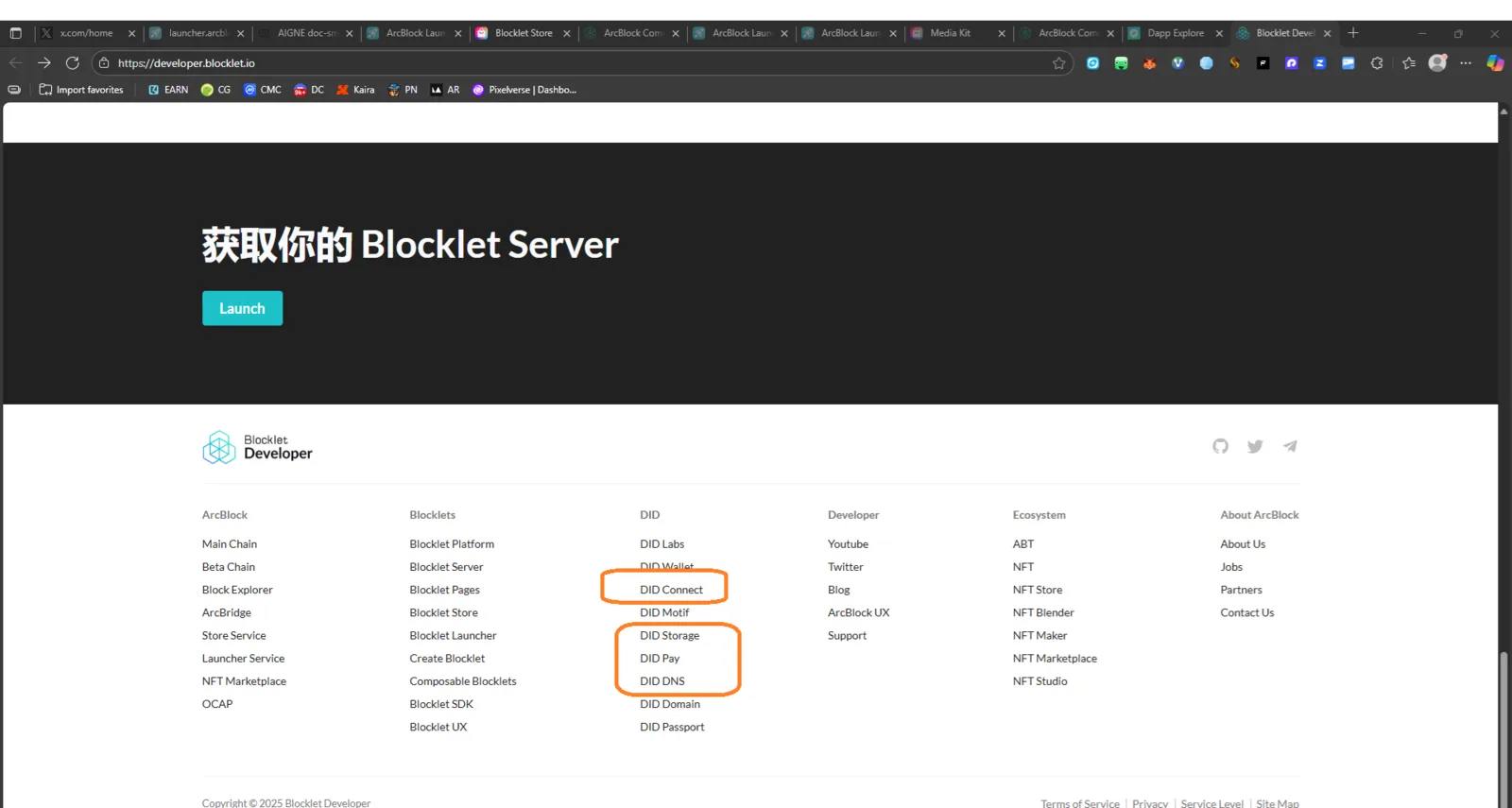
The screenshot highlights these specific broken links:
- DID Connect
- DID Storage
- DID Pay
- DID DNS
2. Steps to Reproduce
- Navigate to the Blocklet Developer homepage (
https://developer.blocklet.io/). - Scroll down to the footer section.
- Click on any of the following links under the "DID" column: DID Connect, DID Storage, DID Pay, or DID DNS.
- Observe the resulting page.
3. Expected Result
Clicking on these links should successfully navigate the user to the respective landing pages, documentation, or relevant resource pages for each DID service. The page load should be successful, returning an HTTP status code 200.
4. Actual Result
Clicking on the highlighted links (DID Connect, DID Storage, DID Pay, and DID DNS) results in a browser-level error indicating the page cannot be reached (e.g., "Hmmm… can't reach this page" on Chrome, or a similar message indicating a DNS or connection failure).
This suggests the URLs linked in the footer are incorrect, misspelled, point to internal domains not accessible externally, or the target pages no longer exist.