
QR generator-Breaking down when uploaded to official store.

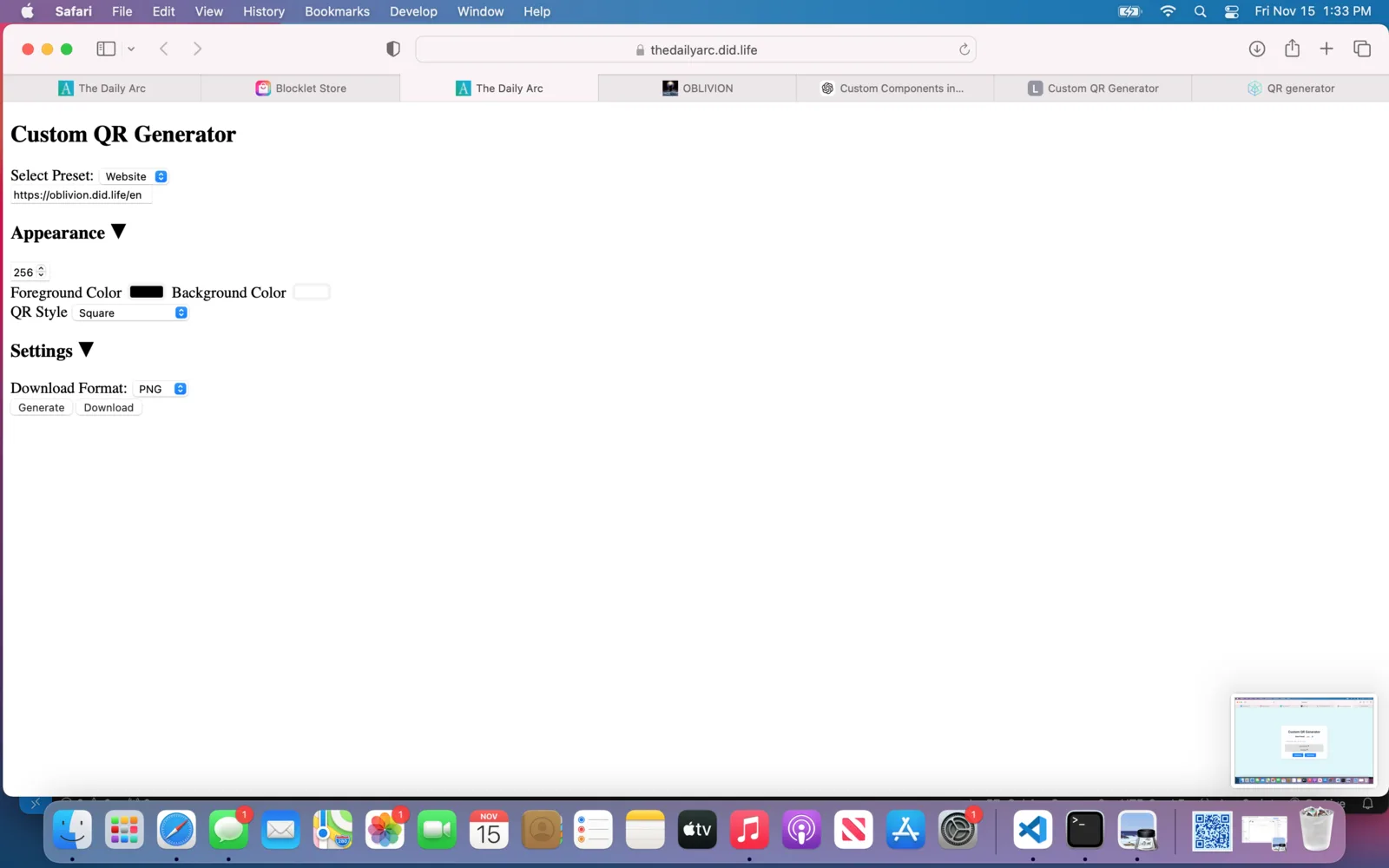
Upon having received approval to upload my QR generator APP to the main store, it looks like something is malfunctioning.
When uploaded to the test store, everything was working properly. But now it seems to have broken down. Losing the some styles and function.
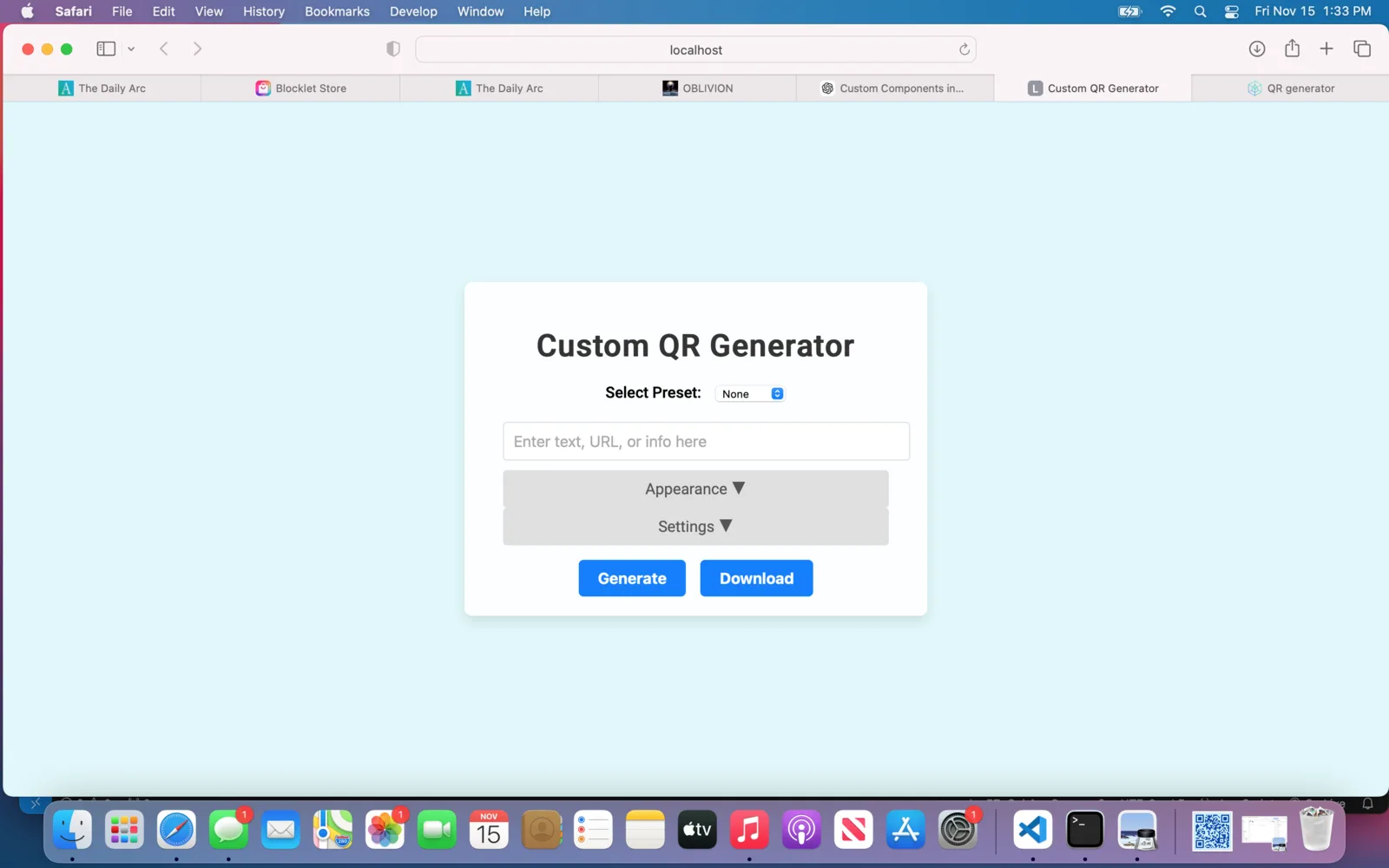
The first image is of the app running local, and what it looked like in the test store. The second image is what it looks like when launched from official store.
Is this a bug or something that I'm doing incorrectly?
6 条回复
Could check the CSS code. since it works fine locally, maybe make a zip file again of everything, make a new release & re-upload to store
Just a thought before team replies, might be a quick fix
Yes, please try use chrome dev tools to inspect your page, do a refresh and check if there are errors when loading the css. seems the css is not loading.
Thank you. I reuploaded to test and main store and found this.
Both test and main store versions work fine when launched in builders playground. The App also works fine when launched by itself from the main store.
But main store does not work correctly when launched from my Daily Arc blocklet.
this is the error im getting from dev console.
[Error] Failed to load resource: the server responded with a status of 404 () (index.437dc612.js, line 0)
[Error] Refused to execute https://thedailyarc.did.life/index.437dc612.js as script because "X-Content-Type-Options: nosniff" was given and its Content-Type is not a script MIME type.
[Error] Failed to load resource: the server responded with a status of 404 () (index.1303bb05.css, line 0)
Image 1- Builders Playground-launched from test score- Works
Image 2-Builders Playground-launched from main store-Works
Image 3- From my Daily Arc Blocklet- launched from main store-Doest work.
Image4- Launched by itself from the main store. -Workds
I also just launched a pages kit, from the main store, in builders play ground. I then launched the QR app from that blocklet and it came up like this.
So it seems that the problem is launching this from an existing blocklet.
Seems your blocklet is loading js file from absolute path? all blocklets should load js/css/image files from relative path (relative to its mount point)
According to your test case: your blocklet works when load from "/", breaks when load from "/xxx", please check js file reference in your bundle or source code.