
Trying to turn Hamstarz NFT pack into a blocklet

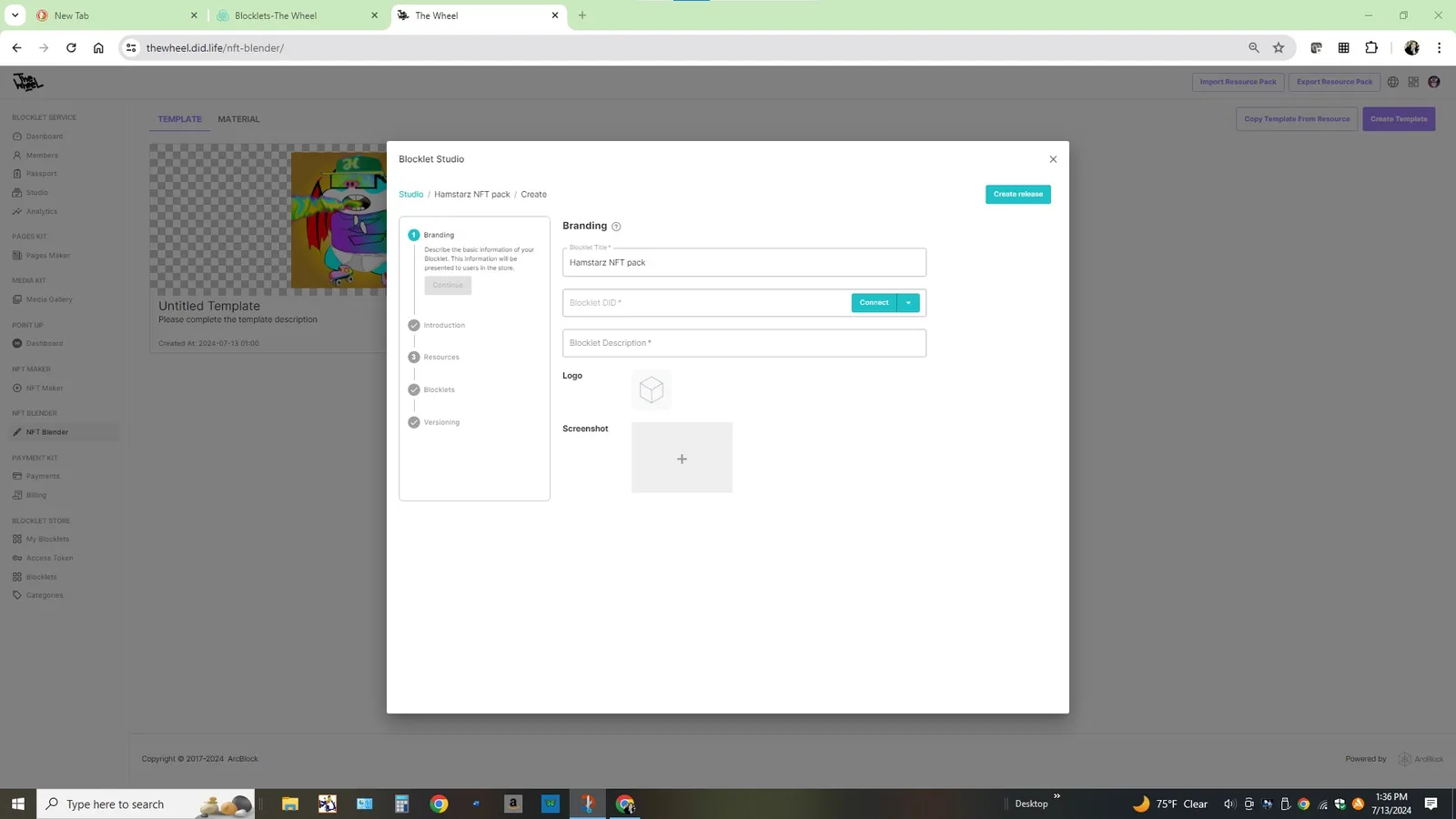
I'm trying to export my Hamstarz NFT pack as a resource. I believe that means I need to turn it into a blocklet?
z1dTAX6BubAxmhXGP8zMVAZAFwizvbv8gnB any ideas of how I move forward? Is there where I need to get dev privleges?
20 条回复
What kind of files do you have in the zip folder?
To make blocklets you’d need some sort of code I think (for example html, css, java). Either that, or alternatively you could make a resource blocklet from an Aigne dApp
If it’s just the NFTs I don’t think it can be turned in a blocklet (but i could be wrong), blocklets are basically a piece of software to run decentralized applications👌
One thing I can think of is maybe posting the NFT collection on pages kit (one page) and then perhaps turning that into a blocklet? (You’d make the NFT page reusable by others as a blocklet)
You don’t need dev priviliges to release a blocklet. But you need them to publish stuff (for example, even on your own blocklet store, you’ll need priviliges, but you can assign those to yourself by giving yourself a developer passport in the sections above blocklet studio)
Maybe z1VV21NqNWkiadznN32ALkos5dQqQwnCMty can help here😁
Once youve made ablender template, it can be turned into a resource blocklet yes. When going to blocklet studio, it would be listed with a check box along with other potential blocklets to include.
after clicking new blocklet 😅
i have the passport now.
this is still where youd need the passport, when you connect to a store its gonna ask for the associated passport 👍
did you click connect and also try the drop down for official store? or is it for test store? both options are in drop down
had you tried this one
edit: ah it just leads to same workflow
this may be the cases I cannot connect to any any store.
check for updates 👍 after that (if there are any) apply them and try again, if the button label changes its at least progress 😅
still says no store on mobile.
that’s cool, didn’t know NFT blender can do that
As per your question on generating the DID address, I encountered that error too. Try opening your domain on mobile but on Safari/phone web rather than from the DID wallet directly. Then log in with your DID wallet from the phone web page, and after you’re logged in, go to Blocklet Studio, and try generate the DID address again. Hopefully should work
any update on my ability to create a blocklet?
Having dedicated server without ability to create blocklets feels very limiting.
I compared a working Blocklet, and it doesn't match the status of the Connect button in your video (mine shows the shop name)
It looks like your button is stuck in a strange state
I suggest you head over to the Blocklet Studio Tab page and try it out!
Click the New Blocklet button and try again!
Please note the screen recording
I’ve tried. still receiving same message.
I’m still unable to connect to store. any updates on a fix?
as stated in another discussion. I’m unable to restart server because I cannot gain access.
This is my dedicated space
Related: https://community.arcblock.io/discussions/cc66a7c1-3257-493e-a775-e25c63d30035
Nevermind. it is working now. thank you.