
Pages kit - GraphQL Status Error 403

Hi. I just installed the pages kit using the free trial 30 days on demand server. I'm trying to access the dashboard to start building the site but after signing with my wallet I get the error 'GraphQL Status Error 403' see video below:
/ When I initially installed it, it was working but i mistakenly closed the tab and when I tried to get in again this happend.
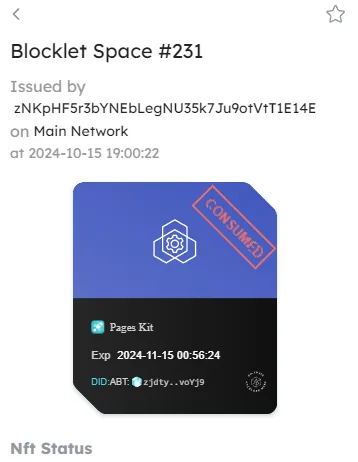
Also I noticed the Pages kit has a 'consumed' stamp. I don't know why
6 条回复
It might be that a Passport without the necessary permissions was used during login. Is there a login status displayed in the top-right corner of the page? If yes, please log out and log back in, making sure to select an Admin or Owner Passport.
For some reason it says Guest no matter what I do. I have tried closing and reopening Chrome, in this community page it said Owner but then changed to guest.
It's not about the login status in the Community, but rather the one on your application's page, Please check the login status in the top right corner of the page where the error occurred, and send a screenshot if possible.
I just figured it out. I wasn't picking the right passport when I was logging in! It would be cool if the wallet detects the passport the app needs and preselect it.
z1fX3bzdKyAMTKdRoWYD8Aa3yvi5y6RYbJg Could you let me know what CSS framework can I use to create components compatible with pages kit?
You can use Tailwind CSS in the components.