
Wallet Address Last Digit Not Visible in QR Code Modal

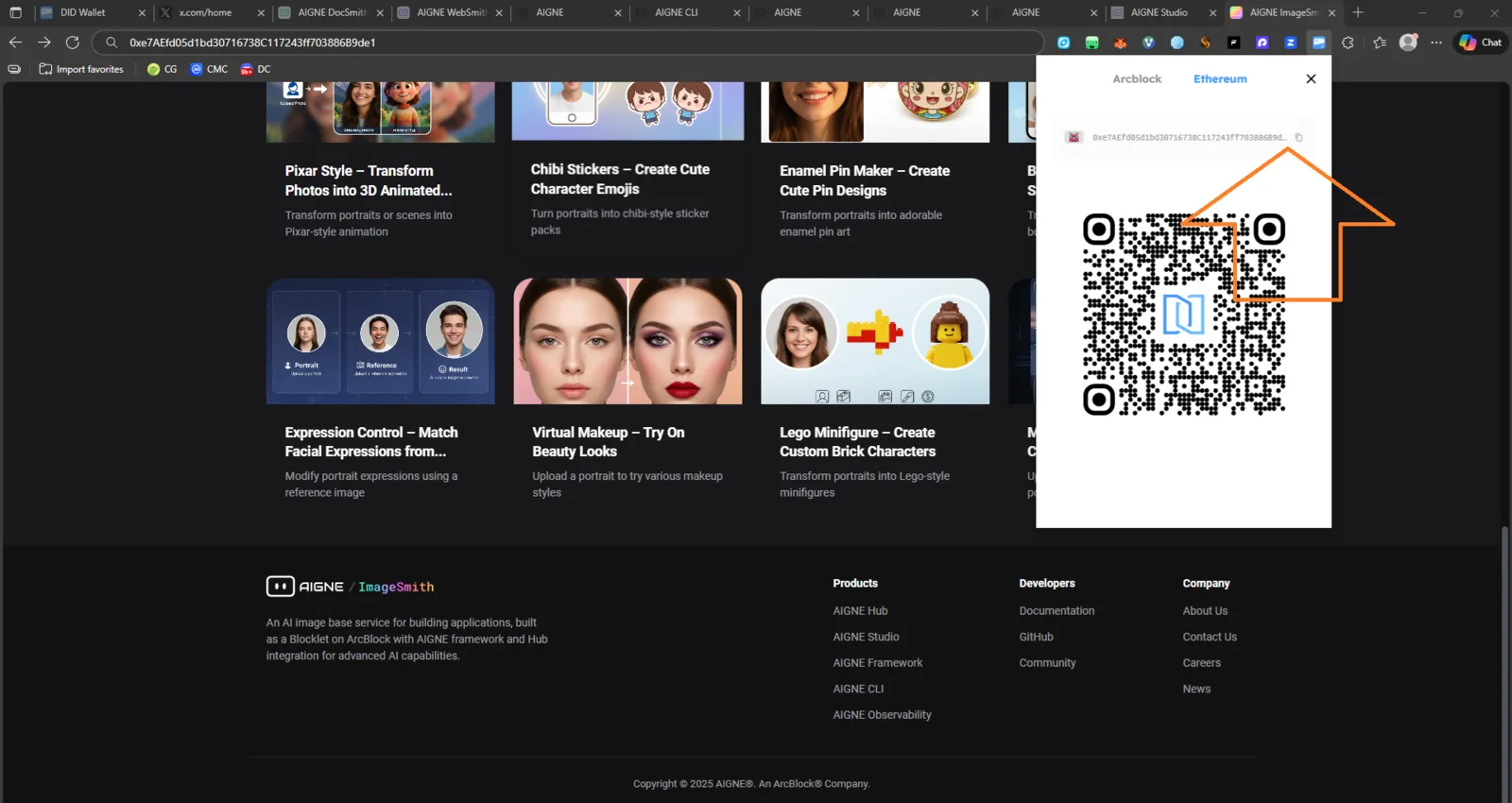
🧩 Summary
When viewing the wallet QR code modal, the wallet address text field cuts off the last character, making the full address unreadable. This creates a usability issue and potential risk of copying an incomplete or incorrect address.
🔍 Description
Opening the QR modal for the wallet address shows a text field that does not auto-resize or wrap, and its width is insufficient to display the full address. The last digit of the address is visually hidden due to layout constraints.
This issue affects:
- Ethereum / Arcblock address display
- QR modal UI
- Copy / share experience
- User ability to visually verify address correctness
📸 Evidence
From your screenshot:
- The address
0xe7AEf05d1bd30716738C117243FF703886… - The final digit(s) on the right side are cut off
- No scroll, no expand, no hover-reveal, no tooltip
- The padding/margin inside the container is too tight
🧪 Steps to Reproduce
- Open the application.
- Click on your wallet to open the QR code modal.
- Observe the address displayed above the QR code.
- Notice the last character(s) are not visible.
🤖 Expected Behavior
✔ Full wallet address should be visible ✔ Text container should auto-expand or wrap ✔ Tooltip on hover should show full address ✔ UI should never truncate sensitive information
❌ Actual Behavior
✘ Last digit(s) of the address are cut off ✘ No way to reveal the full address visually ✘ Risk of copying or verifying incomplete address