
Video upload bug, wrong size of video displayed

When trying to upload a video in a discussion here, it fails and tells me it exceed the size limit. However I checked the size of the video and it is well under the limit
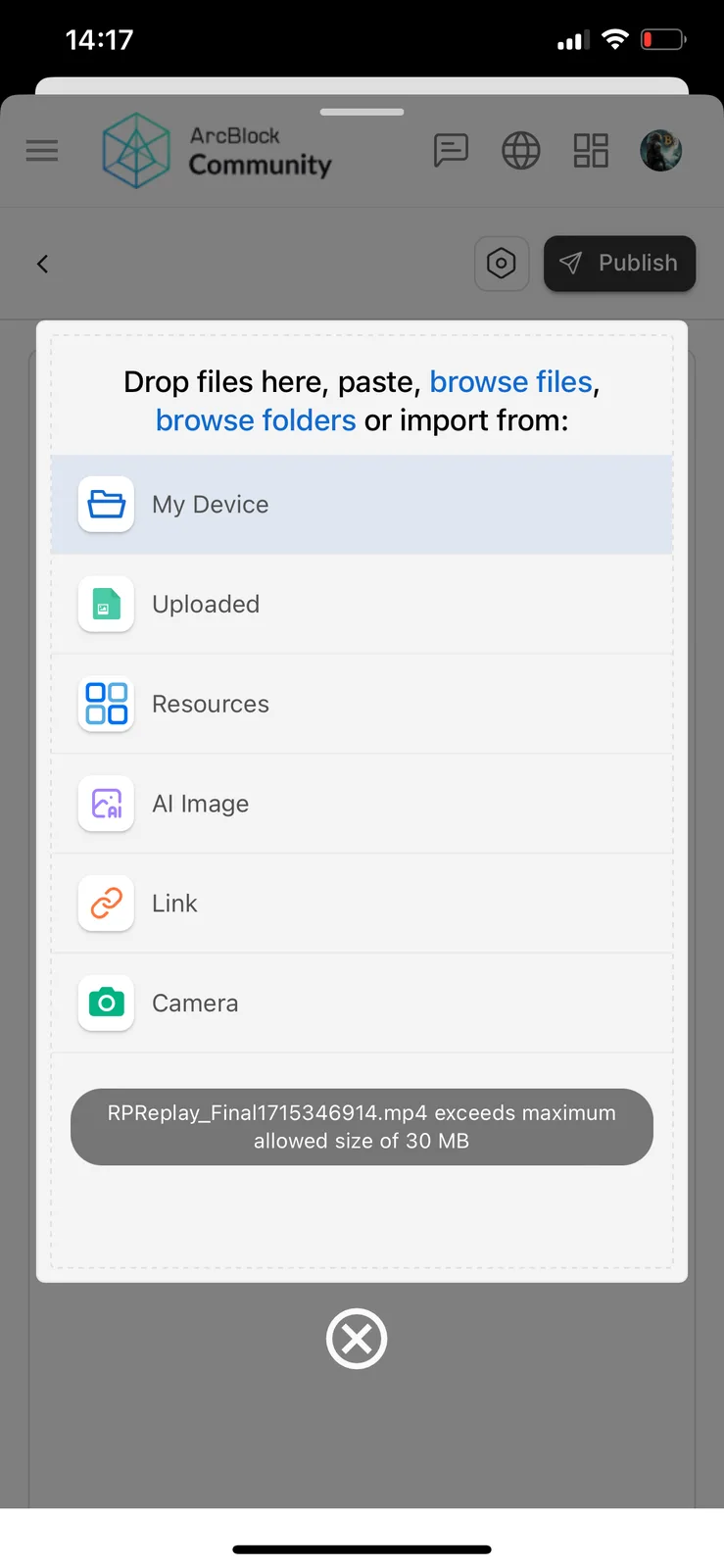
When trying to upload a video in a discussion here, it fails and tells me it exceed the size limit. However I checked the size of the video and it is well under the limit
9 条回复
Doesn't it look like the same file, one is .mov and the other is .mp4?
Same vid, not sure why it displays as mov. if it is over the size, would you know any way to compress a video to smaller sizes?😁
I've adjusted the upload size of community to 50MB, because usually users upload some large size recordings, you can refresh the page and try again!
thanks that did the trick! turns out the video size was 30MB+ but now I managed to upload it. this was the vid in question:
https://community.elb.arcblock.io/discussions/271003b5-5290-4858-91ab-89c21abd8fa6
This video I see in the admin backend is 34MB, so the application logic is fine, I removed the bug label for this post
But thanks for your feedback to help us build a better ArcBlock!
thank you! & no problem
If you still need to compress the video, you can go to the following website
https://convertio.co/
I didn't reproduce the problem of displaying an error in limiting the upload size, it's possible that selected the wrong file to be uploaded? 😁
It was the same file, but the size did exceed the 30MB limit it seems. now with 50MB limit it uploaded 🙂