
Released Blocklet Installation issues

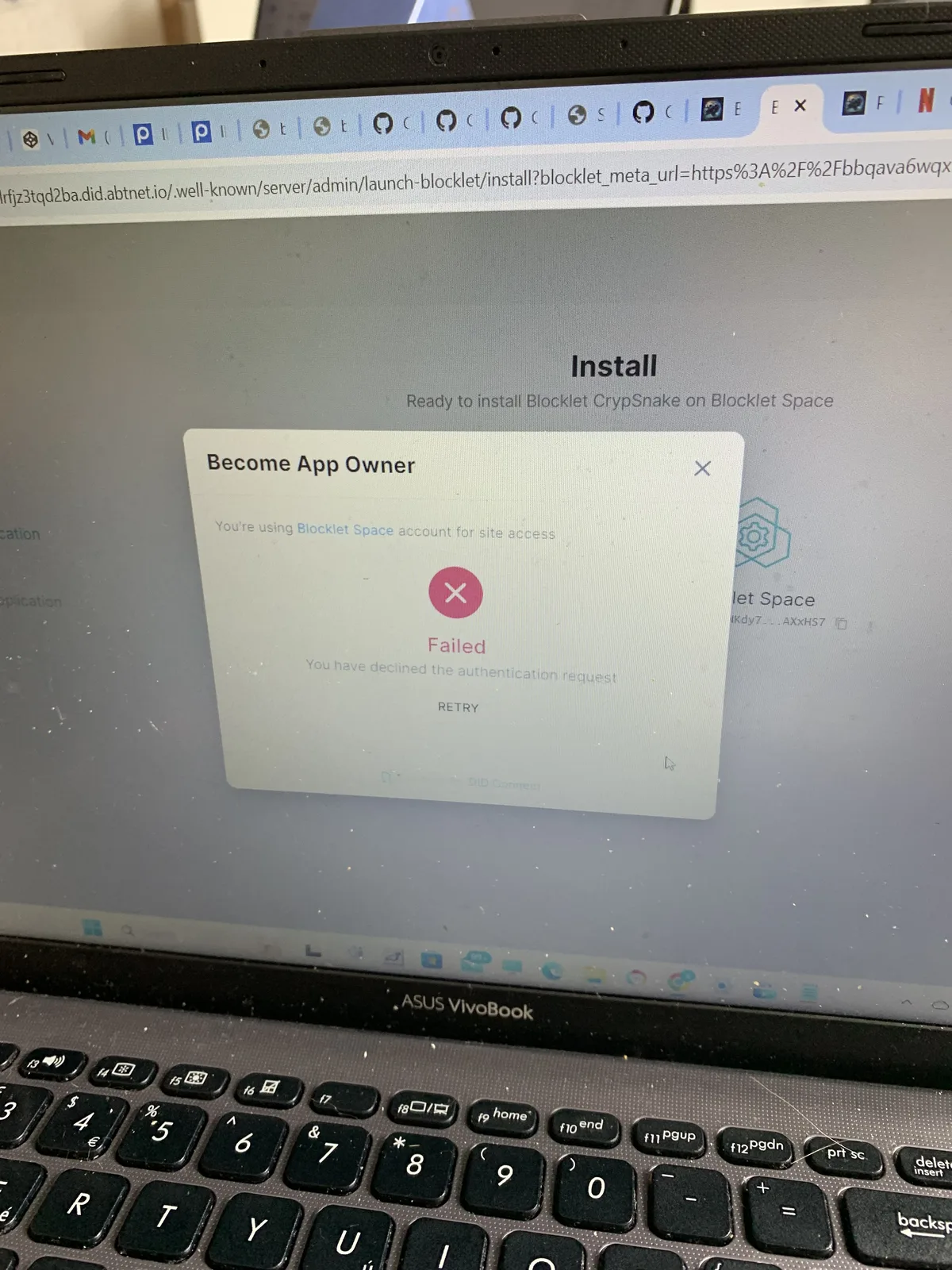
One of the blocklets I released, I’m trying to install it to test how it works as a blocklet now, but running into issues. When I press install, and connect with my DID wallet, it asks me for nft passport to blocklets space, since I dont have a blocklet server I dont have that so i get an error message. How can this be fixed?
17 条回复
For security reasons, installing blocklets from unknown sources is not allowed on ArcBlock Launcher, the current known and allowed sources are:
From your recording, apparently "Install blocklets from this server" should be allowed, since apps generated on ArcBlock Launcher should be considered secure.
Will work on a fix and release ASAP.
Thanks!
btw, i tried uploading some blocklets on the test store too, but it says I am “not yet a user”😅 do I need a developer passport for the blocklet test store too?
When was the error "not yet a user" shown during your try?
in Blocklet Studio, once I released the blocklet, I pressed “upload to store”, added the test store link. pressed to connect, and that’s when the error shows up
You can obtain developer passport for test store on this link: https://test.store.blocklet.dev/join
says I need 1 TBA to wave off gas fees, how do I get TBA?😅
Get TBA here: https://faucet.abtnetwork.io/
Great, just got the test store passport, I can try upload the blocklet there to be checked if everything was zipped correctly, etc when making the blocklet…
Alternatively, you can check the blocklet here on my store: https://braintitan.did.life/blocklet-store/blocklets/z2qaJC1GyNcUhptJkgLR7t8pR2mNBQWWC9QG3
Just got your game blocklet up and running on my local server, 👍
awesome! please let me know if it works as expected😁 my concern was that when i zipped the folder before uploading to make the blocklet, only the html aspects showed without css or js (so basically a black screen and 2 buttons lol)
The game is working smoothly on my local server. To make a correct zip before uploading, make sure the
index.htmlorindex.htmfile is in the root directory, also please ensure that the app loads correctly when you load index.html in your browser directly.
how do I add index.html in the root directory? press on the index.html file then control + N on Windows?
app loads from index.html perfectly in browser once it is in normal folder, index.html just shows weird once that folder is zipped (see attached picture how index.html loads once I zip all files in the folder and run index.html on browser straight from zip file). however, once the folder is unzipped everything works perfect again…is this normal? since the blocklet i uploaded to my store works smoothly on your server, do i need to upload a new release of such blocklet in blocklet studio anyways? or can I go ahead and post this blocklet version 1.0.0 to test store for team testing before official blocklet store release? 🙂
Just select
index.htmland all other files and then "compress", things should work. If not, you can send me your zip so we can investigate what might go wrong.yep that’s exactly what I did haha😅 At least the game still works as a blocklet, but it’s strange that the index.html doesn’t work properly in browser once zipped
would be nice if you guys could investigate. Where can I send you the zip file?
z1dTAX6BubAxmhXGP8zMVAZAFwizvbv8gnB I just tested with latest Blocklet Studio with the zip file you provided, and it worked as expected. you can now update your blocklet I think, please let me know if anything unexpected happen.
I'm so eager to see z1dTAX6BubAxmhXGP8zMVAZAFwizvbv8gnB blocklet!!
Sadly for me it’s still getting the same error when I try to upload the zip😅 I updated Blocklet Studio to the latest version…and I haven’t done anything different to zip from previous version when it worked. All I added in the new zip is images to be self-contained in the game code instead of url to images from third party. Anything else I can try to fix this error?