
“metadata.email is not allowed to be empty” When Saving Empty Profile on Aistro

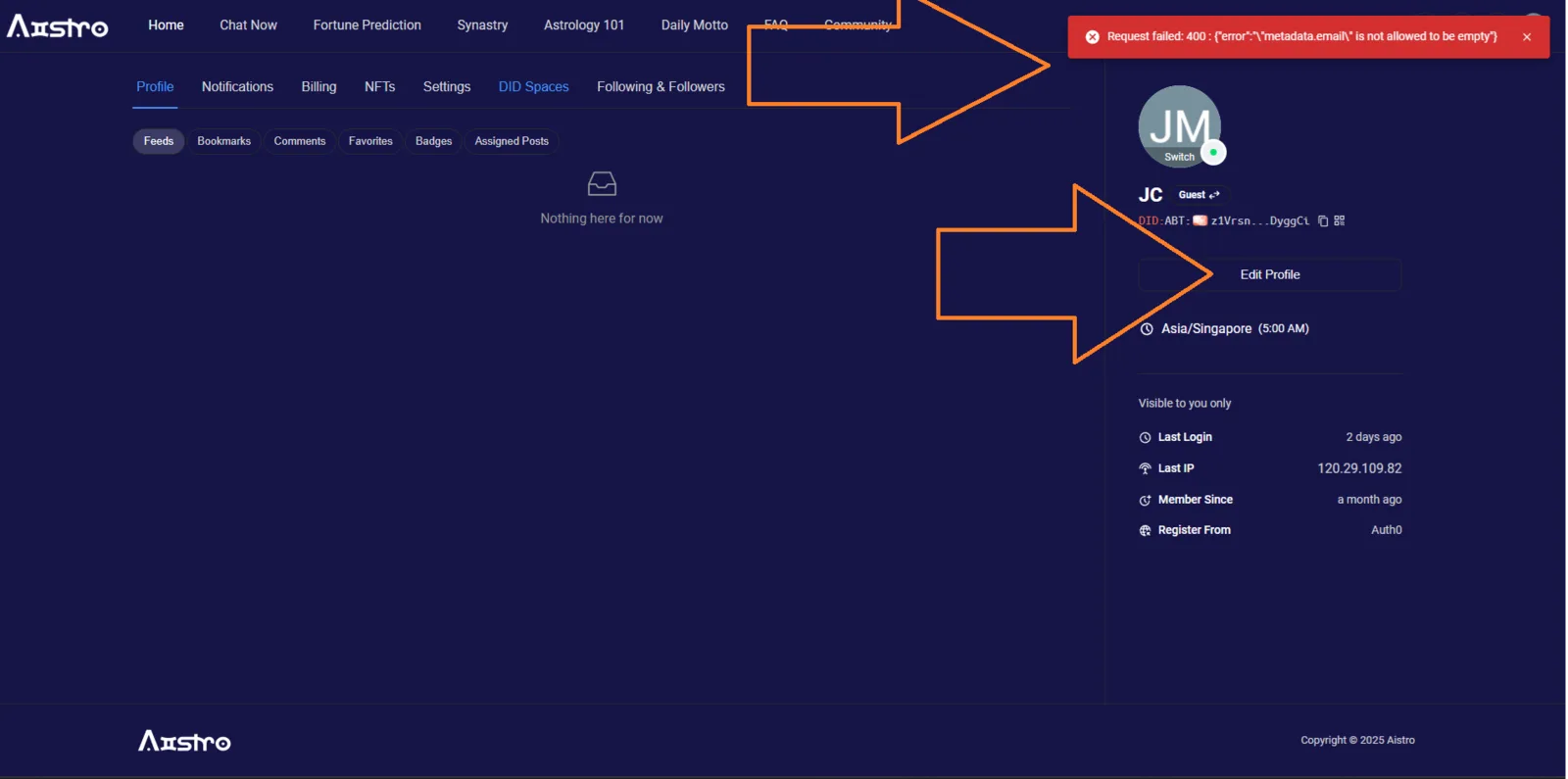
🧾 Summary:
When attempting to save the profile on Aistro (https://www.aistro.io/content/profile?locale=en) with an empty email field, an error message appears:
Request failed: 400 : {"error":""metadata.email" is not allowed to be empty"} The error message is not user-friendly and exposes backend validation details.
🌐 Platform / Environment:
- Website: https://www.aistro.io/content/profile?locale=en
- Feature: Profile Editing / Account Management
- Browser: Google Chrome (latest)
- OS: Windows 10 / 11
🧪 Steps to Reproduce:
- Log in to your Aistro account.
- Navigate to your profile page: https://www.aistro.io/content/profile?locale=en.
- Clear or leave the email field empty.
- Click Save.
- Observe the error message displayed.
💥 Actual Result:
- The system returns an error response:
javascript Request failed: 400 : {"error":"\"metadata.email\" is not allowed to be empty"} - The message exposes internal validation structure (
metadata.email) instead of showing a simple user-friendly error.
✅ Expected Result:
- The app should prevent saving empty required fields.
- Display a clear, user-friendly message, e.g.: > “Email address cannot be empty. Please enter a valid email.” >
⚙️ Possible Cause:
- Missing frontend validation for required fields.
- Direct backend validation response being shown to the user without proper error handling or localization.
🧱 Severity: Medium 🎯 Priority: High 📂 Category: UI / Validation / API Response Handling