
Git Repository Import Process in Aigne Keeps Looping

Hello Aigne Team,
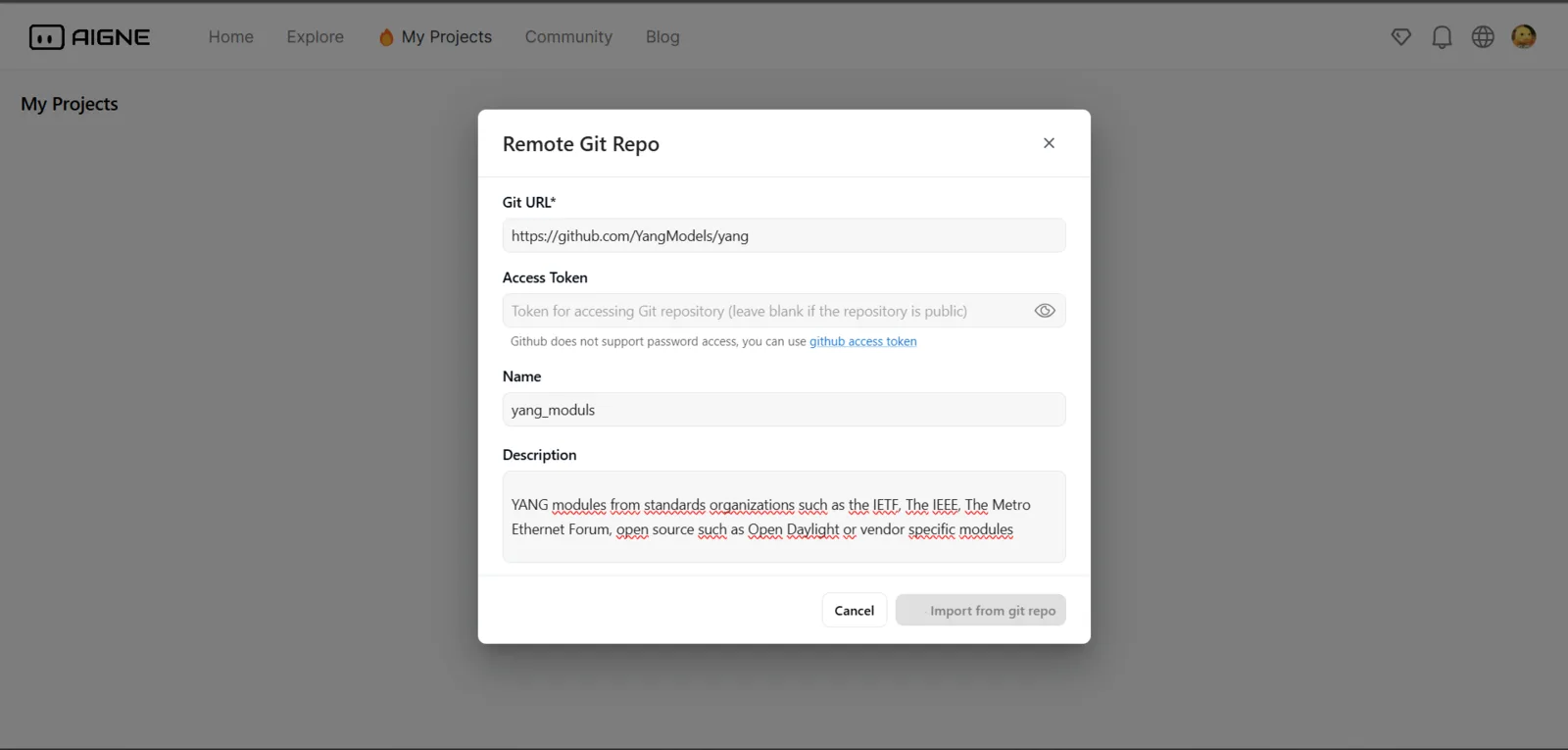
I have encountered an issue while trying to create a project using the Remote Git Repo feature. As seen in the attached image, the import process keeps loading indefinitely without any clear result.
I have been waiting for almost 30 minutes, but there has been no progress. Please check if there is any issue with the system.
Issue Details:
- Git URL used:
https://github.com/YangModels/yang - Browser: (chrome versi 133.0.6943.127)
- Operating System: (Windows 11)
- Steps I took:
- Enter the repository URL.
- Leave the Access Token field empty (since the repository is public).
- Click Import from git repo.
- The process keeps loading indefinitely without any result.
I would appreciate your assistance in checking if there is any issue or if there are any solutions I can try. Thank you!
1 条回复
感谢您的反馈,从 Git repo 导入 Project 功能需要提供一个正确的 AIGNE Project repo 地址,截图中的 repo url 是一个大语言模型的 repo,无法导入到 AIGNE 中使用。
另外: https://www.aigne.io 中已经禁用了 git repo 功能,该功能以后仅在自己 launch 的 AIGNE 中支持,🙏