
Missing "Download" Feature in YouTube Integrated View

Summary
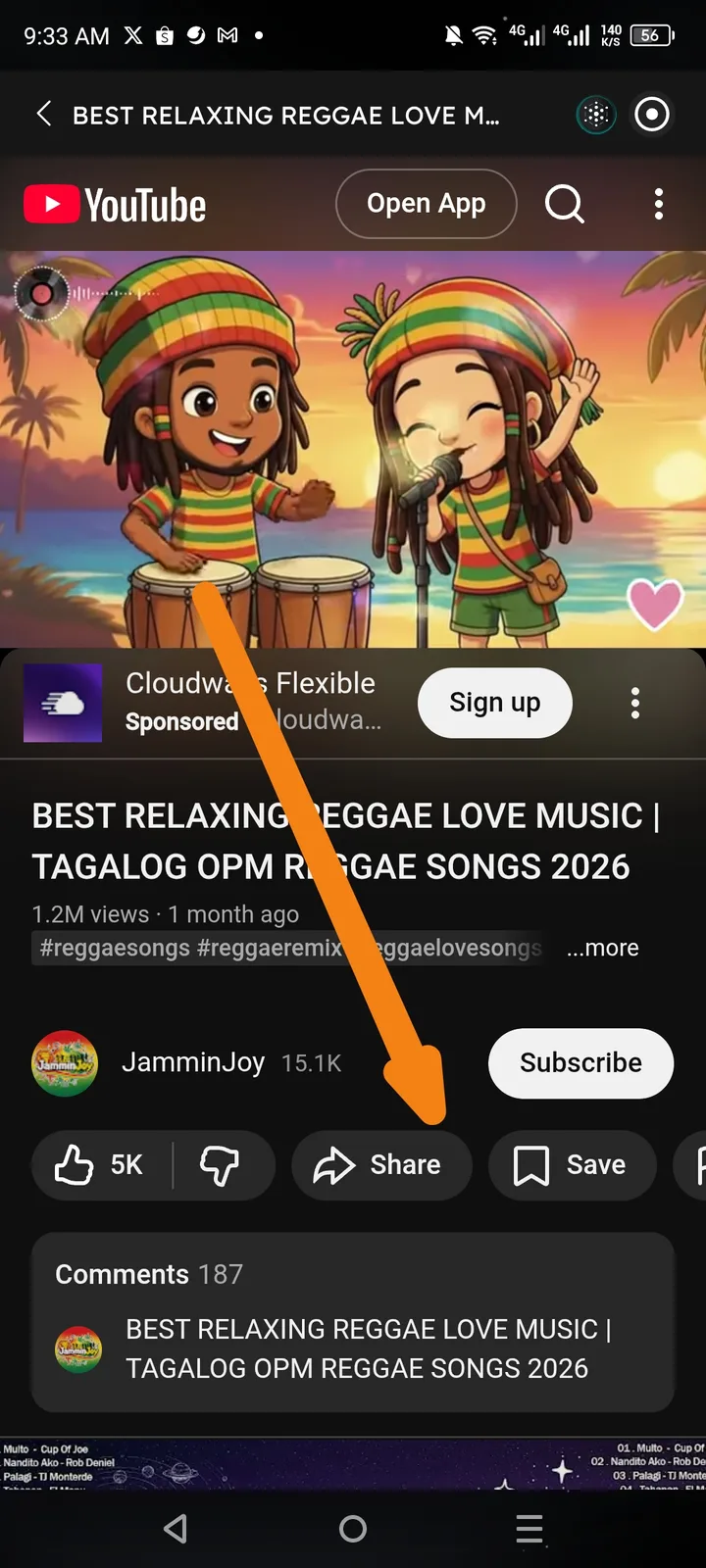
Users on Arcsphere are unable to download content from the integrated YouTube player. While the "Like", "Share", and "Save" buttons are visible, the standard "Download" button is missing from the action bar, limiting user functionality for offline access.
App Platform
Arcsphere (Integrated Web/YouTube Player)
Steps to Reproduce
- Open the Arcsphere application.
- Navigate to a YouTube video or view a YouTube integration within the app.
- Look at the interaction bar located below the video title and above the "Comments" section.
- Observe the available options: Like, Dislike, Share, Save.
Expected Behavior
The YouTube action bar should include a "Download" button (especially for users with YouTube Premium or where the feature is otherwise supported), allowing users to save content for offline viewing within the integrated environment.
Actual Behavior
The "Download" button is completely absent from the user interface. Only the Like, Dislike, Share, and Save buttons are rendered.