
Missing Microphone Icon in Search Bar

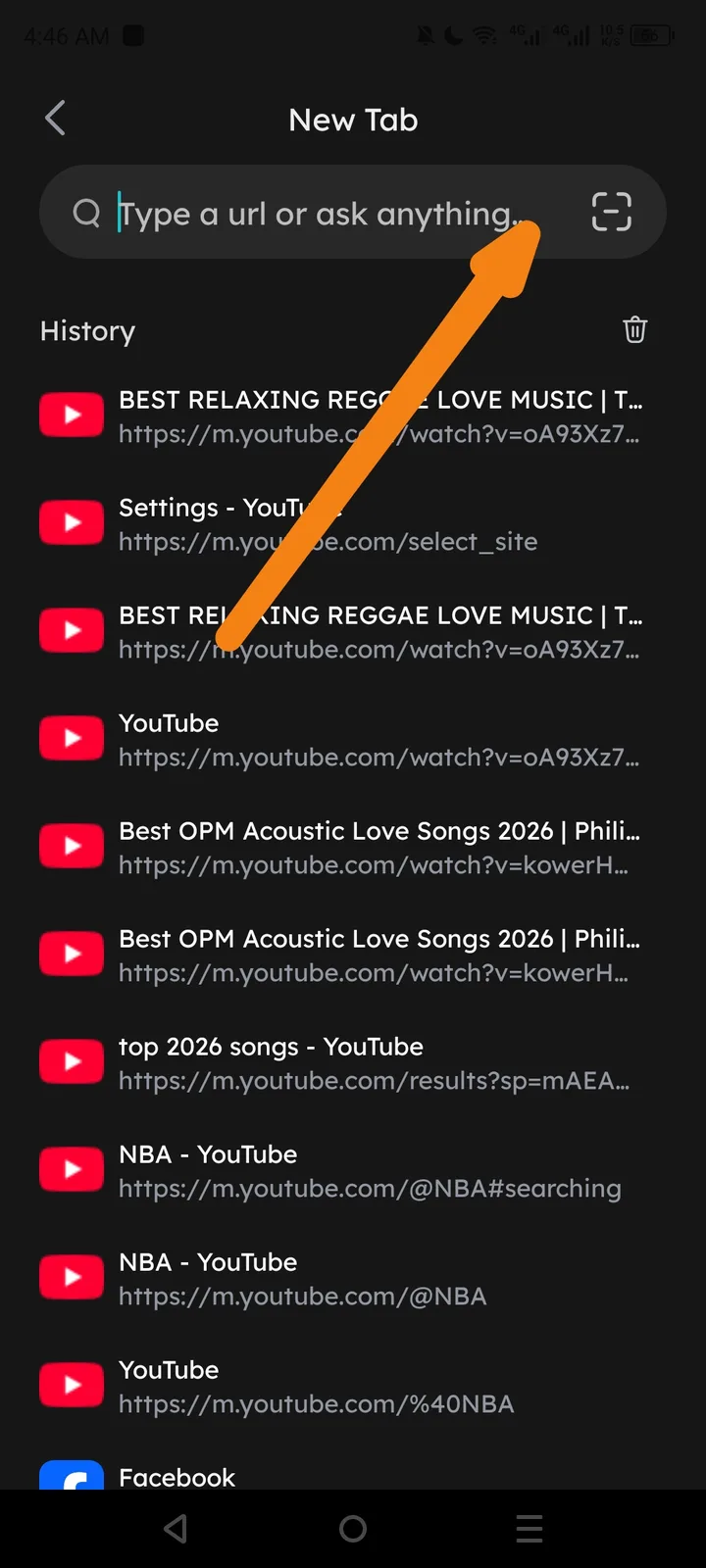
Description: Upon opening a "New Tab" page, the search bar ("Type a url or ask anything...") provides an icon for qr scanning on the right side, but the microphone icon for voice input is missing entirely.
Steps to Reproduce:
- Open the Arcsphere application.
- Navigate to the "New Tab" dashboard.
- Observe the search bar located at the top of the interface.
Expected Result: A microphone icon should be present (typically next to the scan icon) to allow for hands-free voice searching.
Actual Result: The microphone icon is absent. Only the text prompt and the qr scanner icon are visible.
Impact:
- Accessibility: Users with motor impairments or visual challenges who rely on voice input are unable to use the browser effectively.
- User Experience: Reduces search efficiency for users who prefer voice input (e.g., while multitasking, typing on mobile is cumbersome).
- Feature Parity: Voice search is a standard feature in modern browsers (Chrome, Safari, Edge); its absence creates a competitive disadvantage.
- Platform Consistency: If voice search is documented or advertised as a feature, this represents a broken user promise.
Recommended Fix:
- UI Restoration: Add the microphone icon button to the right side of the search bar, positioned adjacent to the existing lens/scan icon.
- Permission Handling: Ensure the app properly requests microphone permissions when the user first taps the icon (Android:
RECORD_AUDIOpermission). - Graceful Degradation: If microphone access is denied or unavailable, display a helpful message: "Microphone access is required for voice search. Please enable in Settings."
- Testing: Verify the feature works across different Android versions and device manufacturers, as microphone handling can vary by OEM.