
Minting NFT not working in mobile browsers

I’m trying to mint an NFT but after accessing through the NFT factory (whilst connected/logged in to my DiD wallet already) it takes me to the next page saying I need to open in my DiD but it’s not allowing me to open the connection, for some reason it’s showing the name of the factory/NFT publisher DiD rocks account (not my account) and when I try to press the button to open in my wallet it does not work as you can see below, so it just puts my order on hold for 5 minutes then clears it so I’m unable to mint…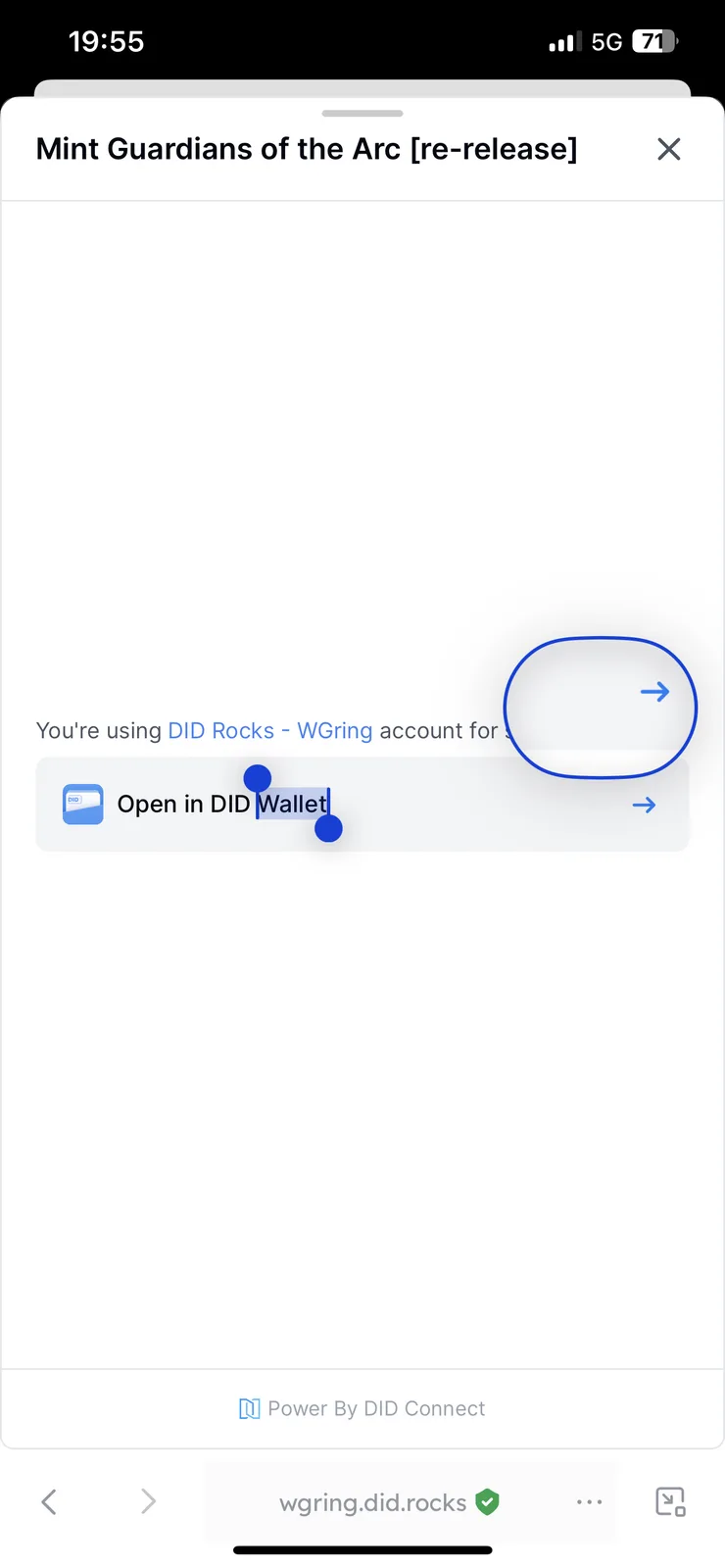
9 条回复
z1chE2k3Md4kzdBc7tNPQfYQYLddJXrxQY3 Thanks for the feedback, could you please provide the link of the page or the NFT factory link so that we can try to reproduce it?
https://wgring.did.rocks/en/nft-factories?locale=en
are you using an iphone? i was having issue earlier with my own factories but not just now, within did wallet specifically
i use android
Using iPhone iOS 17.4.1 with latest version of DiD installed, tried again this morning and I’m still having the same issue, first attempted to mint 2 days ago so it seems to be an ongoing issue 🤔
Has there been any update on this? I noticed in the collection the minted number has gone up by one so someone must have been able to mint one of the NFTs at some point recently, however I tried again and exactly the same thing is still happening for me 🤔
Tried again this evening, still having the same issue and unable to mint 😬
We'll follow up on that
Is it still a problem to close the page by 'x' and then open https://wgring.did.rocks/nft-maker/mint/z3CtLcro4t2rwKj6FGVPeKiNbfcd7Mvq3y7dk try again?