
Missing Aigne Logo in DID Wallet Collectibles Section

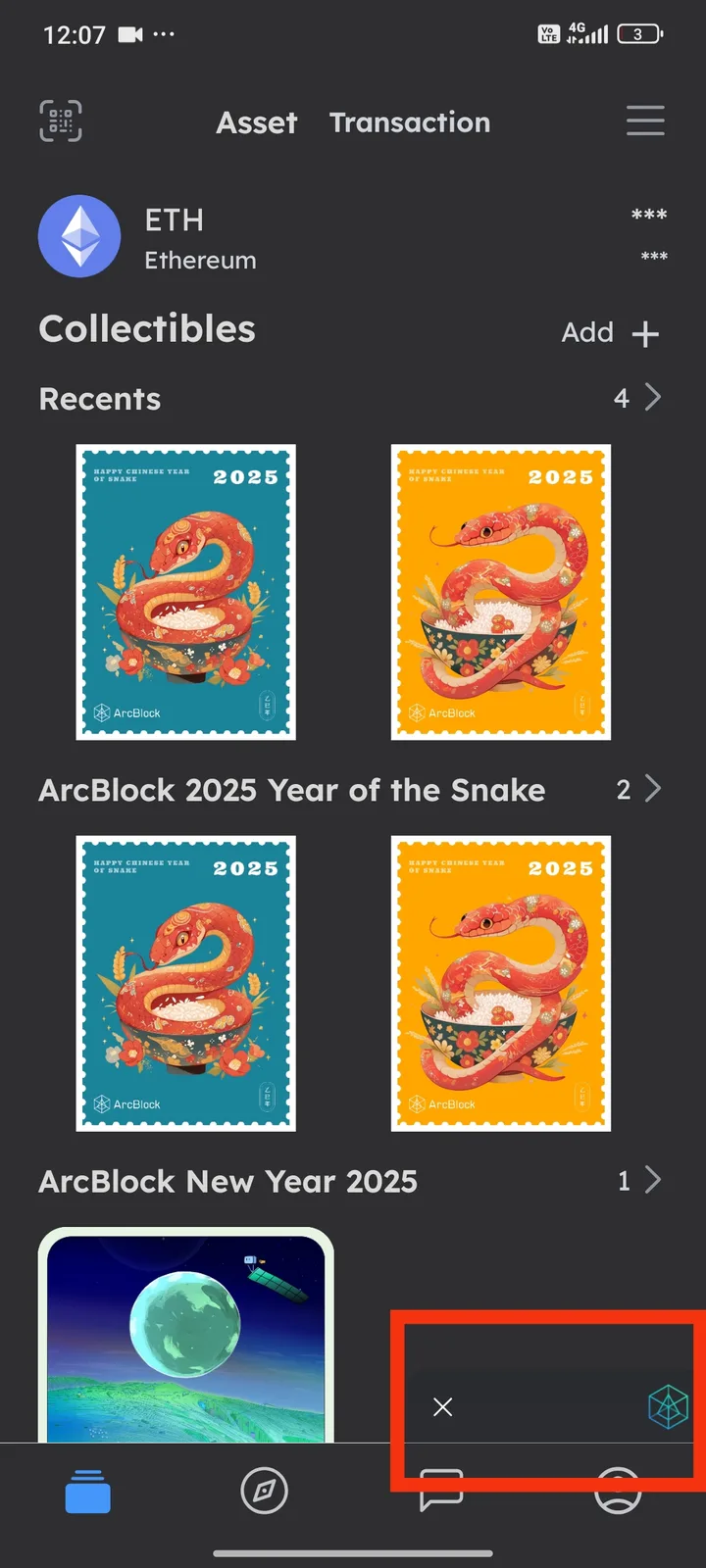
In the DID Wallet collectibles view, the Aigne logo that normally appears in the bottom-right corner is missing. Instead, the space appears blank, but when tapping that area, it still redirects correctly to Aigne. This suggests the button is functional, but the logo/icon is not being rendered. This might confuse users since it looks like an empty space instead of a clickable shortcut.
5 条回复
Aigne's icon is a solid black icon with a transparent background, so this does indeed require special handling here. Thanks for the feedback.
By the way, we will deprecate web browsing in Wallet and recommend that users use ArcSphere.
Yes, I have used Arcsphere. Sometimes I also use Didwallet when Arcsphere is slow.
and I think I prefer didwallet because it's more comfortable to use in my opinion
same with Inconsistent Color on Refresh Button in Unconnected Chains Page of DID Wallet
Some mobile operating systems will force certain colors to black in dark mode.