
Access Denied When Using a Public Repository in Remote Git Repo

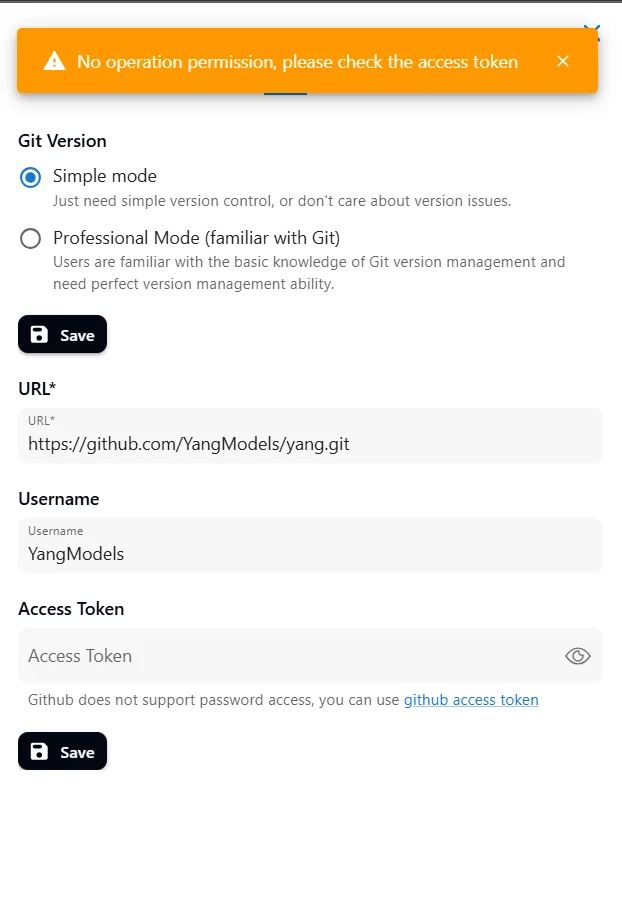
Hello Team, I am experiencing an issue when trying to add a public Git repository to the Remote Git Repo feature. Even though the repository I am using is public (https://github.com/YangModels/yang.git), the system still requests an access token and displays the error message: "No operation permission, please check the access token."
Steps to reproduce:
- Enter the public repository URL in the provided field.
- Leave the Access Token field empty (since public repositories do not require authentication).
- Click the Save button.
- Receive the error message: "No operation permission, please check the access token."
Please check if there is an issue with the system regarding public repository access. Thank you!
6 条回复
在 Project 中设置 Git repository 时,如果来自 github 的 repo 则需要提供 Access Token,否则无法写入数据。
这里需要你用自己的 github 账户创建一个 Repo 并且根据 “github access token” 中的提示从 Github 获取 Access Token。
is the access token requirement for public repositories an intentional system design, or can a feature be added to allow public repositories without an access token?
在自己 launch AIGNE 之后,你可以:
以下场景是不支持的:
thank you for the clarification. I understand that GitHub does not support writing without an Access Token. However, is there a possibility for AIGNE to provide a feature that allows users to sync projects to public repositories more easily, perhaps through an alternative authentication mechanism?
是的,我们会计划优化 GitHub 同步的使用体验,感谢您的反馈
Thank you for your response! Glad to hear that AIGNE plans to improve the GitHub synchronization experience. I'm looking forward to the updates