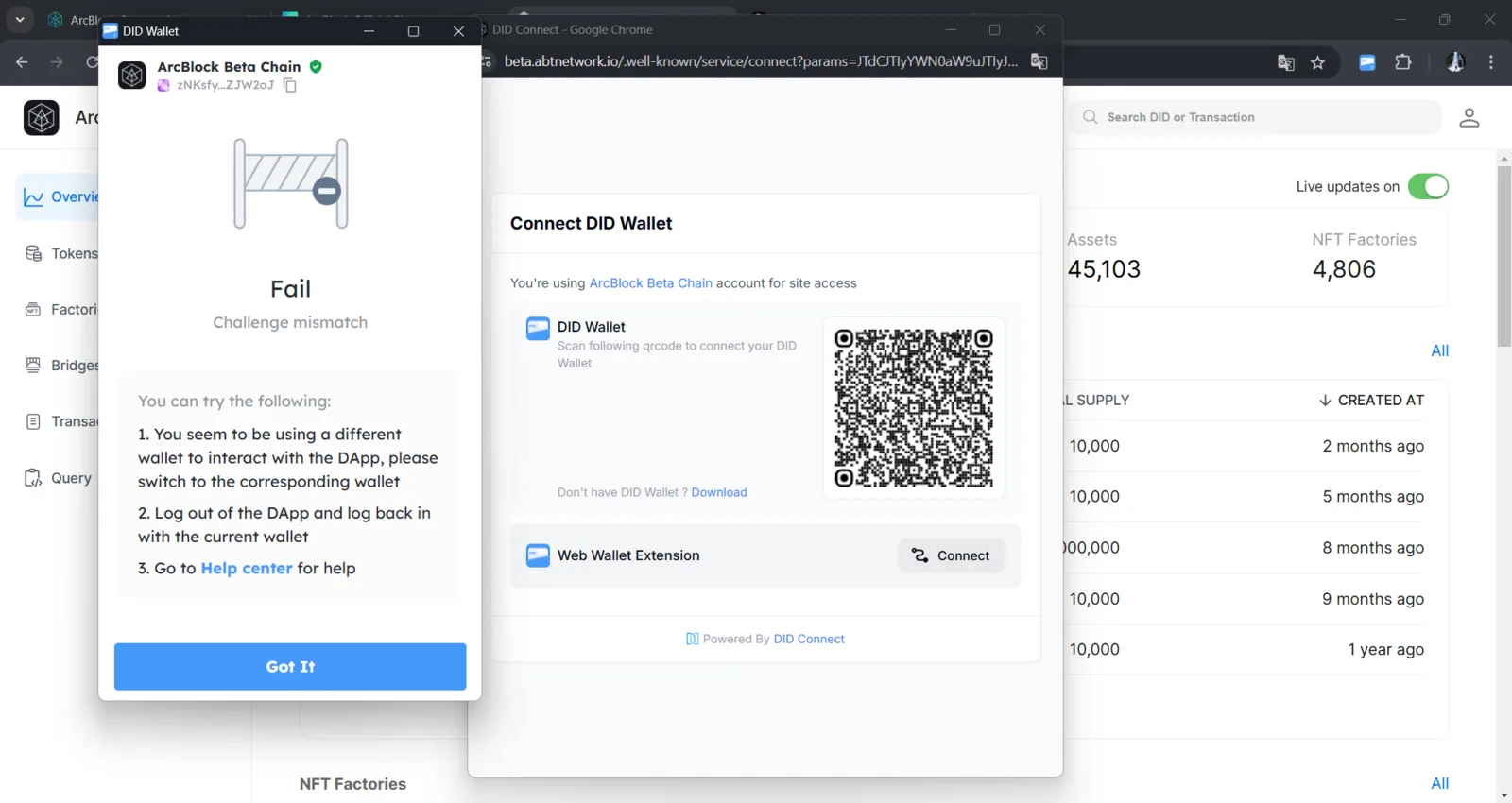
"Challenge Mismatch" Error When Connecting DID Wallet to DApp

Description: Users encounter a "Challenge Mismatch" error while attempting to connect their DID Wallet to a DApp through the ArcBlock Beta Chain. The error message indicates that the wallet being used is different from the one registered previously for interacting with the DApp, resulting in a failed connection.
Steps to Reproduce:
- Access a DApp integrated with the ArcBlock Beta Chain.
- Select the option to connect the DID Wallet.
- Use a DID Wallet different from the one previously associated (e.g., after logging out or switching accounts).
- The "Challenge Mismatch" error appears.
Expected Outcome: Users should be able to seamlessly connect their DID Wallet, or if an issue arises, the system should provide clear and actionable guidance to resolve it.
Actual Outcome: The "Challenge Mismatch" error appears without sufficient details on the specific steps required to address the issue.
Impact:
- Causes confusion for users, particularly those unfamiliar with the relationship between the registered wallet and the DApp.
- Increases time to resolution due to a lack of clear instructions.