
External Notification Test Shows 'Message Sent' but No Notification is Delivered

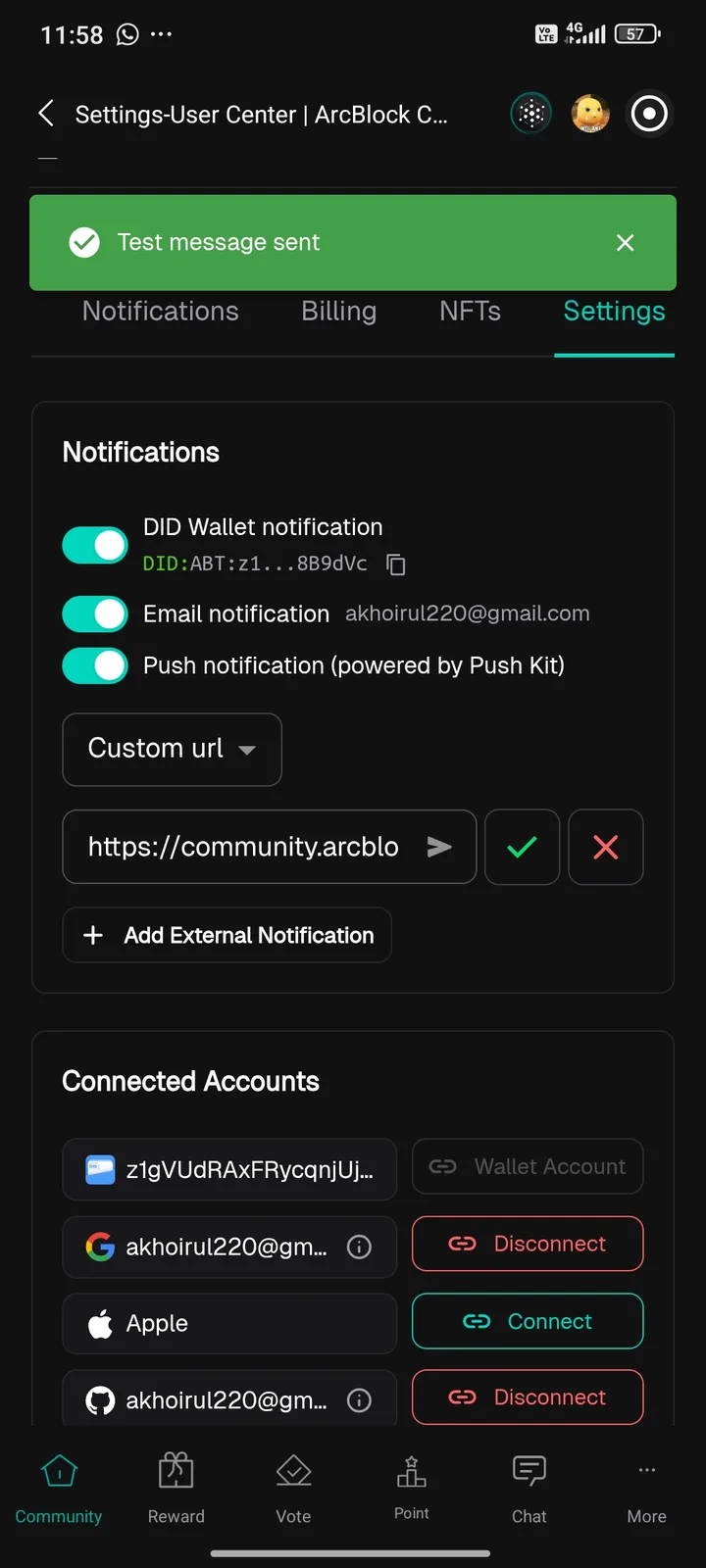
When I try to add an external notification in the ArcSphere app (ArcBlock Community settings), I entered a valid custom URL (https://community.arcblock.io) and pressed the test button. The system shows a green banner with “Test message sent”, but no actual notification or request is triggered on the target URL. This makes the external notification feature unusable, as users cannot verify or rely on the connection.
1 reply
You need to provide a webhook URL here that can receive messages; the URL you entered (https://community.arcblock.io) cannot receive messages.