
Missing "Enter Picture-in-Picture" Button on Video Player

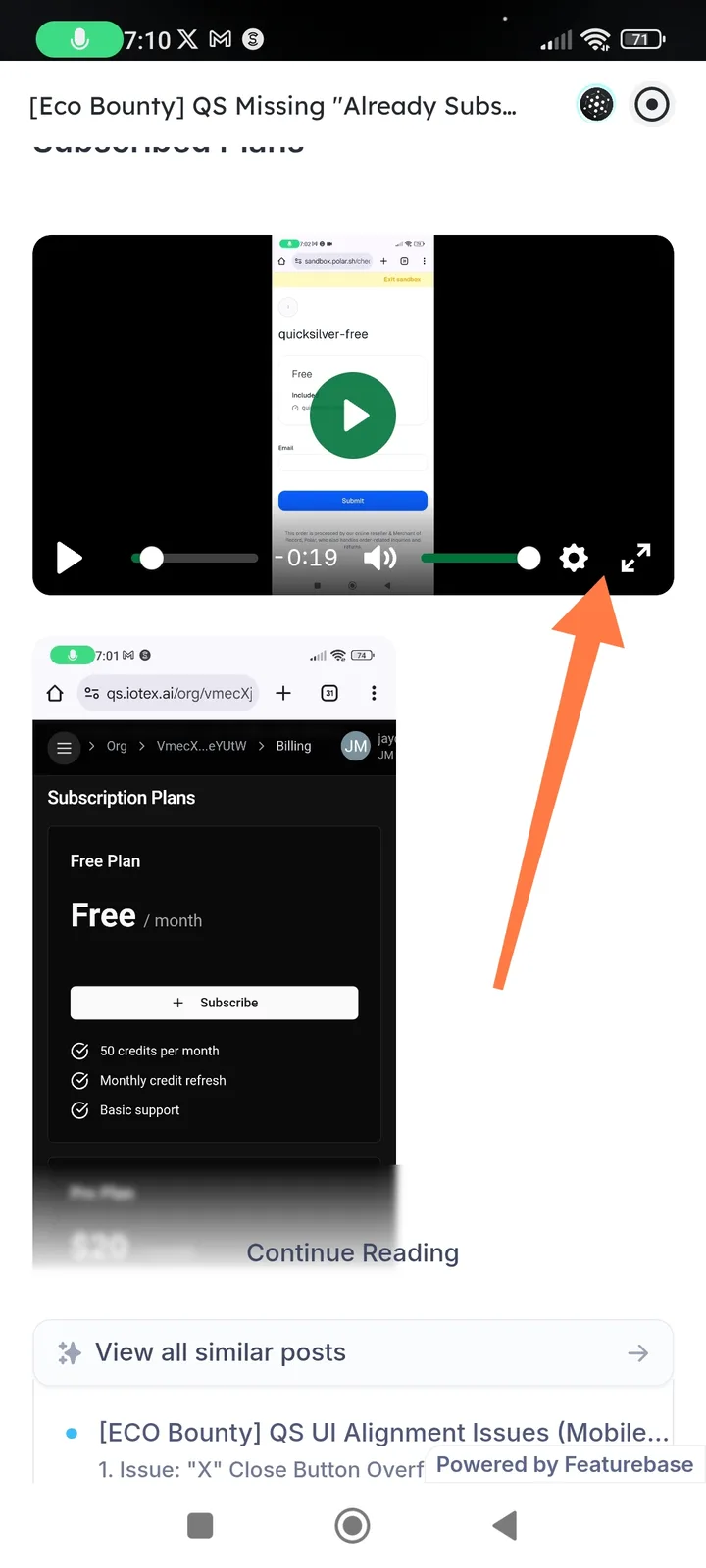
Summary The video player component in Arcsphere does not display the "Enter Picture-in-Picture" (PiP) button/control, preventing users from enabling PiP mode while watching videos.
Description
When playing video content in Arcsphere, the video player control bar shows standard playback controls (play/pause, progress bar, volume, settings, fullscreen) but lacks the Picture-in-Picture toggle button. This prevents users from detaching the video into a floating window while continuing to browse other content.
Steps to Reproduce Navigate to any video content within Arcsphere Start playing the video Interact with the video player to display controls Observe the control bar (bottom-right section near fullscreen button)
Expected Behavior A Picture-in-Picture icon (typically overlapping rectangles or dedicated PiP symbol) should appear in the video control bar Clicking the button should detach the video into a floating, resizable window The button should be located near other window management controls (fullscreen, settings)
Actual Behavior No PiP button is visible in the video control interface Only fullscreen, settings, and volume controls are present in the bottom-right control area Users cannot activate Picture-in-Picture mode through the player UI
Impact
- User Experience: Users cannot multitask while watching videos (e.g., browse other content while keeping video visible)
- Accessibility: Reduced flexibility for users who rely on PiP for screen management
- Severity: Medium (Feature gap / UX limitation)