
Connecting DiD space to NFT Maker

I cant seem to properly connect my DID space to my NFT Maker. I only have one wallet and every time I try and connect the space to NFT Maker get this Fail. Any help would be greatly apricated !
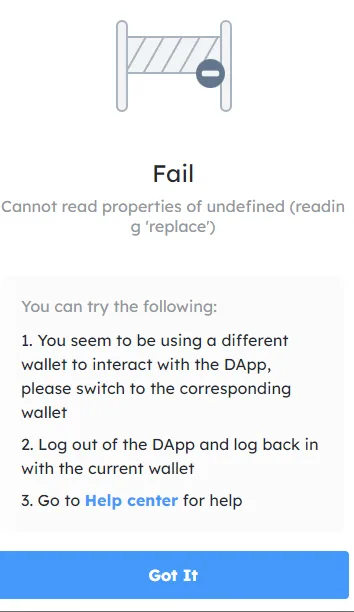
I cant seem to properly connect my DID space to my NFT Maker. I only have one wallet and every time I try and connect the space to NFT Maker get this Fail. Any help would be greatly apricated !
9 replies
If you log into didspaces.com you can try copying the url (theres a button for it) and use that for "connect using the didspaces gateway" within the storage section on the dashboard of your nft maker.
Awesome this worked. Thanks!
Glad it worked! 😁
z1k2qXcUMcayLGintvV1MsWW78JNVbPUwkE I'm sorry you're having this problem
What is your blocklet server version?
What wallet are you using (Android or ios)? What version?
The error you encountered on that page? What is the address of the page?
I'm using the PC extension wallet
https://bbqa57nux52az45nrm62d6th2n4p5naa5bqle5il22i.did.abtnet.io/.well-known/service/admin/storage
I tried starting a factory and got this when trying to push the next button.
It seems like the space isn't connected. I'm not entirely sure where everything went wrong! Thanks for your input!
about: https://community.arcblock.io/discussions/c58a50dc-1f4e-41f7-8628-4cec2ebde1f0 hello, please show me the structure diagram of your component, like this:![image.png]()
The solution is:
This worked! Thank you!
z1k2qXcUMcayLGintvV1MsWW78JNVbPUwkE Very good. Your problem is solved.
However, I still have doubts about this question, and would like to ask you how you successfully skip the step of connecting DID Spaces in the installation process? Otherwise it will not report an error: