
Text Cut Off in "Appearance" Panel – Not Responsive on Mobile Devices

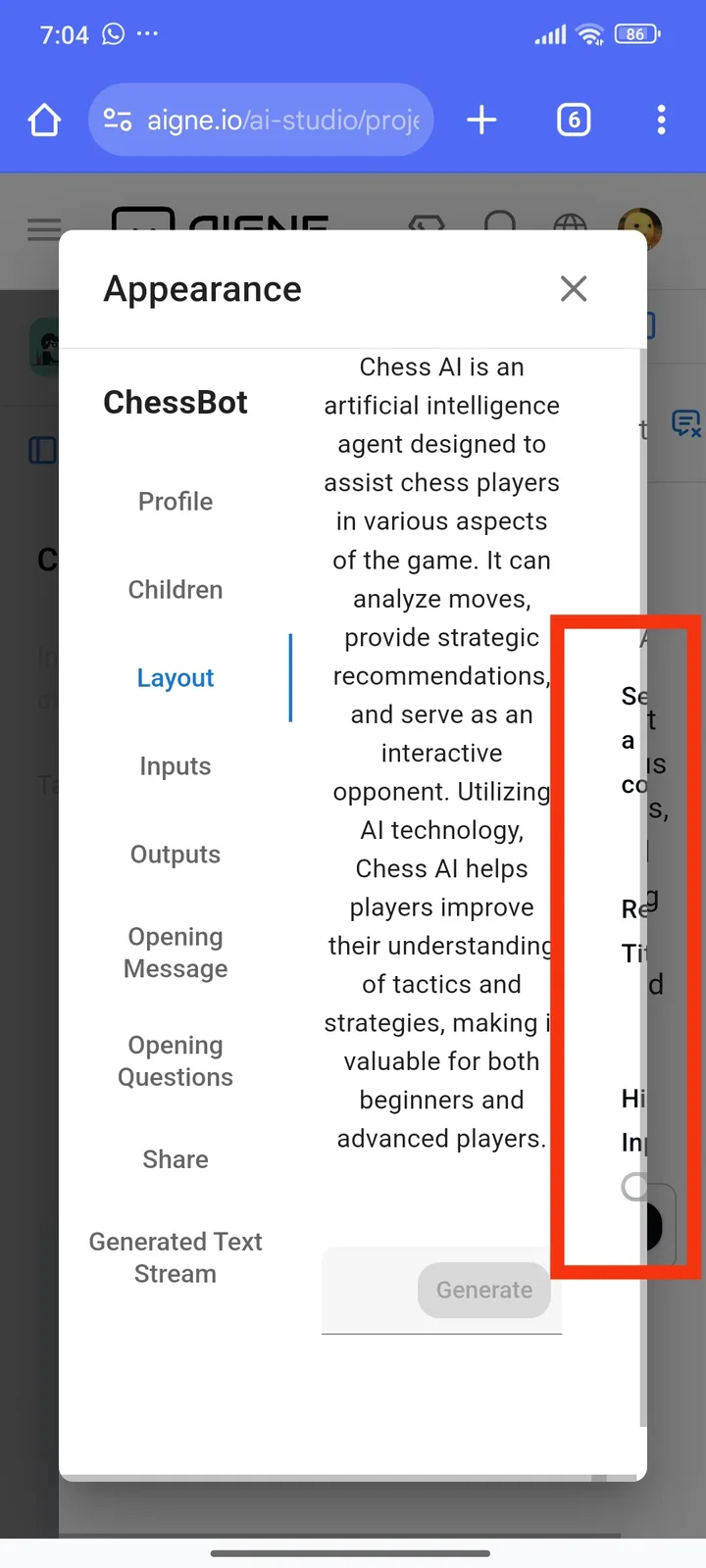
When opening the Appearance panel in the AIGNE web app, the description text is cut off on the right side, making it unreadable. This issue occurs on mobile devices, and there is no scroll or auto-wrap option to display the full text.
Steps to Reproduce:
- Open the AIGNE web app in a mobile browser.
- Navigate to the menu that opens the Appearance panel.
- Select an option such as Layout to display the description.
- Notice that the text is cut off on the right side, with no way to scroll or view the full content.
for further details i include this video