
White Edge Around Profile Picture

Summary
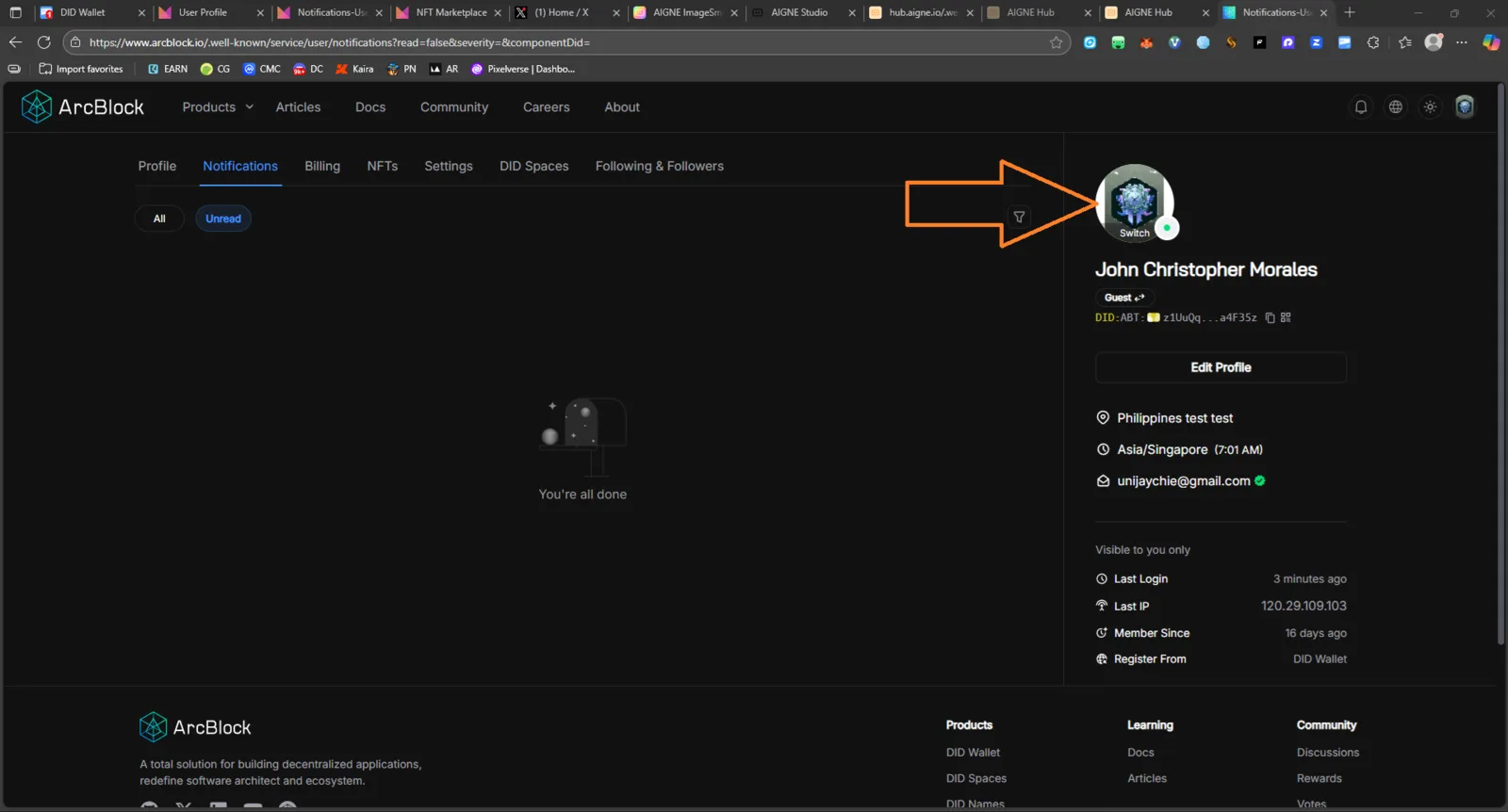
A persistent white edge or glow appears around the profile avatar on the user profile page, visible in both light and dark themes. The border disrupts visual uniformity and makes the avatar appear detached from the background.
Steps to Reproduce
- Log in to your ArcBlock account.
- Go to Profile → Notifications tab (or any user settings page).
- Observe the profile picture area on the right side of the page.
- Toggle between Light Mode and Dark Mode.
- The white edge remains visible in both themes.
Expected Result
- The avatar should blend seamlessly with the background.
- No visible white edge or glow in any theme mode.
Actual Result
- A white edge remains around the profile avatar in both themes, causing an inconsistent UI appearance.
Visual Evidence
📸 Screenshot provided:
(see attached image: a2849cbe-1151-4a31-a414-cce624041396.png)
Impact
🎨 User Experience / Visual Consistency Issue While functional behavior is unaffected, this issue reduces overall design quality and theme polish.
Severity
🟢 Low (UI / Cosmetic)
Possible Root Cause
- The profile image component may have a default white background (
background-color: #fff;) or box-shadow applied. - Missing
background: transparent;or theme-specific CSS variable for avatar wrapper.
Recommendations
✅ Add conditional CSS for both modes:
.avatar-img {
  background: transparent;
  border: none;
  box-shadow: none;
}
✅ Verify on:
- Light Mode
- Dark Mode
- Mobile and Desktop
✅ Ensure consistency across other profile-related pages.
1 reply
The original image has a white border and does not need to be repaired.