
AIGNE Artifact Generation Deduct Credits & Total Credit Points Not Displayed

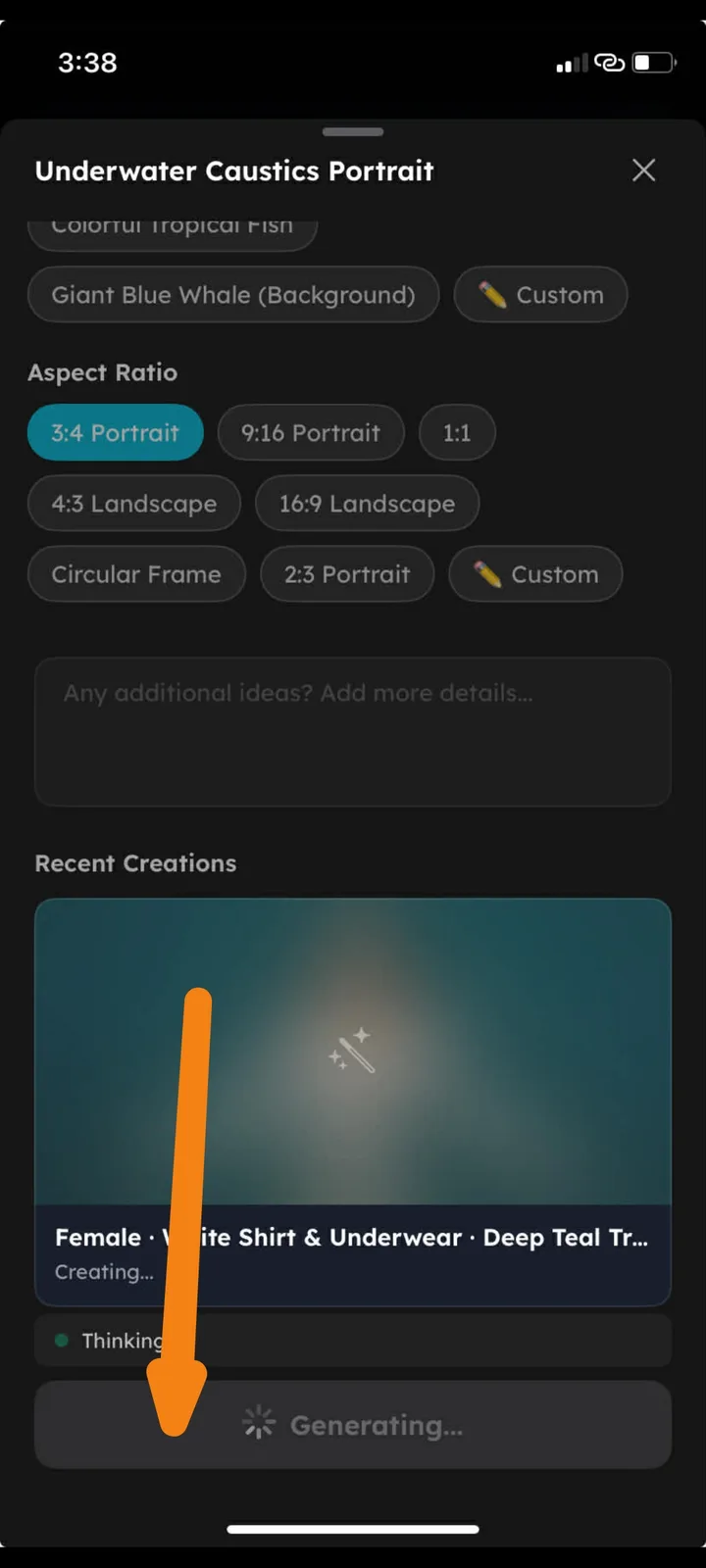
Device: iPhone XR
OS Version: iOS 18.7.3
App Status: Issue observed during artifact generation.
Bug Description
When generating artifacts in the AIGNE generator inside ArcSphere, the system shows the “Generating…” status but no credit deduction appears. Additionally, the total available credit points for AIGNE are not displayed, making it unclear how many credits are remaining or being used.
Steps to Reproduce
- Open the ArcSphere application.
- Navigate to AIGNE Artifact Generator.
- Select a template (example: Underwater Caustics Portrait).
- Configure settings (aspect ratio, prompt, etc.).
- Tap Generate.
- Observe the generation process.
Expected Result
- Credits should be automatically deducted after generating an artifact.
- The total AIGNE credit balance should be clearly displayed in the interface.
- Users should be able to track credit usage per generation.
Actual Result
- Artifact shows “Generating…” but no credit deduction is visible.
- Total credit points for AIGNE are not shown anywhere in the interface.
Suggested Fix
- Display current AIGNE credit balance in the generator interface.
- Show real-time credit deduction after each generation.
- Add generation cost indicator before confirming the artifact generation.