
Missing NFT Preview Button on ArcBlock Marketplace

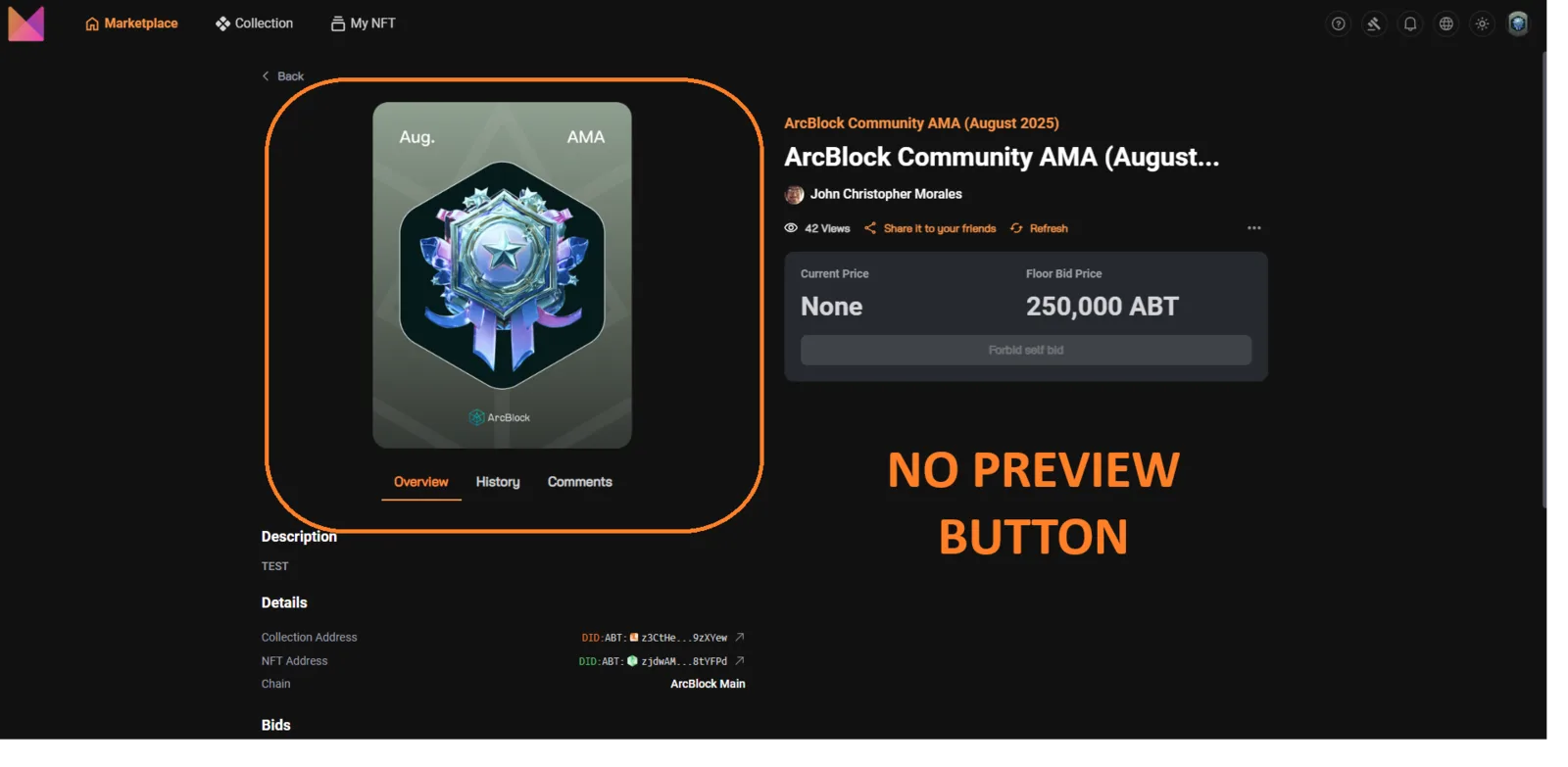
Summary: On the ArcBlock Marketplace, when viewing an NFT auction (e.g., Auction Link), there is no “Preview” or “View Full Size” button, preventing users from seeing their NFT image in full resolution.
Environment:
- Website: ArcBlock Marketplace
- URL:
https://marketplace.arcblock.io/auctions/27d3db45-3d49-4eb4-91d1-786d1348f701 - Tested on: Desktop (Google Chrome), Mobile (Android browser)
- Network: Stable broadband
Steps to Reproduce:
- Go to the above NFT auction page.
- Look for a “Preview,” “Expand,” or “Full View” button for the NFT image.
- None is available.
- Attempt to click the image to enlarge — no response or modal preview opens.
Expected Result:
- NFT image should be clickable or have a Preview button to display the full-size version in a modal/lightbox.
- Should allow users to clearly inspect NFT details before bidding or buying.
Actual Result:
- No preview or enlarge option.
- NFT remains locked in small thumbnail size, reducing usability and visibility.
Impact:
- Users cannot verify NFT quality, metadata, or details visually before purchase.
- Causes buyer hesitation and reduces engagement.
- Poor UX for collectors viewing their own NFTs.
Weakness Mapping (CWE):
- CWE-1076: Improper UI Behavior for Visual Content
- CWE-200: Insufficient Information Exposure (legitimate content inaccessible)
Severity Classification:
- 🟠 Medium Severity
- Reason: Not security-related, but directly impacts NFT usability & sales conversions.
Suggested Fixes:
- Add a Preview / Expand button on all NFT images (auction & listing pages).
- Enable click-to-enlarge (lightbox modal) with zoom capability.
- Ensure preview modal supports high-resolution versions of NFT media (image, GIF, or video).
- Optional: Include “View Original File” link for collectors.
⚡ Priority: Medium (important for UX & buyer trust).