
Aistro "Speak" Chat Automatically Translates to Other Languages Without User Consent

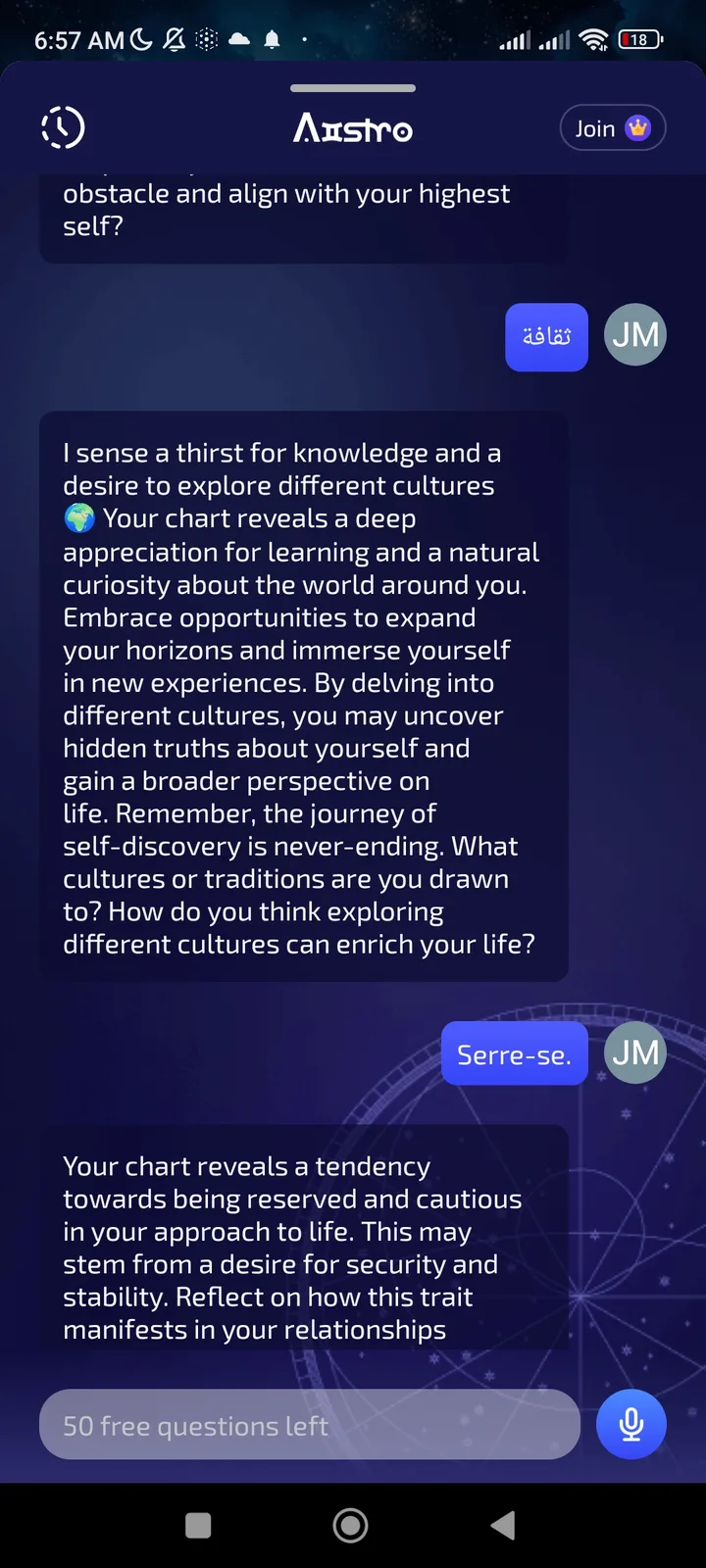
🐛 Summary
In the Aistro app, the "Speak" chat feature automatically translates user input (e.g., text) to other languages without user consent. This occurs even when the user's language settings are configured to English, and translations are applied without a prompt or confirmation.
🔁 Steps to Reproduce
- Open the Aistro app and navigate to the "Speak" chat interface.
- Set language preferences to English in app settings.
- Input a message in English (e.g., "Hello, how are you?").
- Observe that the message is automatically translated to another language (e.g., Chinese) without user interaction.
- Repeat with multiple messages to confirm consistent auto-translation.
📉 Severity
Medium – Impacts user control over translations and may lead to unintended language outputs.
📝 Additional Notes
- The issue occurs consistently across multiple sessions.
- No error messages are shown, but translations are applied without user consent.
- Reproducible in [specify device/browser if known].
🛠️ Expected Behavior
- Users should explicitly request translations (e.g., via a toggle or language selector).
- The app should respect user language settings (e.g., English) unless a translation is manually requested.
🧪 Actual Behavior
- The app automatically translates input to other languages without user action.
- No prompt or confirmation is shown before translation.