
Missing Link on "Claim Your Web3 Identity in 4 Steps" Section

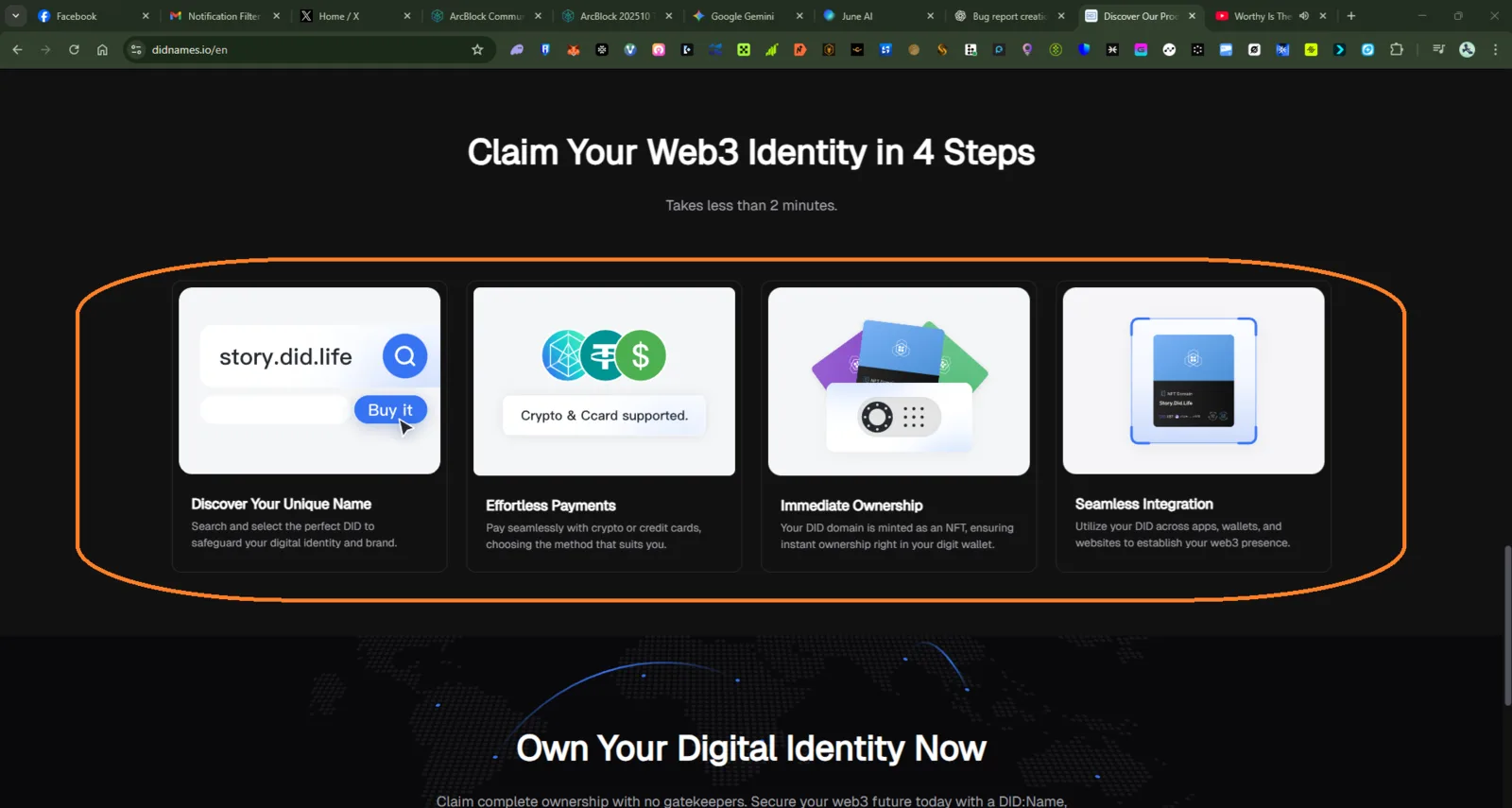
🧾 Description
In the “Claim Your Web3 Identity in 4 Steps” section, the four feature cards (Discover Your Unique Name, Effortless Payments, Immediate Ownership, Seamless Integration) have no active links or interactive navigation.
When users click on any of the elements (e.g., “Discover Your Unique Name” button or icons), no action or redirection occurs — leading to confusion, as users expect each step to link to a related page, explanation, or purchase flow.
🔁 Steps to Reproduce
- Visit https://didnames.io/en.
- Scroll to the section titled “Claim Your Web3 Identity in 4 Steps.”
- Hover or click on any of the 4 cards (Discover Your Unique Name, Payments, Ownership, Integration).
- Observe that no link or action is triggered.
✅ Expected Behavior
Each card or button (especially “Effortless Payments”) should redirect to a related action or detailed explanation page, such as:
- “Discover Your Unique Name” → DID purchase flow page.
- “Effortless Payments” → Payment method details or checkout page.
- “Immediate Ownership” → DID NFT ownership info.
- “Seamless Integration” → Integration guide.
❌ Actual Behavior
- No hyperlink or clickable interaction is present on any of the four cards.
- “Discover Your Unique Name” button appears clickable but does nothing.
- User experience feels incomplete and inconsistent with typical step-by-step flow behavior.
📊 Impact
- Users cannot easily navigate to purchase or learn about DID Names.
- Reduces conversion potential and onboarding clarity for new users.
🧩 Suggested Fix
- Add appropriate anchor links or onClick actions to each of the four steps.
- Ensure “Discover Your Unique Name” directly opens the DID registration or checkout flow.
- Add hover visual feedback (cursor pointer / subtle animation) for better UX clarity.
2 replies
This is not a link card.
Example I want to click to "Discover Your Unique Name" no link attach?
Like docs?