
"Add Specing" and Social Share (X & Weibo) Not Working on ArcBlock Community

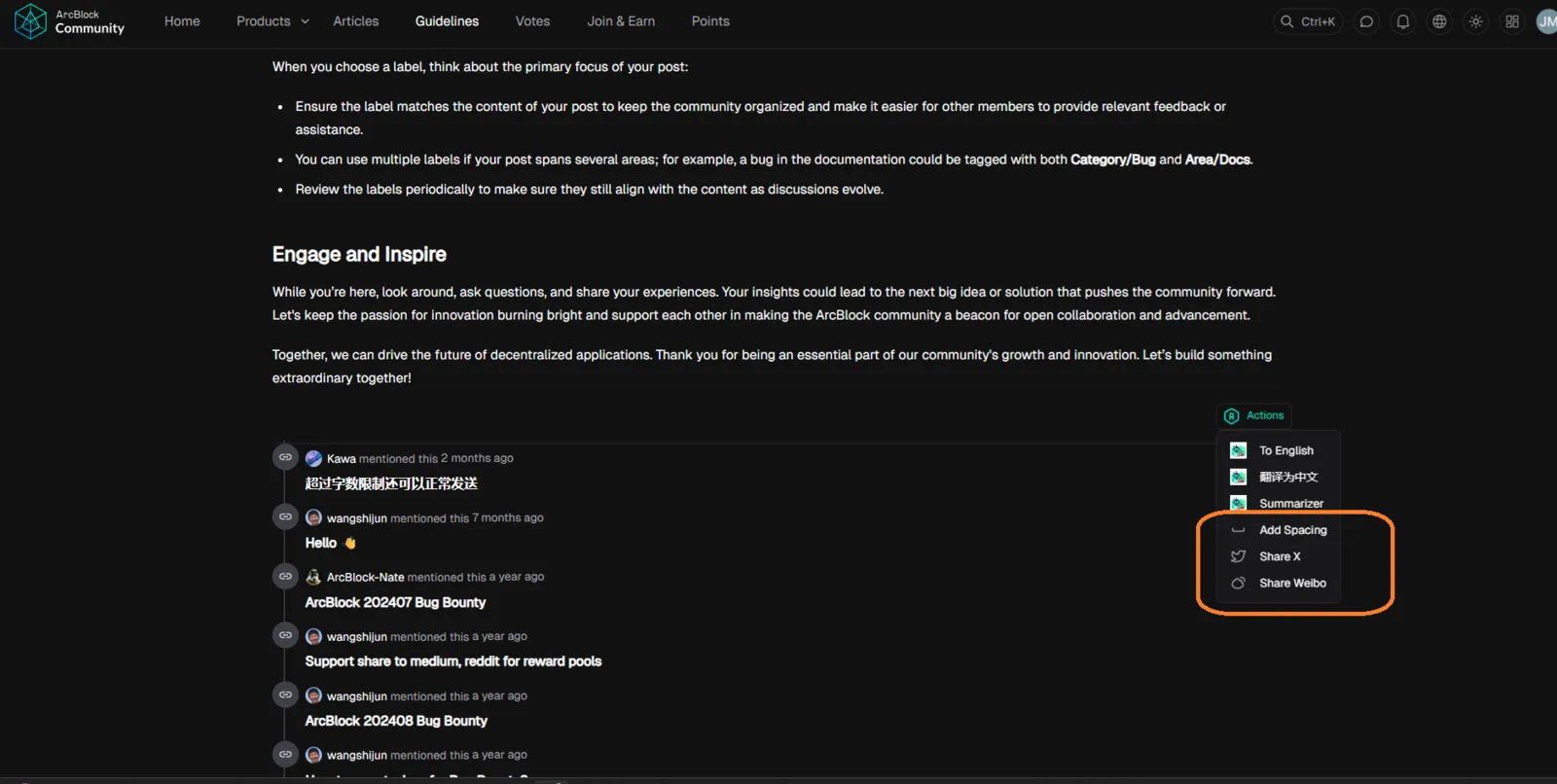

On the ArcBlock Community discussion page (example link), the functions for “Add Specing”, “Share X”, and “Share Weibo” do not work. Clicking these buttons produces no action.
Steps to Reproduce:
- Open a discussion (e.g., discussion link).
- Locate the Add Specing / Share options below the post.
- Click Add Specing.
- Click Share X.
- Click Share Weibo.
Expected Result:
- Add Specing: should add the post to a personal or community collection.
- Share X: should open a new window with a pre-filled tweet containing the post link.
- Share Weibo: should open Weibo with the post link pre-filled for sharing.
Actual Result:
- All three buttons are non-functional; no redirects or actions occur.
Bug Description: The Add Specing feature and social share integrations (X & Weibo) are broken. This prevents users from bookmarking content within the platform and from sharing content externally on social networks.
Severity Classification:
- Severity Level: 🟠 Medium
Suggested Fix:
- Add Specing: Ensure backend endpoint is active; verify user permissions and button event binding.
- Share X: Update share link to →
https://twitter.com/intent/tweet?url={discussion_url}&text={title} - Share Weibo: Update share link to →
http://service.weibo.com/share/share.php?url={discussion_url}&title={title} - Validate event listeners are properly bound to UI components.
Priority: ⚠️ Medium – Recommended to fix for improving user engagement and external promotion.
1 reply
Duplicate