
Tooltip for Total Downloads Not Displayed Properly

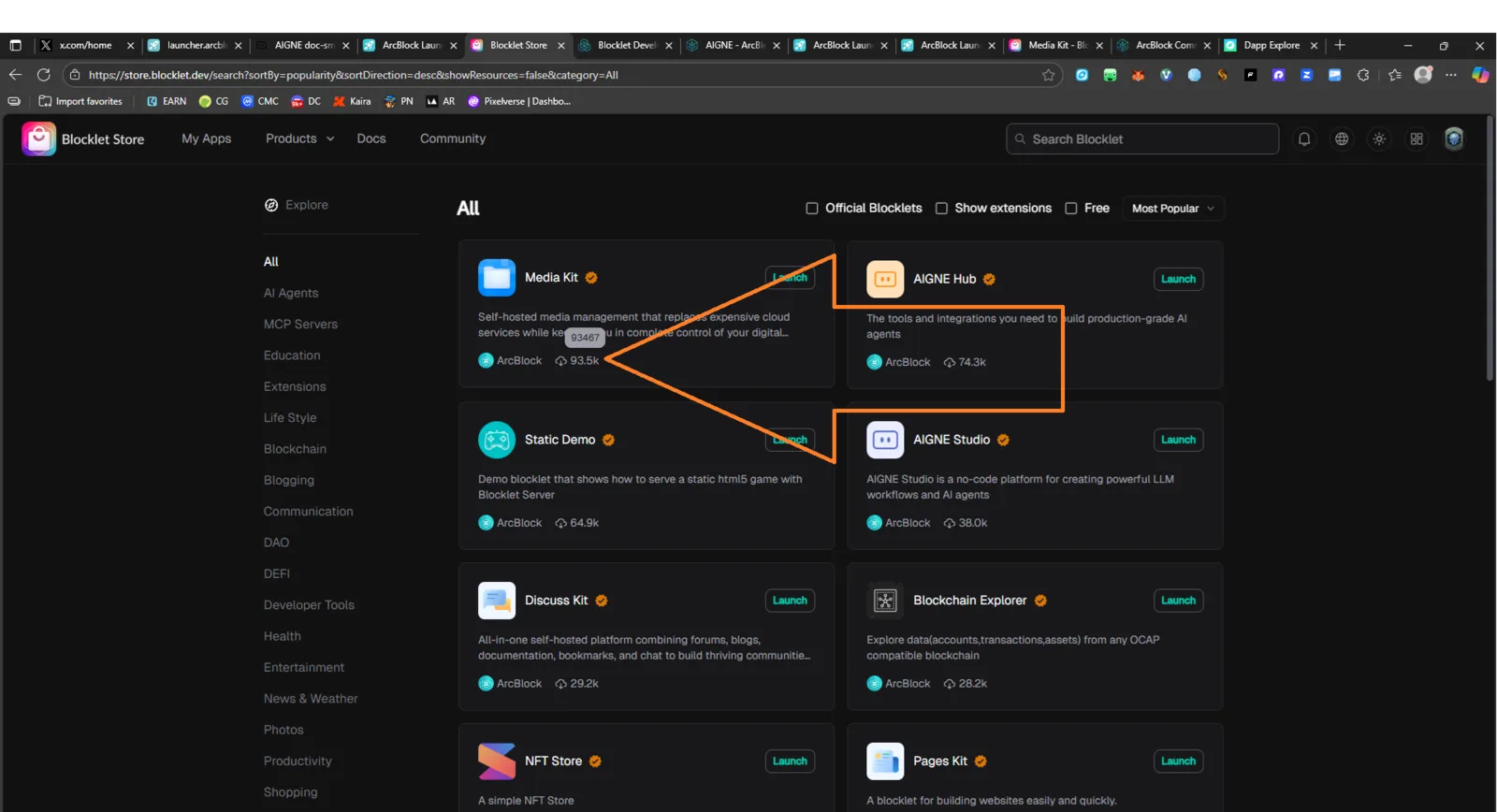
Product: Blocklet Store URL: https://store.blocklet.dev Environment:
- Device: Desktop (Windows 11)
- Browser: Chrome (latest version)
- Theme: Dark Mode
🧾 Description
When hovering the mouse cursor over the download icon, the tooltip is expected to show the complete text:
“Total Download 93467”
However, the tooltip does not appear, or shows only the number without the descriptive text, making it unclear what the number represents.
🔁 Steps to Reproduce
- Open Blocklet Store.
- Move your cursor over the download icon on any Blocklet (e.g. “Media Kit”).
- Observe the tooltip that appears (or fails to appear).
✅ Expected Behavior
- On hover, a tooltip should appear showing the complete message: > “Total Download 93467” >
- The tooltip should be properly aligned and readable in both light and dark themes.
❌ Actual Behavior
- The tooltip is missing or incomplete (shows only the number or nothing at all).
- Users cannot easily identify what the number represents.
📊 Impact
- Reduces clarity and usability of the Blocklet Store UI.
- Affects user experience, especially for new visitors.
🧰 Suggested Fix
- Implement a hover tooltip (e.g. using
titleattribute or UI component tooltip). - Ensure it displays: > “Total Download {number}” >
- Verify proper visibility in dark theme and responsive view.