
Incomplete Chinese Translation on DID Wallet Explorer

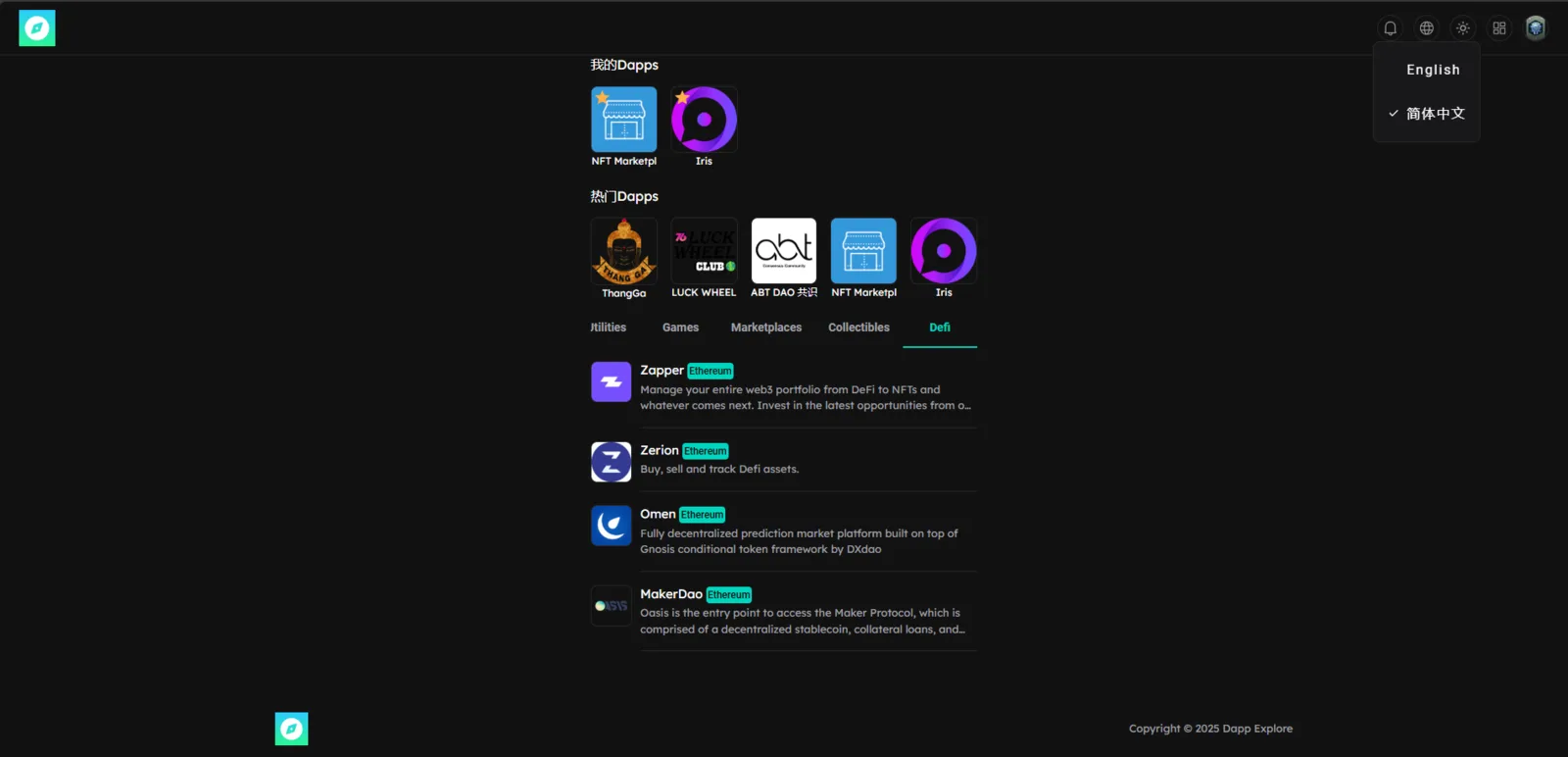
Product: DID Wallet Explorer URL: https://explore.didwallet.io/ Environment:
- Device: Desktop (Windows 11)
- Browser: Chrome (latest version)
- Language Tool: Built-in Chrome Translator (English → Chinese Simplified)
- Theme: Dark
🧾 Description
When the site is translated into Chinese (Simplified) using the Chrome browser’s built-in translation feature, only a few elements are translated. Most of the page content — such as headings, descriptions, and UI text — remains in English.
This creates an inconsistent multilingual experience and makes navigation difficult for non-English users.
🔁 Steps to Reproduce
- Open https://explore.didwallet.io/ in Chrome.
- Right-click and select “Chinese”.
- Observe that:
- Some UI elements remain in English.
- Labels and headings don’t switch language.
- Dynamic content doesn’t respond to translation.
✅ Expected Behavior
- All visible UI text, buttons, and descriptions should be translated into Chinese when translation is applied.
- Key areas (titles, action buttons, tooltips, and descriptions) should respect multilingual translation support.
❌ Actual Behavior
- Only a few static phrases are translated.
- Majority of text (e.g., “Open”, “Collected”, “Newest”, “Oldest”, etc.) remain in English.
- System appears to block translation for dynamic or React-rendered components.
📊 Impact
- Poor accessibility for Chinese-speaking users.
- Inconsistent multilingual experience across ArcBlock ecosystem apps.
- May reduce adoption in non-English regions.
🧩 Possible Cause
- Text strings rendered dynamically (via React or i18n JSON) not included in translation context.
- Missing
langattributes ortranslate="yes"on key containers. - i18n localization file may not be fully implemented for Simplified Chinese.
🧰 Suggested Fix
- Ensure all visible text is wrapped in i18n localization keys.
- Add Simplified Chinese strings to localization files.
- Test translation behavior via Chrome and manual locale switching in app settings.
- Add a “Language” toggle in the UI to manually select languages.