
Accidental Post Button Click When Navigating Pages

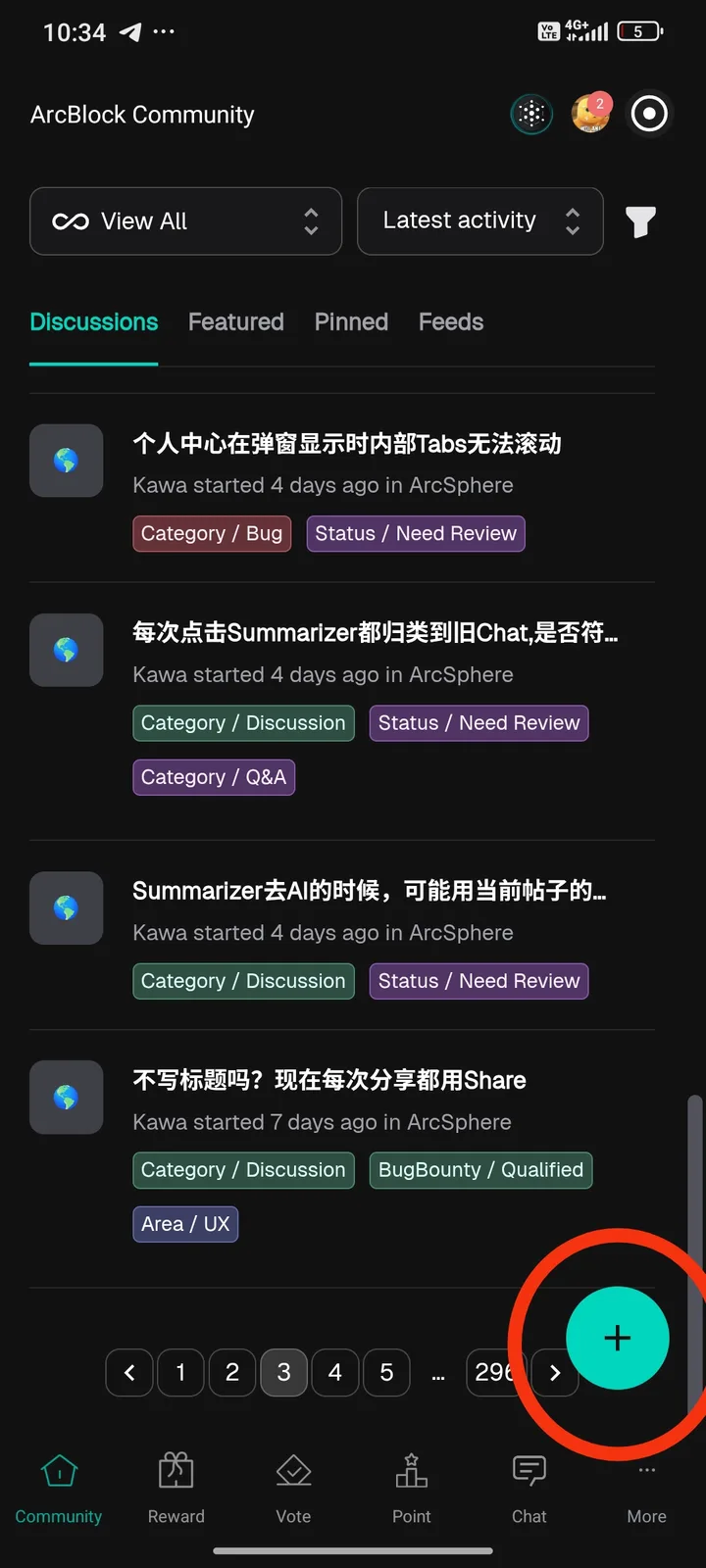
When I try to navigate to the next page in the ArcBlock Community, the round “+” button (used to create a new post) is placed too close to the pagination area. As a result, I often accidentally click the post button instead of the next page button. This is very frustrating because it interrupts the browsing flow and forces the post creation screen to appear. I think the UI of this “+” button needs to be modified, for example by moving its position or adding more spacing from the pagination area, to avoid accidental clicks.
3 replies
感谢反馈, 之前有用户报告过此问题, 这两个按钮太近了,容易误触
Okay
I hope the problem is resolved soon