
Missing NFT Display or Functionality in ArcBlock DID Wallet Connection

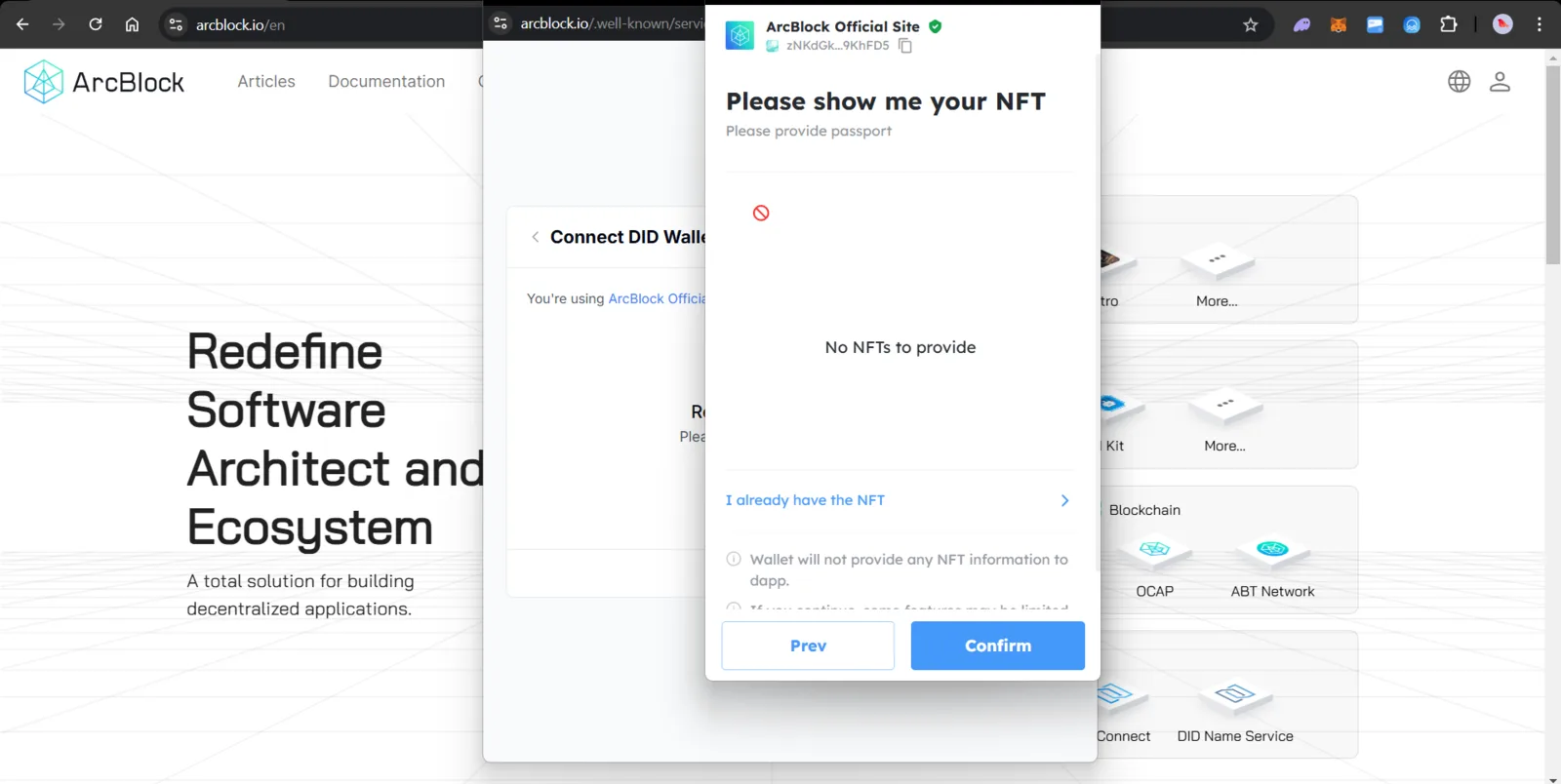
Description: When attempting to connect a DID wallet on the ArcBlock platform (arcblock.io), the interface prompts the user to provide an NFT for authentication but displays "No NFTs to provide" despite the user's wallet being connected. The issue occurs on the "Please show me your NFT" pop-up, where no NFT information is loaded or shown. This might confuse users, as they cannot proceed or confirm without NFTs being visible, and it lacks clarification on whether this is due to the wallet being empty, a loading issue, or a compatibility error. Additional notes indicate the wallet will not provide NFT information to the dApp, suggesting a potential feature limitation or bug. Steps to reproduce: 1) Navigate to arcblock.io and attempt to connect a DID wallet, 2) Trigger the NFT verification process. Expected behavior: Display connected NFTs or notify the user why none are shown.
1 reply
The screen shows that you do not have any passport to present, but you can continue without presenting any.