
"Invalid login caller" Error on ArcBlock Official Site

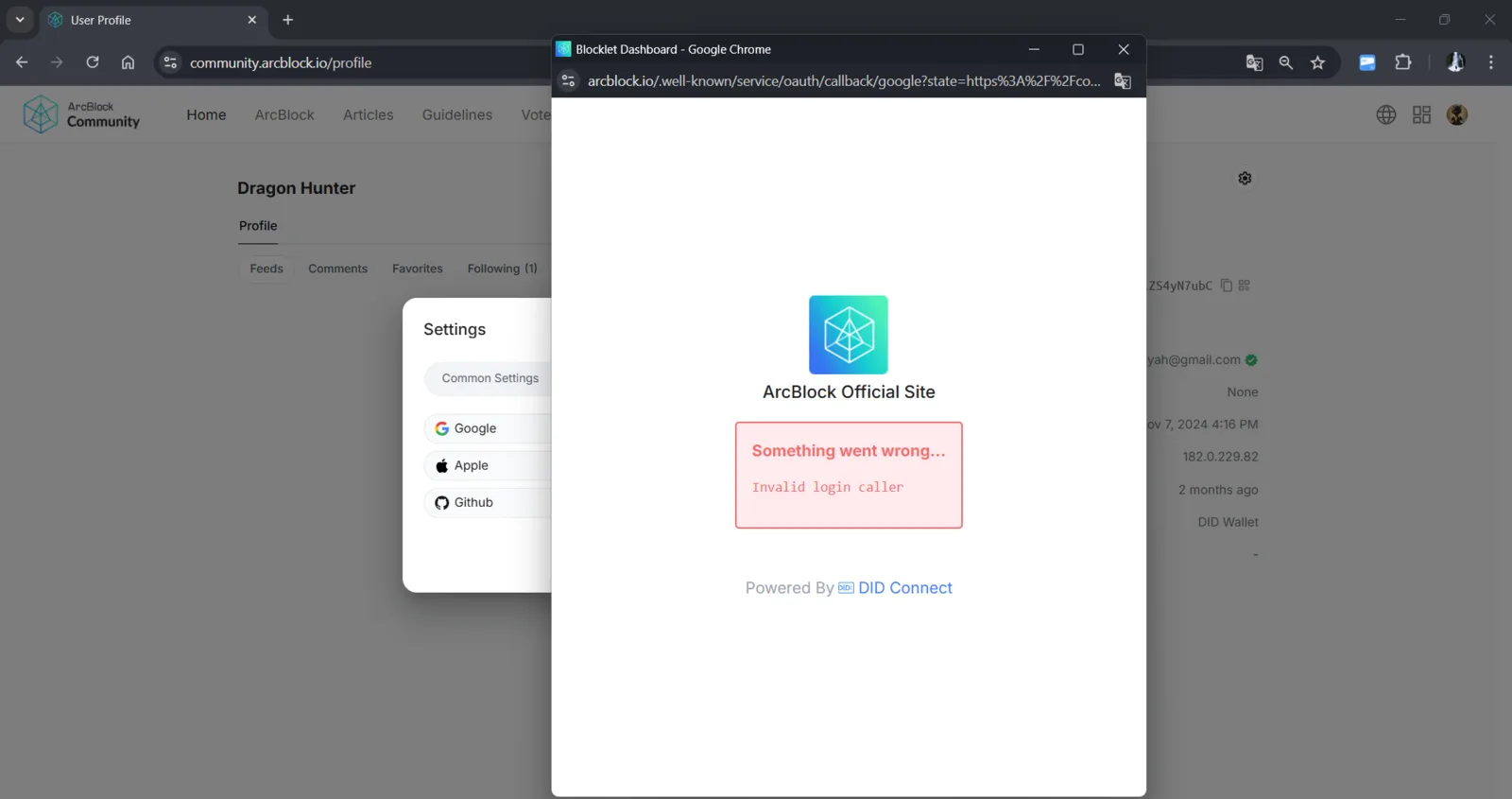
Description: When attempting to log in using the Google option on the ArcBlock Official Site, users encounter an error message: "Something went wrong... Invalid login caller". This issue prevents users from completing the login process and accessing related services.
Steps to Reproduce:
- Go to the ArcBlock Community profile page at community.arcblock.io.
- Click on the settings icon in the user profile.
- Select the Google login method from the Settings menu.
- Observe the error message on the login popup.
Additional Notes:
- This issue appears to be related to an incorrect OAuth configuration or callback URL on the server side.
- The error message provides no additional details to help the user understand the cause or potential solution.
Please investigate and resolve the login mechanism. Thank you.
2 replies
The issue is confirmed, a fix is on the way
Hi, this issue is fixed and deployed