[root@10-53-81-85 ~]# npm install -g @blocklet/cli
npm WARN deprecated @npmcli/move-file@1.1.2: This functionality has been moved to @npmcli/fs
npm WARN deprecated uuid@3.4.0: Please upgrade  to version 7 or higher.  Older versions may use Math.random() in c                                 ertain circumstances, which is known to be problematic.  See https://v8.dev/blog/math-random for details.
npm WARN deprecated uuid@3.4.0: Please upgrade  to version 7 or higher.  Older versions may use Math.random() in c                                 ertain circumstances, which is known to be problematic.  See https://v8.dev/blog/math-random for details.
npm ERR! code ENOMEM
npm ERR! syscall spawn
npm ERR! errno -12
npm ERR! spawn ENOMEM


3 replies
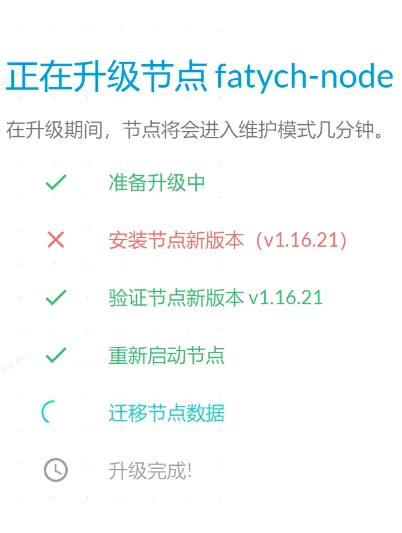
而且第二个步骤失败了,后面的流程还能继续走吗
本地执行, 看报错应该是还要交换内存了
百度一下,创建交换内存后可以了, 不过这种环境要求会不会越界了