
“Sports” Category Displays Empty Results

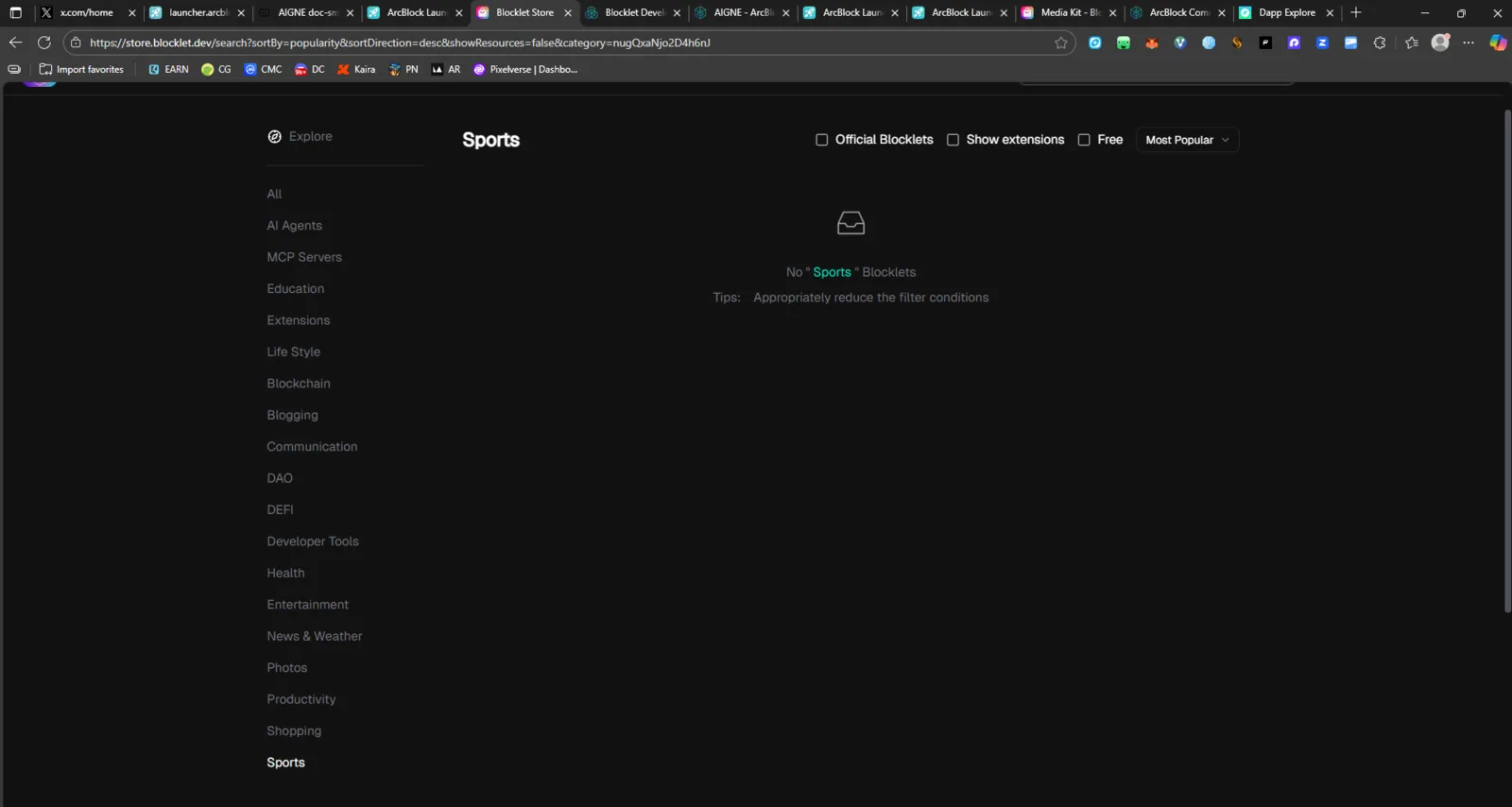
Product: Blocklet Store Page: https://store.blocklet.dev/search?sortBy=popularity&sortDirection=desc&category=nugQxaNjo2D4h6nJ Environment:
- Device: Desktop (Windows 11)
- Browser: Chrome (latest version)
- Mode: Dark Mode
🧾 Description
When selecting the “Sports” category in the Blocklet Store, no Blocklets are displayed, and the message
“No ‘Sports’ Blocklets” appears even though the category is listed in the sidebar.
This suggests either a missing dataset or a misconfigured category reference in the backend or filter system.
🔁 Steps to Reproduce
- Go to https://store.blocklet.dev.
- In the left sidebar, scroll to Sports under category options.
- Click on Sports.
- Observe the result panel.
✅ Expected Behavior
- The Sports category should display at least one related Blocklet app, or
- A clear message should appear such as “No sports-related Blocklets yet. Check back soon!” instead of showing a blank placeholder.
❌ Actual Behavior
- The Sports category shows the placeholder message: “No ‘Sports’ Blocklets. Tips: Appropriately reduce the filter conditions”
- There are no visible results, even though the category exists.
- This may indicate an empty or orphaned category in the store taxonomy.
📊 Impact
- Poor user experience (confusing category with no content).
- Reduces trust in category navigation.
- Affects store discoverability and user engagement.
🧰 Suggested Fix
- Verify if the Sports category contains Blocklet entries in the backend.
- If none exist, consider hiding or disabling empty categories.
- Alternatively, add a friendly placeholder message like: > “No Sports Blocklets yet — developers can publish theirs here!” >