
No Prompt or Feedback After Binding DID Spaces

Summary
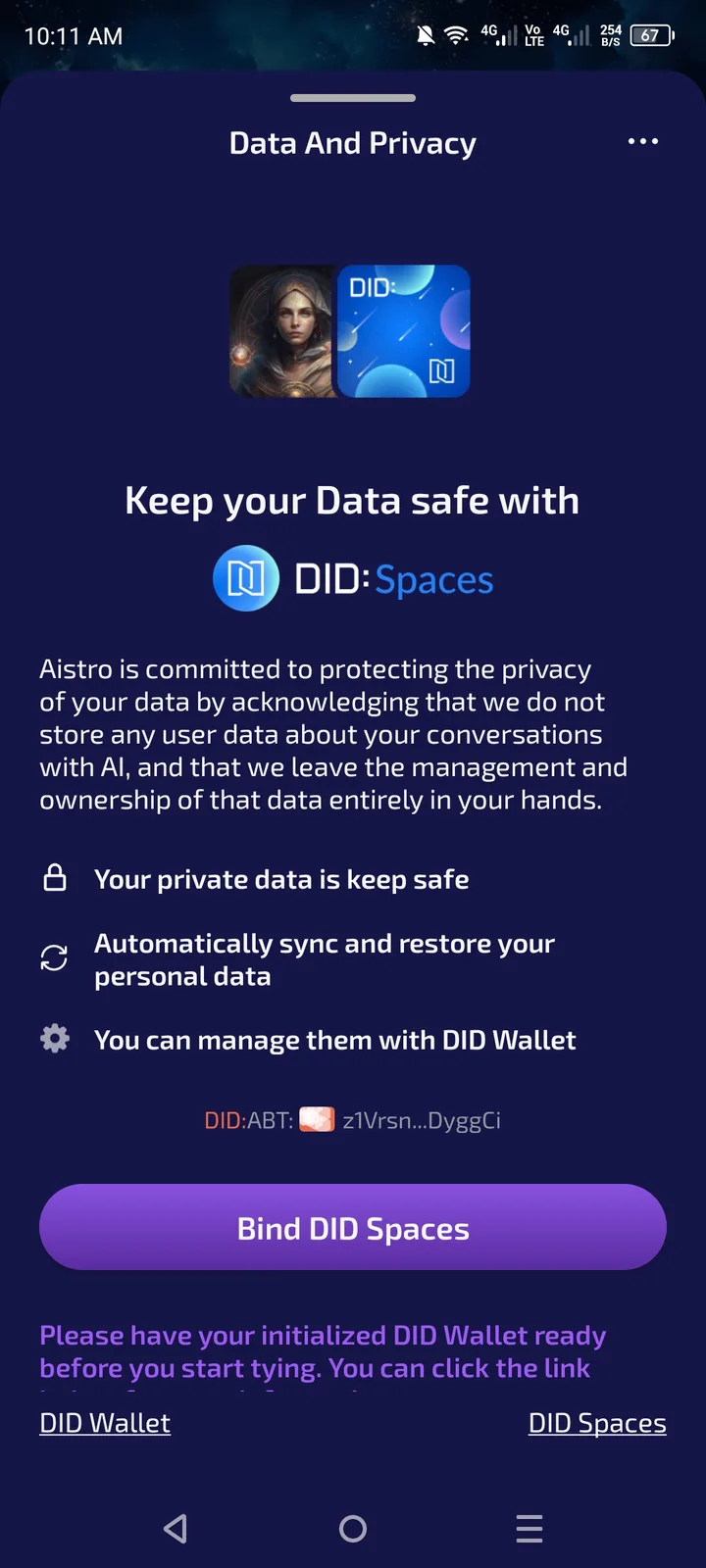
When users attempt to bind their DID Spaces in AISTRO, the system provides no prompt message or visual feedback indicating whether the binding action was successful or failed. This creates confusion and uncertainty for users about the status of their connection.
Steps to Reproduce
Log in to AISTRO.
Navigate to Profile Settings → Bind DID Spaces (or equivalent section).
Select a DID Space to bind.
Click the Bind button.
Observe that there is no success message, error message, or status indicator shown.
Expected Result
After clicking Bind, the app should clearly notify the user of the result:
✅ If successful:
“DID Space successfully bound to your account.”
❌ If failed:
“Binding failed. Please try again or check your DID Wallet connection.”
The bound DID Space should appear as linked (e.g., with a green checkmark or confirmation text).
Actual Result
After clicking Bind, nothing happens visually.
No toast notification, confirmation modal, or error prompt appears.
User cannot confirm whether the binding worked or failed without manually checking elsewhere.
Impact
User confusion: Users are uncertain if binding succeeded.
UX issue: Missing feedback breaks the expected user flow.
Support overhead: Users may repeatedly attempt to bind or contact support unnecessarily.
⚠️ Severity: Medium
Reason: Function works inconsistently from user perspective and lacks essential feedback.
📌 Suggested Fix:
Add real-time prompt messages after binding attempt (success or failure).
Display a visual confirmation (checkmark, status badge, etc.).
Implement error handling for network or DID authentication failures.
Optionally, show bind status in user profile section.
3 replies
It's the same as the problem reported in this post: Aistro 无法绑定DID space
It's not the same I'm talking about, prompt or feedback