
No Clickable Link to View Chat Profile

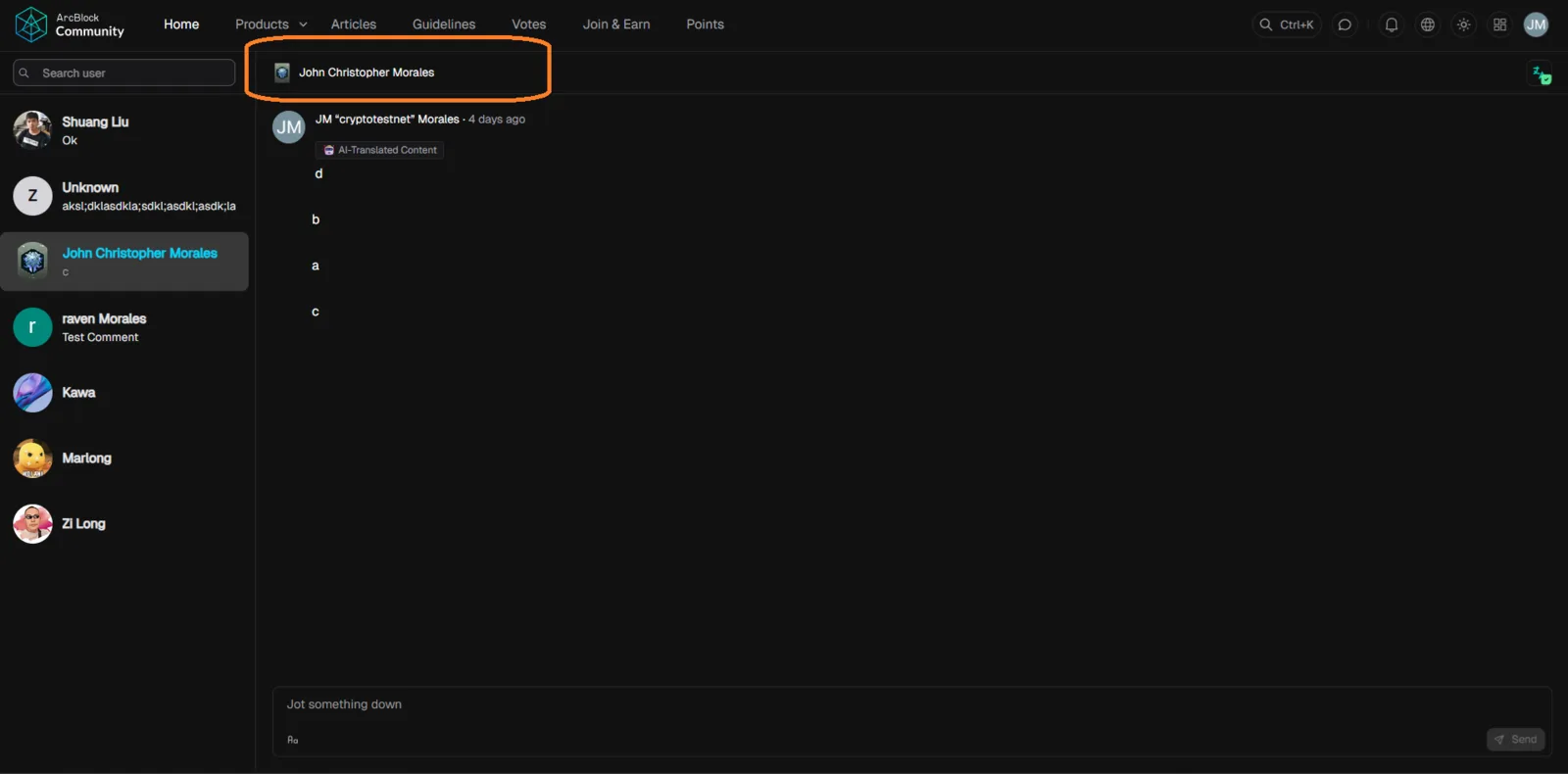
🐛 Summary
On the ArcBlock Community chat page (https://community.arcblock.io/chat), users cannot view their chat profile because the profile link is missing or non-functional. This prevents users from managing or viewing their chat identity.
🔁 Steps to Reproduce
- Navigate to:
https://community.arcblock.io/chat - Log in to your account.
- Look for your profile icon or username link in the chat interface.
- Observe that:
- No clickable link exists to view your chat profile.
📉 Severity
Medium – Impacts user identity management and engagement in the chat.
📝 Additional Notes
- The issue occurs consistently across multiple sessions.
- No error messages are shown, but the profile link is absent.
🛠️ Expected Behavior
- Users should be able to:
- Click their username or profile icon to view their chat profile.
- See profile details (e.g., username, avatar, bio).
🧪 Actual Behavior
- The profile link is missing or non-functional.
- Users cannot access their chat profile.