
Failed to Connect to Account Using DID Wallet

I tried to create a new account, but I couldn't log in to the account
this is my nft, I tried to recover the NFT, but the result is the same
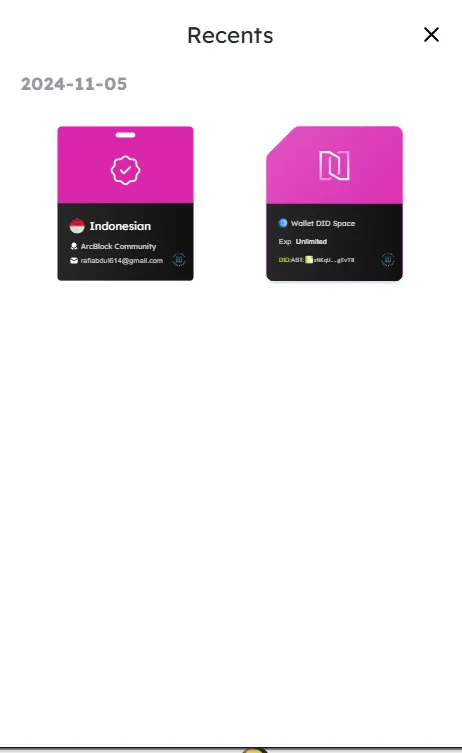
I tried to create a new account, but I couldn't log in to the account
this is my nft, I tried to recover the NFT, but the result is the same
16 replies
The error message is thrown when your email in your DID profile is different from the email verification NFT you presented.
Please upgrade your DID Wallet to the latest version to verify if the error still exists.
I have tried to update did wallet but it still doesn't work, the error that appears remains the same
I have checked the email that connects to Did Wallet but it still doesn't work
Thank you for your response. I would like to confirm that I have checked the email linked to my DID Wallet profile and ensured that it matches the email used for NFT verification.
However, the issue still persists, and I am unable to log in or proceed with the connection process. Additionally, I have updated the DID Wallet app to the latest version, but the error still occurs.
I kindly request further assistance to investigate this issue, as I am confident that all steps have been carried out correctly.
thanks you sir
Hi~ z1gVUdRAxFRycqnjUjAfuz1xs4Kx88B9dVc Have you resolved it ?
no sir
Could you please assist by providing a solution for this issue sir?
Hello, the issue has not been resolved yet. I have followed the suggested steps (ensuring the email matches and updating the DID Wallet app), but the error still persists. I would appreciate further assistance to resolve this issue.
I have followed the instructions to update my DID Wallet to the latest version. However, even after the update, I am still encountering the same issue, where the error message states there is a mismatch between the email in my DID profile and the email verification NFT presented.
Here are the steps I have taken:
Although my NFT has been verified, I still cannot access my account, and the issue persists. I would appreciate further assistance to verify if there are any other steps I can take or if the issue may be related to other factors that have not been addressed.
Thank you for your attention and support.
I apologize for the inconvenience, and I sincerely hope the team can promptly review my report to find the appropriate solution.
Thank you very much for your attention and assistance.
Which site do you want to log into? I see that your Passport was issued by Community, but the site you seem to be logging into is arcblock.io?
Maybe you can go to arcblock.io to get a new KYC passport.
Thank you for the response. I have followed the suggested steps, but when I attempt to obtain the KYC passport, I encounter an issue as shown in the attached image, where my wallet displays "No NFTs to provide."
I have ensured that the application and wallet are updated to the latest version, but the issue persists. I also tried selecting the option "I already have the NFT," but the problem continues.
I apologize for the inconvenience and sincerely hope the team can promptly review my report, as this issue is preventing me from proceeding with the verification process and using ArcBlock.
Thank you for your attention and assistance.
Can you do a simple screen recording of your login process and share with us to further investigate the issue?
Certainly, please find attached the screen recording video of the login process as requested. The video includes all the steps I performed until the issue occurred.
Feel free to review it and let me know if you need any additional information or if there are other steps you’d like me to try.
Thank you.
hii z1RBjoLMk935bPqSwpK7YVRkPbJYvuWTStu Has this issue been resolved?
z1VV21NqNWkiadznN32ALkos5dQqQwnCMty