
Missing Sort & Filter Feature in Session Management

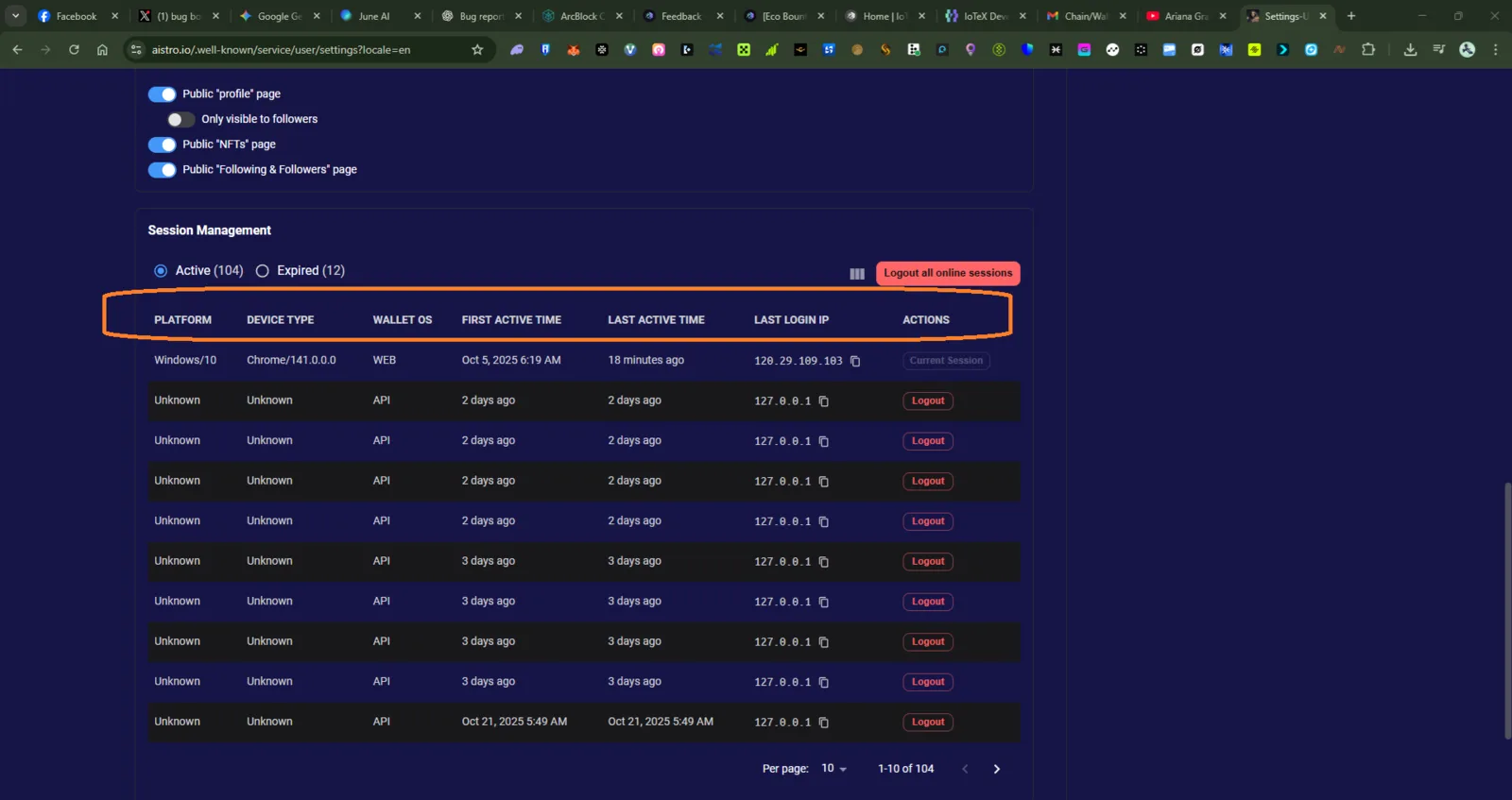
Affected Page: https://www.aistro.io/well-known/service/user/settings?locale=en Severity: Low–Medium Category: User Interface / UX Enhancement
Summary
The Session Management table lists all active and expired sessions but does not provide any sort or filter functionality. Users are unable to organize sessions by time, device, or IP, making it difficult to manage or identify suspicious activity efficiently.
Steps to Reproduce
- Log in to your Aistro.io account.
- Navigate to Settings → Session Management.
- Observe the session table (Active / Expired tabs).
- Try clicking on column headers (e.g., Platform, Last Active Time) or searching — no sorting or filtering is available.
Actual Result
- The session list is static, sorted only by system default (possibly creation date).
- Users cannot sort by Platform, Device Type, Wallet OS, First Active Time, or Last Active Time.
- No filter bar is available to narrow down sessions.
- UI layout suggests table headers but lacks interactivity.
Expected Result
- Each column header (Platform, Device Type, Wallet OS, etc.) should support clickable sorting (ascending/descending).
- A filter input should allow filtering sessions by keywords, device name, or IP address.
- Optional: a toggle to show “Only Active Sessions” or “Only API Sessions” for faster navigation.
- Improved UX with hover indicators or sorting icons (↑↓).
Impact
- Reduces session management efficiency and usability.
- Makes it harder to detect unauthorized sessions, especially for users with many devices (100+ active sessions).
- Could cause confusion when investigating potential security issues.
Recommendation
✅ Add sorting for all major fields. ✅ Implement a filter input above the session table.